



1000W PSU Planning for RTX 5090 Builds in SA
1000W for RTX 5090 needs a full-build check, not a simple yes. Review GPU guidance, CPU draw, transient load, connectors, PSU quality, and upgrade plans before deciding.
Read moreAnnual PC Maintenance: What to Do Every Year. Essential maintenance routine to keep your gear running longer in SA climate conditions.
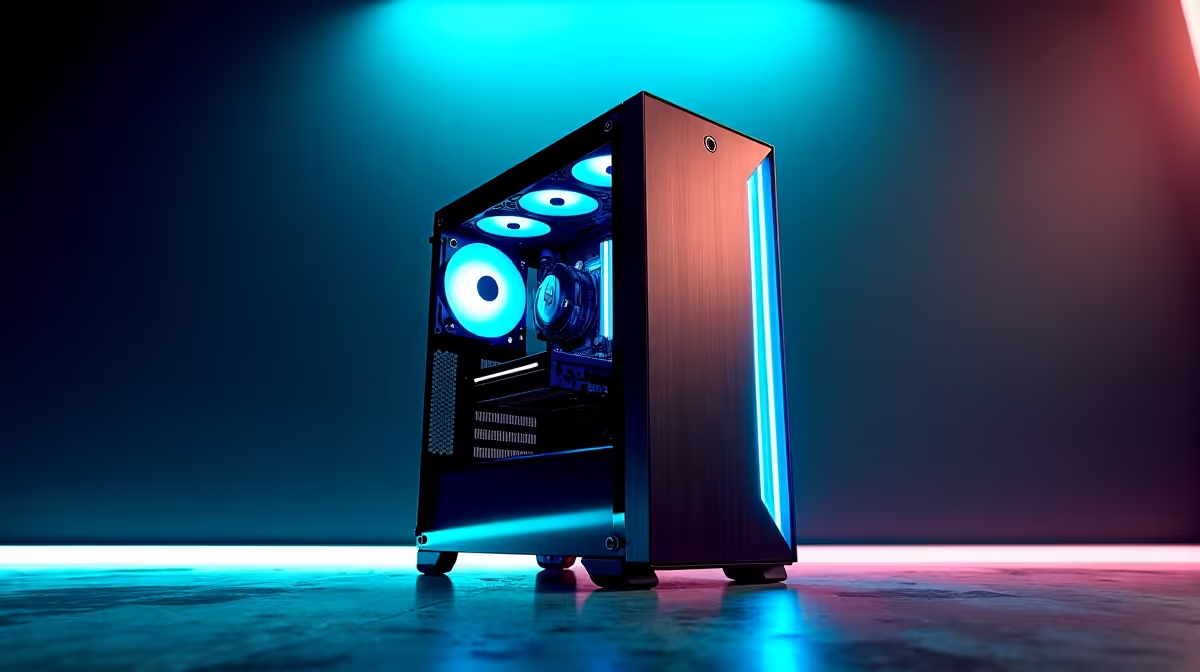
Annual PC maintenance means a full dust clean, fresh thermal paste on the CPU if temps have crept up, fan and AIO pump health checks, BIOS and chipset driver updates, a Windows clean reinstall or refresh, and a backup of important data. Budget two to three hours and you'll add years to your rig's life and reclaim lost frame rates that crept away through 2025.
Dust is the silent killer in SA, especially in coastal homes with salty air and inland homes near busy roads. Power down, unplug, take the rig outside, and use compressed air or an electric blower to clear fans, heatsinks and the PSU intake. Pop the front filter and rinse it under a tap, dry fully before reseating. Inspect fan bearings (a sticky 120mm fan is R250 to replace and saves your CPU from thermal throttle). Carpets, pet hair and braai-area dust all accelerate buildup, so plan more frequent cleans if your setup lives anywhere busy.
If your CPU temps are 5 to 10 degrees higher than they were 12 months ago, repaste. A R150 tube of Thermal Grizzly Kryonaut or Arctic MX-6 lasts five years and a single repaste can drop a Ryzen 5 7600 from 85 degrees down to 70 under load. Update chipset drivers from AMD or Intel, your motherboard BIOS for stability fixes, and GPU drivers via DDU + clean install. Check SSD firmware in Samsung Magician, WD Dashboard or Crucial Storage Executive for performance and reliability patches.
Windows accumulates cruft. Run Disk Cleanup, uninstall the apps you forgot you installed, and consider a clean reinstall every two years. Backup Documents, Pictures and game saves to a secondary SSD or NAS before you start. With loadshedding still nibbling at uptime, a UPS check belongs on this list too: test the battery runtime, replace if it dies under 5 minutes of load, and keep a spare RBC battery on hand for the inevitable cell failure during stage 4.
Every two to three years on average rigs, or annually on heavy gaming PCs running 80+ degrees regularly. Air-cooled chips hold paste longer than AIOs that run pumps 24/7.
Absolutely. Even a non-gamer's office PC runs cooler, quieter and lasts longer with one yearly clean and an SSD firmware check, and it costs basically nothing in parts.
If you're careful with anti-static and don't yank cables, the risk is tiny. Avoid vacuum cleaners (static), and never spin fans with compressed air without holding them, the bearings hate it.
Ready to Find Your Perfect Match? Refresh your rig or upgrade to a maintenance-friendly build. Shop Gaming PCs
Annual PC Maintenance: What to Do Every available at Evetech.co.za with local warranty and fast delivery.
Annual PC Maintenance: What to Do Every - check Evetech for latest stock and SA pricing.
Depends on your use case. Annual PC Maintenance: What to offers good value at current Rand pricing.
1000W for RTX 5090 needs a full-build check, not a simple yes. Review GPU guidance, CPU draw, transient load, connectors, PSU quality, and upgrade plans before deciding.
Read more
RTX 5080 Super with a 750W PSU is more comfortable than lower wattage if the unit is quality. SA builders should still confirm GPU guidance, CPU draw, connector type, airflow, and upgrade room.
Read more
How to fix FPS drops after a RX 9070 XT starts with driver cleanup, chipset updates, thermals, and power checks. For SA gaming PCs, confirm PCIe seating, monitor refresh, frame caps, and per-game graphics settings before replacing parts.
Read more
How to fix low FPS Windows 11 Wi-Fi 7 issues starts by checking whether the problem is frame rate or network lag. Test ping, drivers, power settings, Ethernet, and game FPS before adjusting visuals.
Read more
AM5 is smart for SA builders because it supports newer Ryzen CPUs, DDR5 memory, and a longer upgrade path. Compare board cost, cooling, gaming needs, and local part availability before choosing your next PC platform.
Read more
AM5 gives Randburg gaming builders a longer upgrade path. For SA buyers, DDR5 support, newer board features, and future CPU options can justify the platform. Weigh board cost, cooler support, BIOS maturity, and upgrade timing before choosing.
Read more
RTX 5090 on a 550W PSU leaves almost no practical room for OC plans. Treat the setup as constrained, with CPU draw, power spikes, cable quality, thermals, and stability checks more important than chasing extra clocks.

FPS drops on a Ryzen 9 9950X3D build often have a fixable cause. Check settings, drivers, thermals, background tasks, network conditions, and bottlenecks before assuming a part must be replaced.

The difference between PCIe 5.0 and PCIe 4.0 for SA gamers is mostly bandwidth headroom. Compare GPU slot needs, NVMe speed, motherboard support, and upgrade timing before paying extra for a newer platform.

Gaming PC stuck pixel checks in South Africa should confirm the monitor fault first. Use colour tests, screenshot comparison, cable swaps, display menu checks, and clear photos before deciding on support.

AMD's current driver now lists a Radeon RX 9050 4GB, while product coverage details a narrowed memory system. SA buyers should weigh the low VRAM ceiling against current local Radeon options.

Samsung Display has demonstrated a 16-inch 2.5K OLED laptop panel running at 300Hz. SA buyers should wait for a named notebook, full panel specifications and a local price before planning an upgrade.

Microsoft says some Windows 11 game crashes after recent updates are linked to RGB-related drivers. Affected SA gamers should confirm the update and driver before using the published registry workaround.

Thermalright's Fan Frame Vision-1 adds a 640x172 status screen to a standard 120mm fan. SA builders should check clearance, USB routing and local support before treating it as an easy upgrade.

Shokz OpenFit Air 2 earbuds weigh 7.2g each and use a redesigned dual-driver open-ear layout. SA buyers should choose them for comfort and awareness, not maximum isolation.

A fake 113GB GTA VI ISO reportedly used empty padding around a small malware payload. SA gamers should delete unofficial builds, keep Windows security active and wait for official channels.

The ROG Flux Charger Dock combines 260W total output, 140W laptop charging and HDMI 2.1. SA buyers should check laptop USB-C limits, display needs and local warranty first.

ASRock's Rock 360 Digital AIO adds a 1.05-inch CPU temperature display, 360mm radiator and simplified wiring. SA builders should check case fit, socket support and local warranty.