Juggling assignments, a tight budget, and the need to unwind with a few rounds of Apex? Finding the best laptops for South African students can feel like a mission. You need a machine that can handle late-night study sessions, survive load-shedding, and won't cost a fortune. Don't stress… we've got you covered. This guide breaks down exactly what to look for to get the perfect blend of power, portability, and price. 💻
What Defines the Best Student Laptops in SA?
Before you even look at a price tag, it’s crucial to know what features actually matter. For a student in South Africa, the priorities are slightly different. It’s not just about raw power; it’s about smart, practical performance.
Key Features to Prioritise:
- Battery Life: With load-shedding being a daily reality, a long-lasting battery is non-negotiable. Aim for a laptop that promises at least 6-8 hours of real-world use. You can’t be hunting for a plug point in the middle of a lecture. 🔋
- Portability: You'll be carrying this machine across campus, from the library to your res room. A lightweight, compact laptop (under 2kg) is a lifesaver.
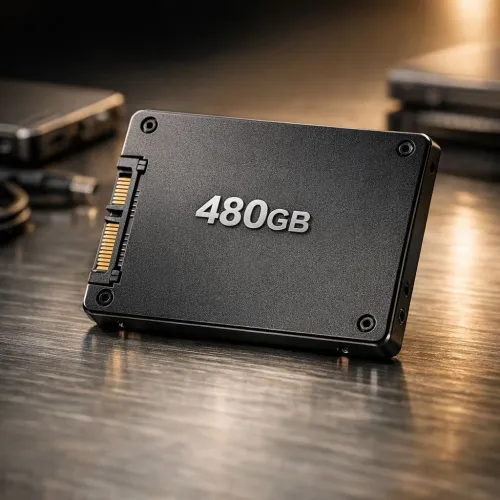
- Solid Performance: You need enough power to multitask smoothly… think multiple browser tabs for research, your word processor, and maybe Spotify running in the background. An SSD (Solid State Drive) is essential for fast boot times and snappy performance.
Finding the Sweet Spot: CPU Performance vs. Price
The processor (CPU) is the brain of your laptop, and the choice often comes down to two main teams: Intel and AMD. Both offer fantastic options, making it easier to find top student laptops that fit your budget.
For years, Intel laptops have been a go-to for reliable, all-round performance, handling everyday tasks and demanding software with ease. They offer a huge range, from budget-friendly Core i3 models to powerhouse Core i7s perfect for engineering or design students.
On the other side, AMD laptops often deliver incredible value, especially with their Ryzen series. Many AMD chips boast excellent multi-core performance and powerful integrated graphics, meaning you can even do some light gaming without a dedicated graphics card.
Quick Battery-Saving Tip ⚡
For class, switch your laptop to its 'Power Saver' or 'Eco' mode. It slightly reduces performance but can add an extra hour or more to your battery life… perfect for getting through that double-period lecture.
Can Your Study Laptop Also Be a Gaming Rig?
Absolutely! The line between a powerful work laptop and a gaming machine is blurrier than ever. Many of the best laptops for South African students, especially those in creative or technical fields, come with dedicated graphics cards (GPUs) from NVIDIA or AMD.
This means you can run demanding software like AutoCAD or the Adobe Creative Suite for your coursework, and then jump straight into a gaming session without missing a beat. Investing in one of Evetech's gaming laptop deals can be a smart move, giving you a single, powerful device for both work and play. 🎮
Choosing the right machine means you get a future-proof investment that will see you through your degree and beyond. The key is to find that perfect balance that meets your academic needs and your budget.