



1000W PSU Planning for RTX 5090 Builds in SA
1000W for RTX 5090 needs a full-build check, not a simple yes. Review GPU guidance, CPU draw, transient load, connectors, PSU quality, and upgrade plans before deciding.
Read moreA 4D biaxial headrest can improve adjustability when its movement aligns support across the user's main postures. The E3 Ultra includes this headrest design with 70-degree rotation and tilt.
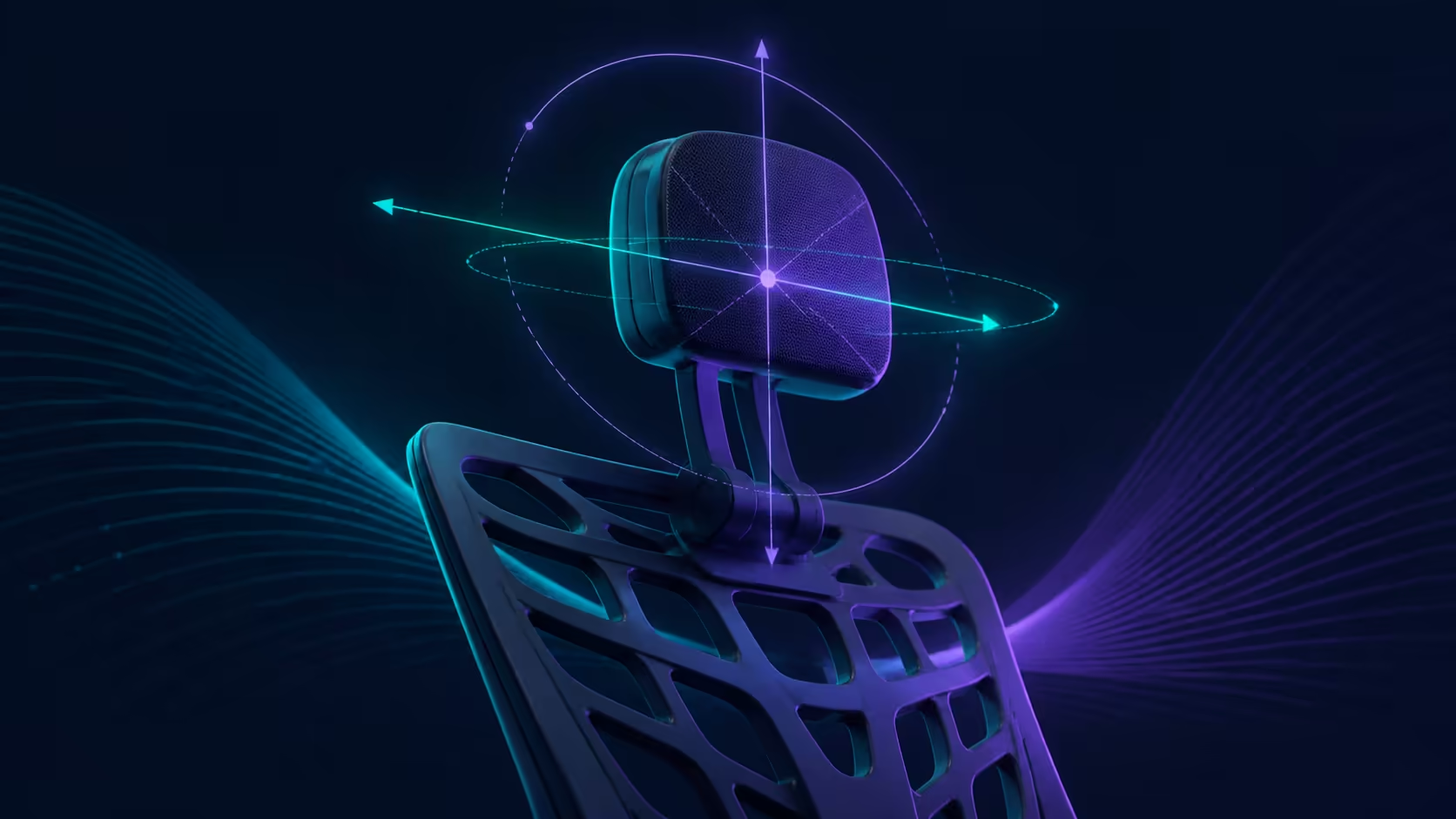
A 4D biaxial headrest adds value when its movement lets the support meet a natural head position across real tasks. It should follow a correctly placed display and chair, not force the neck to accommodate the pad.
Yes. The E3 Ultra 4D headrest changes height by 1.8 inches, depth by 2.2 inches and rotates on two axes through 70 degrees.
Biaxial adjustment can broaden how a headrest rotates and tilts, making more contact positions available. Test whether those positions remain gentle and repeatable upright and reclined. The R9,599 HBADA E3 Ultra provides biaxial 4D head support across 70 degrees of rotation and tilt.
Place the screen at a distance and height that allows relaxed viewing. Sit against the backrest without reaching the chin forward. This gives the headrest a neutral position to complement.
If contact redirects the gaze or pushes the head away from its natural line, reduce the intervention. Support should not become a new posture command.
On the E3 Ultra, biaxial movement and the 4D description are paired with 70 degrees of rotation and tilt. Work through a small portion first, observing contact location rather than chasing the maximum angle.
Compare head-support designs in Evetech's HBADA seating range. Do not attach extra directions, locks or extension mechanics to the label without checking the actual control.
Typing, reading and calls position the head differently. The E3 Ultra can recline as far as 140 degrees, so repeat the contact test at the modest recline angles you expect to use.
Watch for a setting that feels helpful only when you remain unnaturally still. A useful headrest allows ordinary movement and is easy to leave when the task changes.
More adjustability does not guarantee comfort, posture or a medical outcome. It improves the chair only when the range reaches a suitable location for the individual without creating another mismatch.
Use Evetech's office chair options to compare headrest control alongside seat, lumbar and arm fit. Save a visible reference when you find a position worth repeating.
Shared users should keep separate headrest references because height and preferred contact vary. Have each person reset the support from a neutral position and confirm that the screen remains visible without chin or torso compensation. Ease of resetting belongs in the adjustability score.
Test with ordinary eyewear if it changes head angle or viewing distance. The support should follow the user's real visual task, not a showroom pose created without their normal equipment.
Cleaning or moving the chair can disturb a carefully chosen setting. A simple private photograph or alignment note helps restore it without relying on memory. The reference should describe the physical position, not promise the same comfort on a changed desk.
Include the user's normal hairstyle, headset or eyewear in a realistic trial because these can alter physical contact. Treat any change as part of the individual setup, not as a new mechanism inside the headrest.
At R9,599, head-support range should be valued with complete seat fit and capacity. A precise pad position cannot rescue a chair that fails a non-negotiable body or desk measurement. Resolve those gates before comparing subtle contact. Repeat the final position independently.
Those ranges can support forward leaning, upright work and recline when set gently. Adjust after the screen is positioned, and avoid using headrest movement to compensate for a monitor that forces the gaze too high or low.
Keep the pad under the skull rather than forcing the neck noticeably forward to reach it.
It describes movement around two axes, broadening how the support can be oriented. The exact mechanism and control method remain specific to each chair.
HBADA fits a biaxial 4D head support offering 70 degrees of rotation and tilt. That is the range to use in comparisons.
Judge it with a relaxed forward gaze and normal breathing. Contact should not press the chin down, drive the head forward or demand rigid stillness.
No. Range helps only if it reaches the user's preferred contact point and works with the display, seat and task.
As the backrest angle changes, the head moves relative to the screen and pad. Recheck support during every recline position you plan to use.
No treatment, prevention or therapeutic result should be assigned to it. Persistent neck symptoms require suitable professional advice.
Ready to judge headrest movement by natural contact rather than labels? Explore Evetech office chairs after aligning your display and defining the upright and reclined positions the support must serve.
It describes movement around two axes, broadening how the support can be oriented. The exact mechanism and control method remain specific to each chair.
HBADA fits a biaxial 4D head support offering 70 degrees of rotation and tilt. That is the range to use in comparisons.
Judge it with a relaxed forward gaze and normal breathing. Contact should not press the chin down, drive the head forward or demand rigid stillness.
No. Range helps only if it reaches the user's preferred contact point and works with the display, seat and task.
As the backrest angle changes, the head moves relative to the screen and pad. Recheck support during every recline position you plan to use.
No treatment, prevention or therapeutic result should be assigned to it. Persistent neck symptoms require suitable professional advice.
1000W for RTX 5090 needs a full-build check, not a simple yes. Review GPU guidance, CPU draw, transient load, connectors, PSU quality, and upgrade plans before deciding.
Read more
RTX 5080 Super with a 750W PSU is more comfortable than lower wattage if the unit is quality. SA builders should still confirm GPU guidance, CPU draw, connector type, airflow, and upgrade room.
Read more
How to fix FPS drops after a RX 9070 XT starts with driver cleanup, chipset updates, thermals, and power checks. For SA gaming PCs, confirm PCIe seating, monitor refresh, frame caps, and per-game graphics settings before replacing parts.
Read more
How to fix low FPS Windows 11 Wi-Fi 7 issues starts by checking whether the problem is frame rate or network lag. Test ping, drivers, power settings, Ethernet, and game FPS before adjusting visuals.
Read more
AM5 is smart for SA builders because it supports newer Ryzen CPUs, DDR5 memory, and a longer upgrade path. Compare board cost, cooling, gaming needs, and local part availability before choosing your next PC platform.
Read more
AM5 gives Randburg gaming builders a longer upgrade path. For SA buyers, DDR5 support, newer board features, and future CPU options can justify the platform. Weigh board cost, cooler support, BIOS maturity, and upgrade timing before choosing.
Read more
RTX 5090 on a 550W PSU leaves almost no practical room for OC plans. Treat the setup as constrained, with CPU draw, power spikes, cable quality, thermals, and stability checks more important than chasing extra clocks.

FPS drops on a Ryzen 9 9950X3D build often have a fixable cause. Check settings, drivers, thermals, background tasks, network conditions, and bottlenecks before assuming a part must be replaced.

The difference between PCIe 5.0 and PCIe 4.0 for SA gamers is mostly bandwidth headroom. Compare GPU slot needs, NVMe speed, motherboard support, and upgrade timing before paying extra for a newer platform.

Gaming PC stuck pixel checks in South Africa should confirm the monitor fault first. Use colour tests, screenshot comparison, cable swaps, display menu checks, and clear photos before deciding on support.

AMD's current driver now lists a Radeon RX 9050 4GB, while product coverage details a narrowed memory system. SA buyers should weigh the low VRAM ceiling against current local Radeon options.

Samsung Display has demonstrated a 16-inch 2.5K OLED laptop panel running at 300Hz. SA buyers should wait for a named notebook, full panel specifications and a local price before planning an upgrade.

Microsoft says some Windows 11 game crashes after recent updates are linked to RGB-related drivers. Affected SA gamers should confirm the update and driver before using the published registry workaround.

Thermalright's Fan Frame Vision-1 adds a 640x172 status screen to a standard 120mm fan. SA builders should check clearance, USB routing and local support before treating it as an easy upgrade.

Shokz OpenFit Air 2 earbuds weigh 7.2g each and use a redesigned dual-driver open-ear layout. SA buyers should choose them for comfort and awareness, not maximum isolation.

A fake 113GB GTA VI ISO reportedly used empty padding around a small malware payload. SA gamers should delete unofficial builds, keep Windows security active and wait for official channels.

The ROG Flux Charger Dock combines 260W total output, 140W laptop charging and HDMI 2.1. SA buyers should check laptop USB-C limits, display needs and local warranty first.

ASRock's Rock 360 Digital AIO adds a 1.05-inch CPU temperature display, 360mm radiator and simplified wiring. SA builders should check case fit, socket support and local warranty.