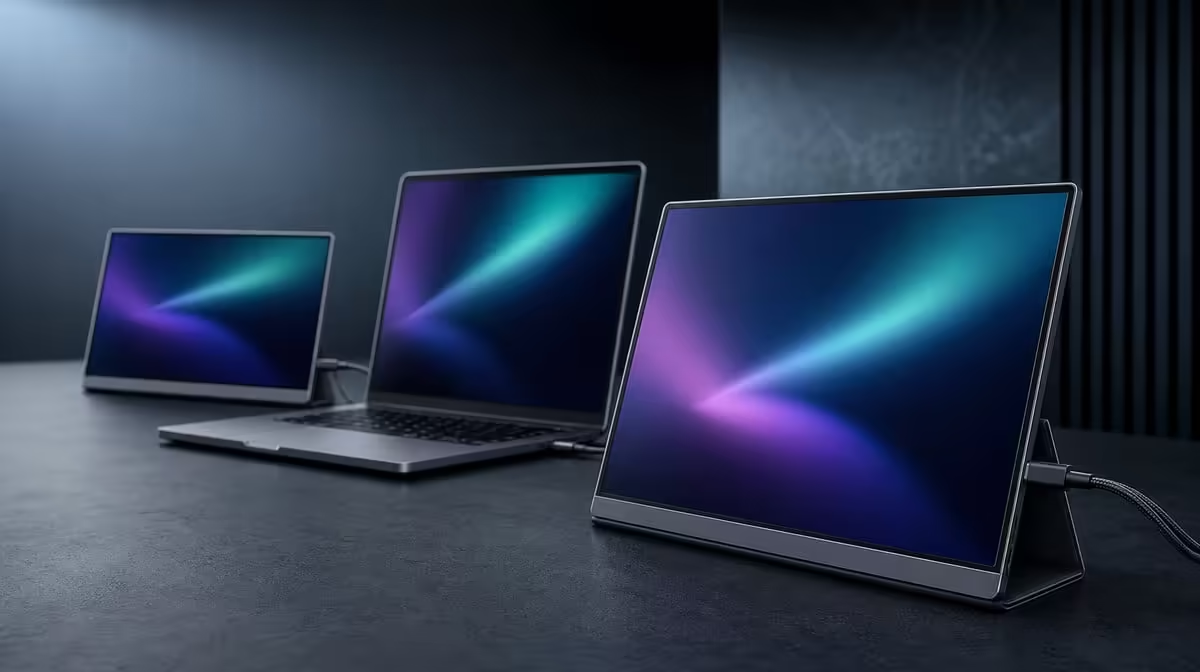
A second and third display do not make a computer faster, but they can remove the window switching that interrupts useful work. To improve laptop performance with two external screens, treat performance as a combination of computer load and human workflow. The R4,299 UPERFECT Delta adds two independent Full HD work areas; the laptop still has to render everything placed on them.
Quick Answer
Use one Delta panel for the main task and the other for reference or communication, while keeping only necessary applications open on the laptop. Both 15.6-inch screens should run at native 1920 x 1080 through a compatible display path. The R4,299 monitor improves workspace efficiency, but demanding content on three visible displays can still expose the laptop's processing limits.
🧭 Assign each display a stable job
Begin with a layout that reduces repeated movement. A writer might keep the draft on one Delta panel, research on the other and calls on the laptop. A CAD user can separate the model, properties and documentation. An editor can reserve one screen for the timeline and another for files or notes.
Keep those roles consistent for a full session. The advantage comes from knowing where information lives, not from filling every panel with activity.
Use extension rather than mirroring when the goal is independent workspace. Start each external panel at its native Full HD resolution and set a common system scale before adjusting individual applications.
Browse Evetech portable monitors when comparing compact multi-screen layouts.
💻 Watch the laptop workload
Open the normal project, then check whether scrolling, playback or interaction remains smooth. Two external panels display more content, but they do not add processor, graphics or memory resources to the notebook.
Close background applications that do not support the current task. A quiet reference document creates less demand than simultaneous video, live dashboards and an edit render. If performance drops, simplify what is moving before reducing the value of the whole layout.
The Delta's 25ms response is a panel characteristic. It should not be confused with application pauses or uneven frames caused by an overloaded source.
🔌 Keep the display path stable
One-cable operation depends on the laptop socket carrying both external images and the power route needed by the monitor. Confirm the exact port by model; connector shape alone is not evidence.
Deploy the Delta's integrated support before attaching the cable and leave slack away from the folding hinge. Identify all displays in the operating-system arrangement, then drag one simple window across them before launching heavier tools.
For a desk that rarely moves, compare fixed options in the Evetech monitor range.
🧪 Measure the workflow result
Choose a task that usually requires repeated switching. Complete it once with the planned three-screen arrangement and note interruptions, application load and comfort.
Then remove any screen content that did not help. A quiet panel is not wasted; it can remain available for the moment a reference or message is needed. The goal is less cognitive switching, not maximum visual noise.
Repeat after sleep and wake, and once after folding and rebuilding the portable setup. If windows return to useful locations and the laptop remains responsive, the arrangement has improved practical performance. Verify the live Delta listing on Evetech; its current best-selling monitor selection adds wider context.
Keep a short before-and-after note. Record the task duration, the number of avoidable window changes and any moment when the notebook became sluggish. That evidence distinguishes a genuine workflow gain from the novelty of extra panels. If three active areas are too demanding, leave reference material static, close moving content or return one task to the laptop only when needed. The screen plan can be simplified without abandoning the benefit of separate visible information.
Frequently Asked Questions
Do two external screens make the laptop hardware faster?
No. They expand visible workspace; the laptop still supplies the computing and graphics work.
Which resolution should the Delta panels use?
Begin with native 1920 x 1080 on each 15.6-inch IPS display.
Why assign a fixed role to every screen?
Consistent placement reduces searching and repeated window switching during a task.
Can one cable run both external panels?
Yes, when the selected host socket can drive both panels and provide the necessary power route.
How can laptop load be reduced?
Close unrelated applications and avoid placing unnecessary moving content across all visible displays.
Does 25ms explain application stutter?
Not by itself. Source load and signal stability must be separated from the panel's response characteristic.
How much does the Delta cost?
The dual-screen monitor costs R4,299.
Can both external panels show different content?
Yes. Extension lets the independent screens hold different applications or windows rather than repeating one image.
Ready to turn extra screen area into fewer interruptions?
Explore Evetech portable monitors and build a measured Delta layout around the work your laptop performs every day.