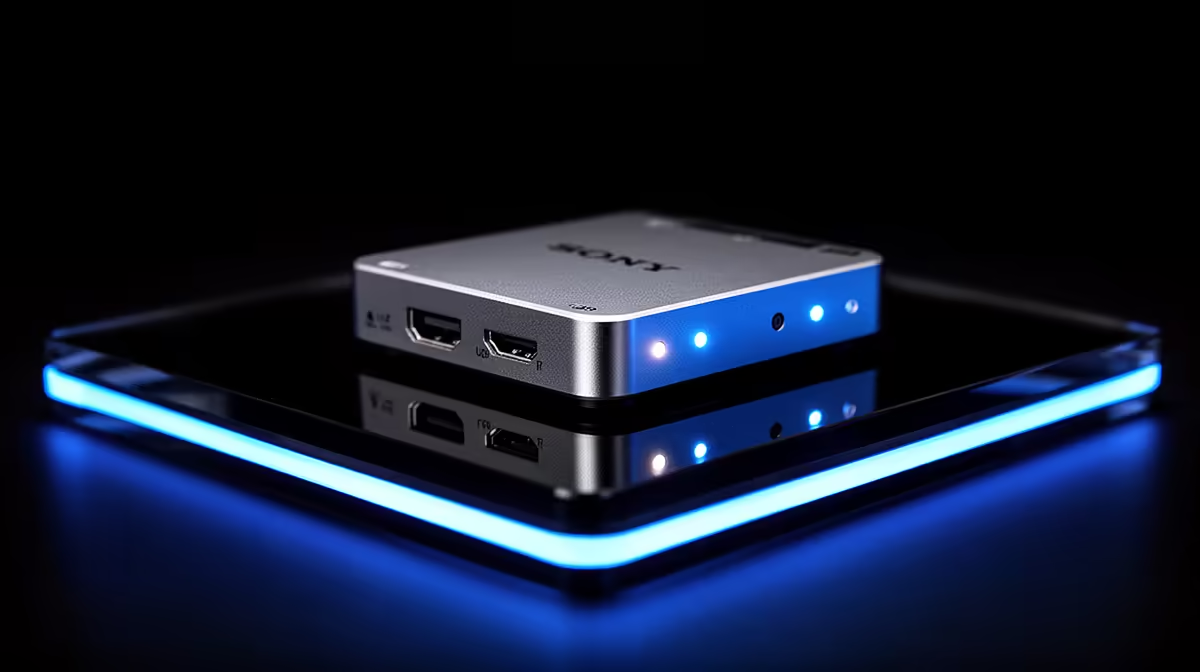
A capture card sits between source, display and recording PC, so one weak cable or unsupported mode can break the whole chain. The Elgato 4K X capture card price in South Africa makes sense only after you define the console resolution, passthrough display and recording output. Check the exact local listing and current specification together.
Quick Answer
Elgato 4K X availability and Rand pricing can change with each shipment. Check Evetech's live streaming essentials category for the exact model and currently listed capture hardware. Buy it when its verified input, passthrough and capture modes match your console, display, computer and streaming software.
🎥 Define the signal you need to capture
Write down the source: PlayStation, Xbox, gaming PC or camera. Then record its resolution, refresh rate, HDR use and audio path.
Decide what the player must see through passthrough and what the audience receives. A high-refresh 4K display and a lower-resolution stream can require different modes at once.
Check the current 4K X specification table for exact capture and passthrough combinations. The "4K" name alone cannot tell you every supported frame rate, colour format or compression mode.
Verify variable-refresh and HDR behaviour where you use them. A card may support a feature only in certain signal combinations.
For a camera, check clean HDMI output, resolution and whether overlays can be disabled. Prevent automatic sleep through supported settings.
For a console, disable protected-video modes only through legitimate platform controls where needed. Capture cards cannot record protected streaming services.
🖥️ Make sure the computer can handle the job
Capture requires USB bandwidth, software processing, storage and encoding. Read the current system requirements for the exact device and output mode.
Use the required USB port type and a supported cable. A connector can fit while the port runs at a slower data rate.
Test the card on a direct computer port before adding a hub. Webcams, storage and other capture devices can compete for the same controller bandwidth.
Choose the encoder through measured results. Hardware encoders can reduce CPU load, while software encoding may offer other controls. Record a ten-minute sample and inspect missed frames.
Storage speed and capacity matter for high-quality recording. Calculate data use from your chosen format and leave working space for editing.
Run the whole stream for an hour. Watch temperatures, audio sync, USB stability and dropped frames. A preview window alone is not a stress test.
🔌 Build and test the HDMI chain
Use cables rated for the resolution and refresh mode. Keep runs short where possible and avoid tight bends.
Connect source to capture input, passthrough output to the gaming display and USB to the recording PC. Test each stage before opening streaming software.
If the display loses a high-refresh mode, check the card's supported passthrough and both HDMI cables. Changing everything at once hides the cause.
Audio can travel over HDMI or through another interface. Choose one primary path to avoid doubled sound and echo.
Measure audio sync with a visible clap or game-menu movement. Add delay only after identifying whether video or audio arrives first.
Test sleep, console restart and input changes. Some chains need a clear startup order. Write down the sequence that restores the signal.
Evetech's webcam range helps you plan the other video input. A capture card and webcam should run together on the recording PC without starving one USB path.
💰 Compare capture value with software recording
Search Evetech's live streaming page for the complete 4K X model, included cables and current Rand amount. Do not transfer a price from another Elgato capture card.
A single-PC gamer may record through the graphics card's encoder without external capture. Test that route before adding hardware.
A console streamer needs a capture path unless using the console's built-in streaming tools. Compare overlays, audio control, quality and convenience.
A dual-PC setup can isolate game and encoding load and adds another computer, network and audio routing. A capture card does not make the arrangement simple by itself.
Choose 4K capture when you need the recording resolution and your storage and editing workflow support it. A lower output can be easier for streaming platforms and viewers.
For a used 4K X, inspect HDMI and USB ports, test every required signal mode and record until warm. Watch for black screens, colour shifts and audio drift.
Start with a known 1080p signal and build upward one mode at a time. Record the source setting, passthrough result and capture result in a table. This makes a failed high-refresh mode easier to diagnose than a desk full of swapped cables.
Check the device after the console and PC sleep. Note whether the capture preview, passthrough and audio return without reconnecting cables. Save a working startup order for the whole chain.
Run an hour-long local recording and inspect the beginning, middle and end. Check lip sync, frame pacing, colour and file integrity. A live preview can look fine while the written file drops frames.
Test your microphone and game audio through the exact stream scene. Keep meters below clipping and record a private sample. Audio routing errors can matter more than capture resolution.
Keep serial photographs, invoice and shaped packaging. Ask how port, cable and internal hardware faults are diagnosed under the seller's terms.
Frequently Asked Questions
What resolution does the Elgato 4K X capture?
Capture modes vary by frame rate, colour and host support. Use Elgato's current specification table for the exact mode you need.
Does it need a powerful PC?
The PC must meet current USB, encoding, storage and software requirements for the chosen output. Higher modes demand more of the workflow.
Is it better than older capture cards?
Compare exact input, passthrough, capture, HDR, refresh and USB modes. Newer is useful only when those changes solve your need.
Can it capture PlayStation or Xbox?
Capture cards can accept supported console HDMI game output. Verify resolution, refresh, HDR and protected-content limits.
Do I need a second PC?
No. A console can feed one PC, and a single PC can use software recording. A second PC is an optional workflow.
Who needs 4K capture?
Creators who record, edit or archive at 4K may benefit. Streamers publishing at lower resolution should compare the full workflow.
Where can South Africans check capture hardware?
Evetech's live streaming-essentials page shows current local capture and creator gear.
Ready to map your capture signal?
Explore Evetech's current streaming gear and choose a capture card whose verified modes match your source, display and PC.