



1000W PSU Planning for RTX 5090 Builds in SA
1000W for RTX 5090 needs a full-build check, not a simple yes. Review GPU guidance, CPU draw, transient load, connectors, PSU quality, and upgrade plans before deciding.
Read moreUnlike a microphone upgrade, a capture card rarely helps a single gaming PC: modern NVENC hardware encoding runs alongside gameplay with a near-zero frame-rate hit, so OBS is enough. Evetech stocks capture cards mainly worth it for dual-PC or console setups.
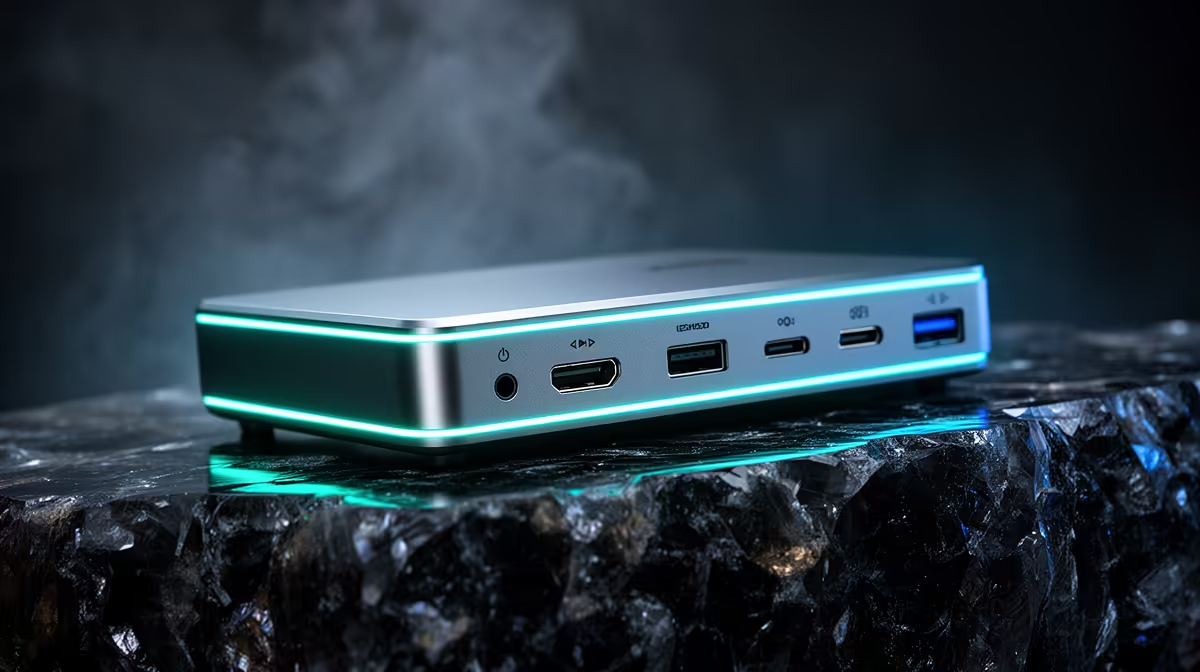
A capture card is rarely needed for a single gaming PC in 2026. OBS can capture the game directly, and fixed-function encoders such as current NVENC can keep the performance cost modest. A capture card becomes useful for a console, camera or second gaming PC.
Use OBS alone when the game and stream run on one stable PC. Buy a capture card when the video source arrives through HDMI or SDI, or when a two-PC workflow needs to move the gaming output to the streaming system.
Compare cards, lights and audio tools in the streaming essentials selection. If the goal is a clearer face camera, inspect the webcam range before adding a card that does not improve the camera sensor.
Game Capture can copy frames from many PC games without an external device. The GPU's hardware encoder handles video encoding on dedicated circuitry, though scene composition, capture and encoding still use some system resources.
Test a busy match while recording or streaming. Watch frame times, render lag, encoder lag and output quality. Lower output resolution, frame rate or encoder settings when the stream is unstable.
It converts an external video signal into a source the streaming PC can use. For a console, it captures HDMI while pass-through sends the game to a low-latency display. For dual PC, it carries the gaming PC's output to the streaming PC.
It does not automatically encode the stream or eliminate every performance cost. OBS and the streaming computer still compose scenes, mix audio and encode unless the card has a specific independent function.
Confirm input, pass-through and captured resolution separately. A card may pass 4K 120Hz while capturing a lower mode. VRR, HDR and ultrawide support vary.
Audio routing can create echoes or missing chat. Draw the console, headset, microphone and stream mix before buying. HDCP-protected sources may not be capturable.
Use the correct capture source, run OBS with suitable permissions, update supported drivers and cap the game when GPU utilisation leaves no room for scene rendering. Simplify browser sources and animated overlays.
If one PC remains overloaded, a second system or hardware change may help. Buy a capture card only as part of that defined signal path.
Record locally before going live. A ten-minute file lets you inspect audio sync, colour range and dropped frames without platform variables. Check lip movement, controller response on the pass-through screen and whether HDR is being converted correctly. Save the working device format in the OBS scene collection.
Usually no. It adds an external input path and does not remove normal scene and encoding work.
You need one when capturing console HDMI into a PC, unless you use the console's built-in streaming route.
No. Check pass-through and recording modes separately for resolution, refresh, HDR and VRR.
Test OBS render and encoder lag first, then buy a capture card only when an external HDMI source or second PC needs a defined route into the stream.
Usually no. It adds an external input path and does not remove normal scene and encoding work.
You need one when capturing console HDMI into a PC, unless you use the console's built-in streaming route.
No. Check pass-through and recording modes separately for resolution, refresh, HDR and VRR. {{PRODUCTS: { facets: { query: "streaming capture card" }, limit: 12, title: "Compare Capture Cards for Console and Dual-PC Use", style: "4" } }}
1000W for RTX 5090 needs a full-build check, not a simple yes. Review GPU guidance, CPU draw, transient load, connectors, PSU quality, and upgrade plans before deciding.
Read more
RTX 5080 Super with a 750W PSU is more comfortable than lower wattage if the unit is quality. SA builders should still confirm GPU guidance, CPU draw, connector type, airflow, and upgrade room.
Read more
How to fix FPS drops after a RX 9070 XT starts with driver cleanup, chipset updates, thermals, and power checks. For SA gaming PCs, confirm PCIe seating, monitor refresh, frame caps, and per-game graphics settings before replacing parts.
Read more
How to fix low FPS Windows 11 Wi-Fi 7 issues starts by checking whether the problem is frame rate or network lag. Test ping, drivers, power settings, Ethernet, and game FPS before adjusting visuals.
Read more
AM5 is smart for SA builders because it supports newer Ryzen CPUs, DDR5 memory, and a longer upgrade path. Compare board cost, cooling, gaming needs, and local part availability before choosing your next PC platform.
Read more
AM5 gives Randburg gaming builders a longer upgrade path. For SA buyers, DDR5 support, newer board features, and future CPU options can justify the platform. Weigh board cost, cooler support, BIOS maturity, and upgrade timing before choosing.
Read more
A fake 113GB GTA VI ISO reportedly used empty padding around a small malware payload. SA gamers should delete unofficial builds, keep Windows security active and wait for official channels.

Wi-Fi 6E vs Wi-Fi 6 matters for 4K video editing when files move across a network. The real-world difference between Wi-Fi 6E and Wi-Fi 6 for video editing in 4K depends on NAS access, cloud uploads, router range, and SA creator workflows.

The difference between PCIe 5.0 and PCIe 4.0 for SA gamers is mostly bandwidth headroom. Compare GPU slot needs, NVMe speed, motherboard support, and upgrade timing before paying extra for a newer platform.

Gaming PC stuck pixel checks in South Africa should confirm the monitor fault first. Use colour tests, screenshot comparison, cable swaps, display menu checks, and clear photos before deciding on support.

Shokz OpenFit Air 2 earbuds weigh 7.2g each and use a redesigned dual-driver open-ear layout. SA buyers should choose them for comfort and awareness, not maximum isolation.

AMD's current driver now lists a Radeon RX 9050 4GB, while product coverage details a narrowed memory system. SA buyers should weigh the low VRAM ceiling against current local Radeon options.

Samsung Display has demonstrated a 16-inch 2.5K OLED laptop panel running at 300Hz. SA buyers should wait for a named notebook, full panel specifications and a local price before planning an upgrade.

Microsoft says some Windows 11 game crashes after recent updates are linked to RGB-related drivers. Affected SA gamers should confirm the update and driver before using the published registry workaround.
Shokz OpenFit Air 2 earbuds weigh 7.2g each and use a redesigned dual-driver open-ear layout. SA buyers should choose them for comfort and awareness, not maximum isolation.
A fake 113GB GTA VI ISO reportedly used empty padding around a small malware payload. SA gamers should delete unofficial builds, keep Windows security active and wait for official channels.

The ROG Flux Charger Dock combines 260W total output, 140W laptop charging and HDMI 2.1. SA buyers should check laptop USB-C limits, display needs and local warranty first.

ASRock's Rock 360 Digital AIO adds a 1.05-inch CPU temperature display, 360mm radiator and simplified wiring. SA builders should check case fit, socket support and local warranty.