Master Your Desk: How to Connect Bluetooth Keyboard to Multiple Devices
Juggling multiple screens is the new norm for South African gamers. Whether you are grinding in your favourite RPG or finishing a report, having one peripheral to rule them all is a massive win. Learning how to connect Bluetooth keyboard to multiple devices is the easiest way to declutter your desk... and your mind. No more messy cables or searching for spare USB dongles in the dark. 🔧
Why Multi-Device Connectivity is a Productivity Win
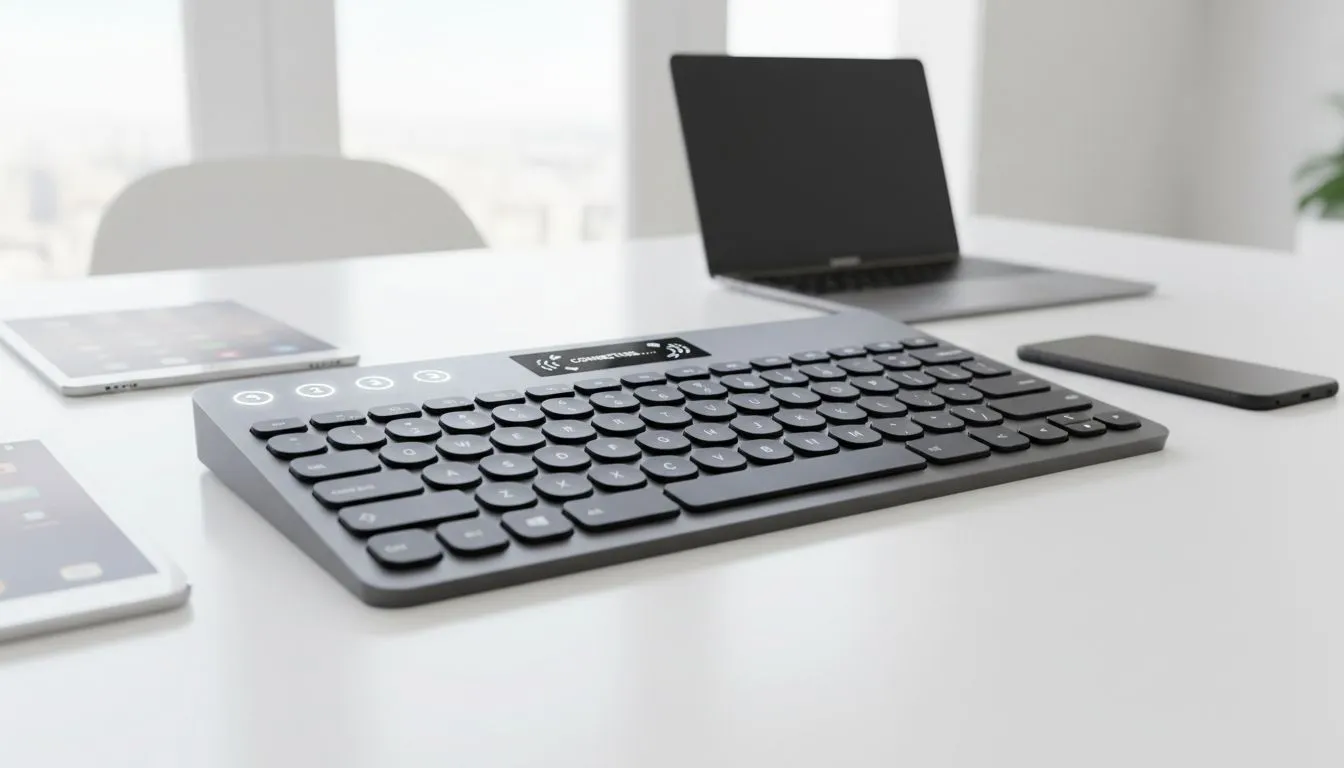
Most modern wireless peripherals now support at least three distinct connections. This means you can pair your PC, your tablet, and even your phone to the same deck. If you are hunting for the best gaming keyboard deals right now, multi-pairing is a feature worth every cent. It allows you to reply to a WhatsApp on your phone and then jump straight back into a match with a single keystroke.
Finding the cheapest gaming keyboard in South Africa that still offers reliable Bluetooth switching is easier than you might think. You do not need to spend thousands of ZAR to get a clean, cable-free setup that works across your entire ecosystem. ⚡
Step-by-Step: Connect Bluetooth Keyboard to Multiple Devices
The process is generally standard across most brands like Logitech, Razer, or Redragon. Here is how you do it:
- Enable Pairing Mode: On your keyboard, look for the Bluetooth keys... usually labelled 1, 2, and 3. Hold the first one down until the light flashes.
- Search on Device A: Open your Bluetooth settings on your primary PC and select the keyboard.
- Repeat for Device B: Press and hold the second Bluetooth key on your keyboard. Repeat the search process on your laptop or tablet.
- Swap Instantly: Use the dedicated keys to toggle between your connected hardware.
Productivity Pro Tip ⚡
When switching between devices, keep your Bluetooth settings menu open on the secondary device for the first pair. Most keyboards use the Fn + 1 2 3 keys to toggle... holding these for three seconds usually triggers pairing mode. Once synced, the switch happens almost instantly with a single tap.
Finding the Right Balance for Your Setup
While some competitive pros still prefer a reliable wired connection to eliminate any hint of latency, modern Bluetooth tech has closed the gap significantly. For the average user, the freedom of a wireless setup far outweighs the millisecond differences in response time. 🚀
If you are starting from scratch, a keyboard mouse combo is often the most cost-effective way to get both peripherals working on the same wireless standard. This ensures your desk stays clean and your inputs stay sharp. ✨
Ready to Find Your Perfect Match?
Managing multiple devices should not be a chore... and with the right hardware, it isn't. Explore our massive range of keyboard specials and find the perfect multi-device companion to conquer your world.