Quick Answer
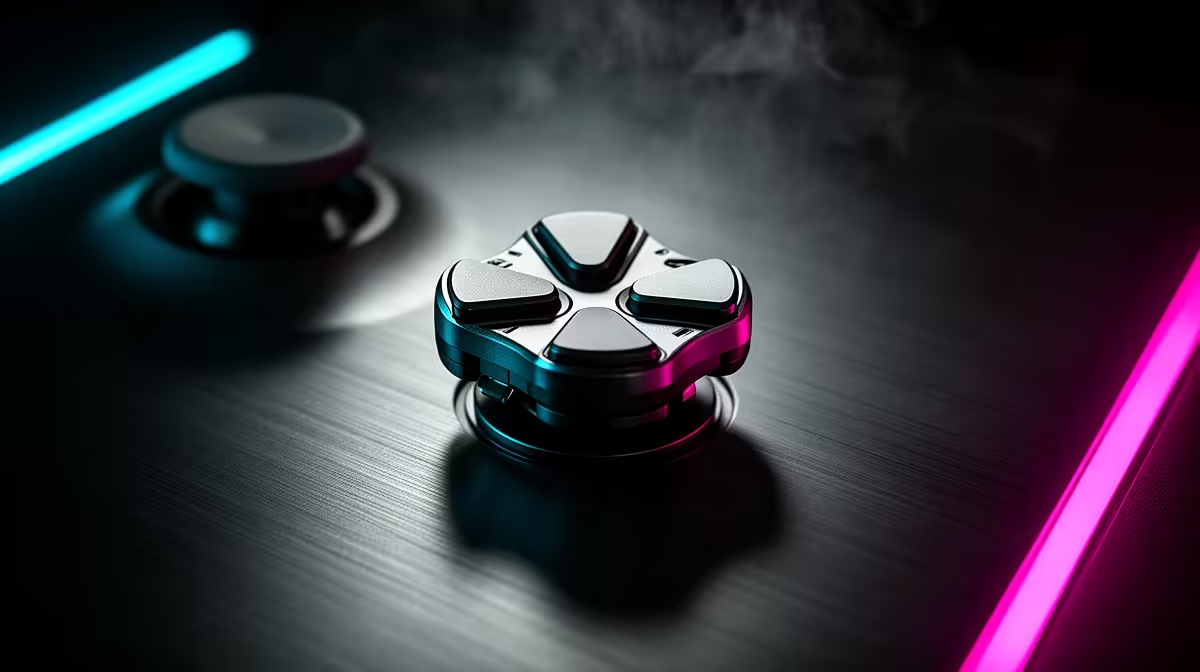
An 8-way directional thumbpad on a gaming keypad detects up, down, left, right, and all four diagonals from a single physical input zone. Each of the eight directions is independently remappable, and most implementations support both digital (on/off) and analog (pressure-variable) output modes depending on the keypad's switch technology.
The Hardware Behind 8-Way Thumbpad Detection 🔬
Early directional pads detected four cardinal directions using simple dome switches under each direction point. Modern gaming keypad thumbpads use capacitive or optical sensing to detect the angle and sometimes the pressure of thumb placement, allowing eight-direction resolution from a single dome or disc mechanism. The eight directions are encoded as separate input channels in the keypad firmware, each assignable to a unique function. On keypads with analog optical switch arrays, the thumbpad can output a continuous angle value rather than eight discrete states, allowing fine directional gradations similar to a controller thumbstick.
Remapping All Eight Directions for Different Genres 🎮
The full eight-direction input space opens meaningful remapping options per game genre. For FPS: map cardinal directions to movement, diagonals to crouch-strafe or sprint-strafe combinations, giving simultaneous movement modifiers without extra key presses. For MOBA: map directions to camera pan controls or ward placement shortcuts, keeping ability hotkeys on finger keys. For RTS: assign build shortcuts or unit-group selections to directions for rapid command input without moving the hand to the number row. For MMO: use diagonal directions for potion hotkeys or mount summoning, functions that need to be fast but not constantly accessible.
Ergonomic Positioning and Thumb Reach Adjustments ✋
The thumbpad sits in the most natural thumb position on a keypad, and most designs accommodate both large and small hand sizes through adjustable wrist rest angle. Players with shorter thumbs may find diagonal directions require slight stretch; repositioning the wrist rest forward by 5 to 10 mm usually resolves this. The thumbpad surface texture matters for long sessions: a slightly textured finish prevents thumb slip during fast directional changes, while a smooth finish feels faster but may cause inconsistency during extended play.
Map Diagonals to Modified Actions First ⚡
Diagonal inputs on the thumbpad are the least instinctive at first. Assign them to actions that are useful but not time-critical, such as emotes, pings, or secondary utility functions. Once diagonal detection becomes muscle memory after a few sessions, graduate those slots to combat-relevant commands for a fuller use of the thumbpad's eight-direction capacity.
FAQ
Can the 8-way thumbpad act as a movement joystick in analog mode?
On keypads with analog optical switches and full analog output support, yes. The thumbpad can output a simulated joystick axis, allowing smooth directional control recognised by games as controller thumbstick input. Digital-only keypads output eight discrete directions only.
Is there a difference between thumbpads and D-pads on keypads?
Functionally they serve the same purpose. Thumbpad is the term most keypad manufacturers use. D-pad is inherited from controller terminology. Modern gaming keypad thumbpads typically have more remapping flexibility than traditional D-pads on controllers.
How do I stop accidentally pressing diagonal directions when aiming for cardinals?
Most thumbpad firmware includes a four-way lock mode that disables diagonal detection, routing ambiguous diagonal presses to the nearest cardinal direction. Use this mode while learning the layout, then switch to full 8-way detection once your thumb accuracy improves.
Want to explore keypads with full 8-way thumbpad control?
Evetech carries gaming keypads with remappable 8-way directional thumbpads across a range of ZAR price points. Browse the keypad section to compare thumbpad designs and switch types.