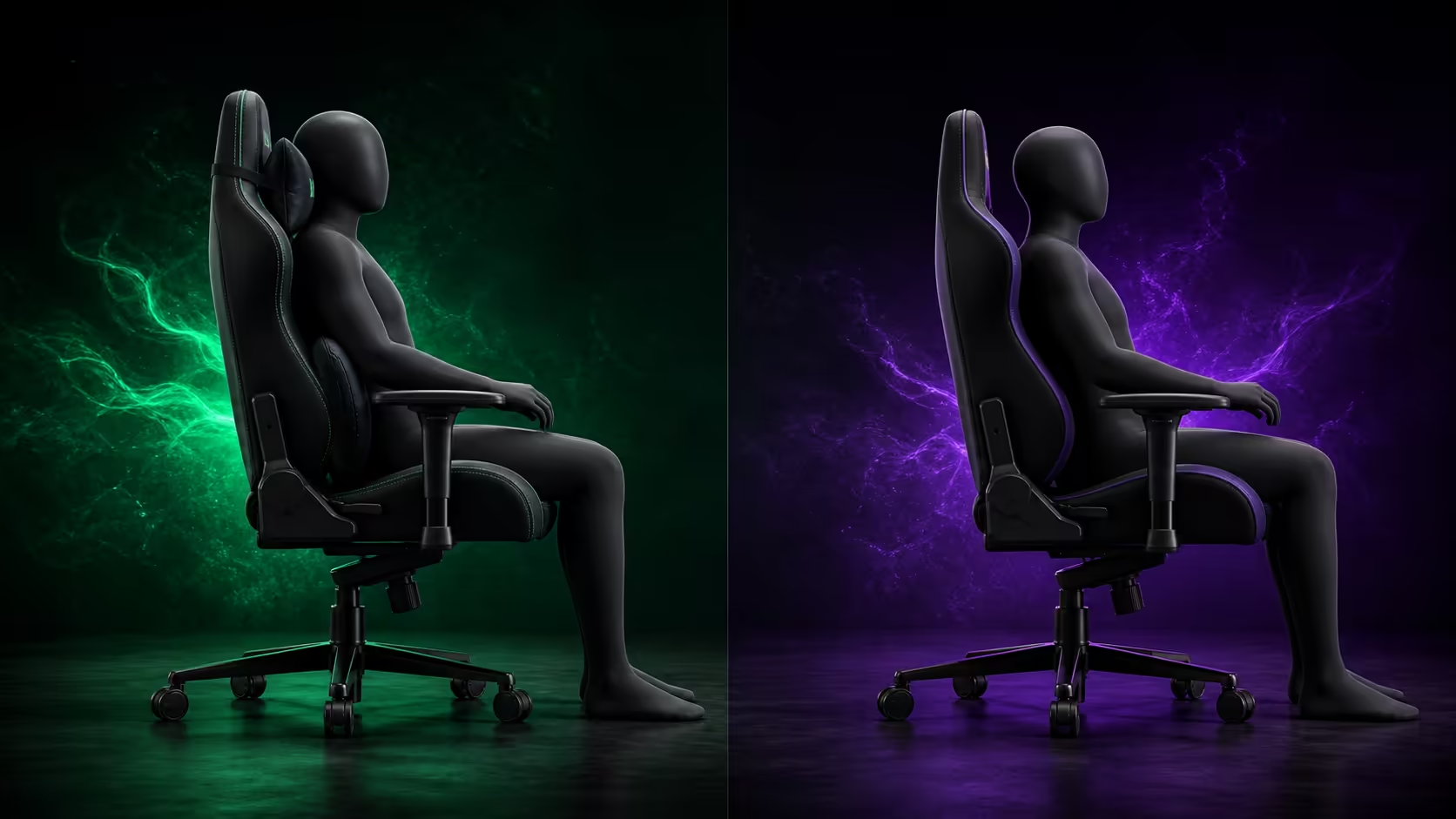
The choice between gaming chairs with pillows and built-in lumbar support depends on adjustability, torso shape and whether the support stays comfortable across real tasks. A movable cushion offers positional freedom, while an integrated system can keep the chair surface tidier and more consistent.
Quick Answer
Choose pillows when you benefit from moving or removing support for different postures. Choose built-in lumbar support when its range meets your lower-back curve and you prefer an integrated mechanism. The black Torretta from Arozzi costs R4,299 in its Super Soft fabric form and includes two supportive cushions, which should be tested separately rather than treated as fixed requirements.
🦴 Understand the pillow approach
A lumbar pillow can be moved to meet different torso lengths, and it can be removed when the backrest already provides enough contour. The upper cushion may support the head or neck during some postures but push the head forward in others.
Straps and shape determine whether a pillow stays in place. Check for twisting, concentrated edges and movement during entry or exit.
⚙️ Understand integrated lumbar adjustment
Built-in support may change depth, height or both, depending on the exact chair. Judge the actual range rather than assuming every internal system moves the same way. It should meet the lower-back hollow without pushing the pelvis forward.
An integrated control can be convenient for shared desks only when each user can reach and repeat a suitable setting.
Compare current designs in the gaming chair category.
🧪 Run a baseline test without added support
Set chair height, foot support and seat depth first. Sit against the backrest without the movable pillows and note unsupported areas. Add the lower Torretta cushion for one realistic session, then evaluate the upper pillow separately.
Change one variable at a time. Moving both cushions and the armrests together makes it impossible to identify the helpful adjustment.
🎯 Rebuild arm and screen alignment
Any lumbar change moves the torso relative to the desk. Recheck 3D armrest height, depth and pivot after placing the cushions. Move the monitor or inputs closer before leaning out of support.
The Torretta's adjustable chair height can restore elbow alignment, but the feet must remain planted or receive a suitable footrest.
🌡️ Consider heat and upholstery contact
Pillows create extra contact layers and can feel warmer than the surrounding breathable fabric. Test temperature during the intended session length and use normal clothing. A cooler setup that loses support is not automatically better; weigh both effects.
The fluid-repellent black upholstery needs prompt blotting around pillow edges and straps where liquid can collect.
💰 Compare complete value
At R4,299, the Torretta packages two movable supports with 3D arms and breathable fabric. Compare it with chairs above R4,000 by exact fit, not by counting cushions. The Arozzi setup range should influence styling only after support is correct.
For shared use, save each person's pillow and armrest positions. A built-in system or loose cushion is valuable only when the user can reproduce the beneficial setting.
👕 Check clothing and torso variation
Thick clothing reduces the gap a pillow needs to fill, while an empty back pocket helps the pelvis remain level. Test the support in normal desk clothing and repeat after a seasonal wardrobe change if the cushion suddenly feels too prominent.
Torso length matters more than general height alone. Two people of similar stature can need different lumbar and upper-pillow positions because their seated proportions differ.
🔧 Review attachment and controls
A movable pillow should remain in the chosen region without straps twisting or digging into the backrest. An integrated control should operate through its intended range without forcing. Neither type should be improvised beyond the chair's design.
Inspect attachment zones during routine fabric care. Promptly blot liquid near straps and seams, because fluid repellency does not prevent moisture from collecting in hidden areas.
⏰ Reassess after fatigue appears
Note when the user first slides forward, reaches for the desk or loses lower-back contact. The symptom may come from pillow placement, but it can also begin with screen distance, armrest position or an overly high seat.
Change only the earliest suspected cause and repeat the same task. Support should improve the whole posture rather than move discomfort to the thighs or neck.
Frequently Asked Questions
Are movable pillows more adjustable?
They can be repositioned or removed, but strap range and cushion shape still limit useful placement.
Is built-in lumbar support always better?
No. It must reach the user's lower-back curve and remain comfortable across tasks.
Must both Torretta pillows stay attached?
No. Test the two supports independently and retain only the cushions that help.
Why reset the armrests after lumbar adjustment?
The torso moves relative to the desk, changing where the elbows meet the pads.
Can a pillow correct excessive seat depth?
No. Pushing the torso forward can worsen thigh support and desk reach.
Do users of the same height need the same pillow setting?
No. Seated torso and leg proportions can differ even when overall height matches.
What should be checked around pillow straps?
Look for twisting, concentrated pressure, trapped moisture and movement away from the intended support zone.
Ready to compare support systems from the lower-back curve outwards?
Build a neutral baseline, trial each pillow or integrated control alone and keep only adjustments that survive a full task block.