



1000W PSU Planning for RTX 5090 Builds in SA
1000W for RTX 5090 needs a full-build check, not a simple yes. Review GPU guidance, CPU draw, transient load, connectors, PSU quality, and upgrade plans before deciding.
Read moreHall effect keyboards were built for rapid trigger gaming, but their consistent magnetic actuation also makes for smooth typing once actuation points are raised. Evetech's keyboard range holds up well for both writing and play.
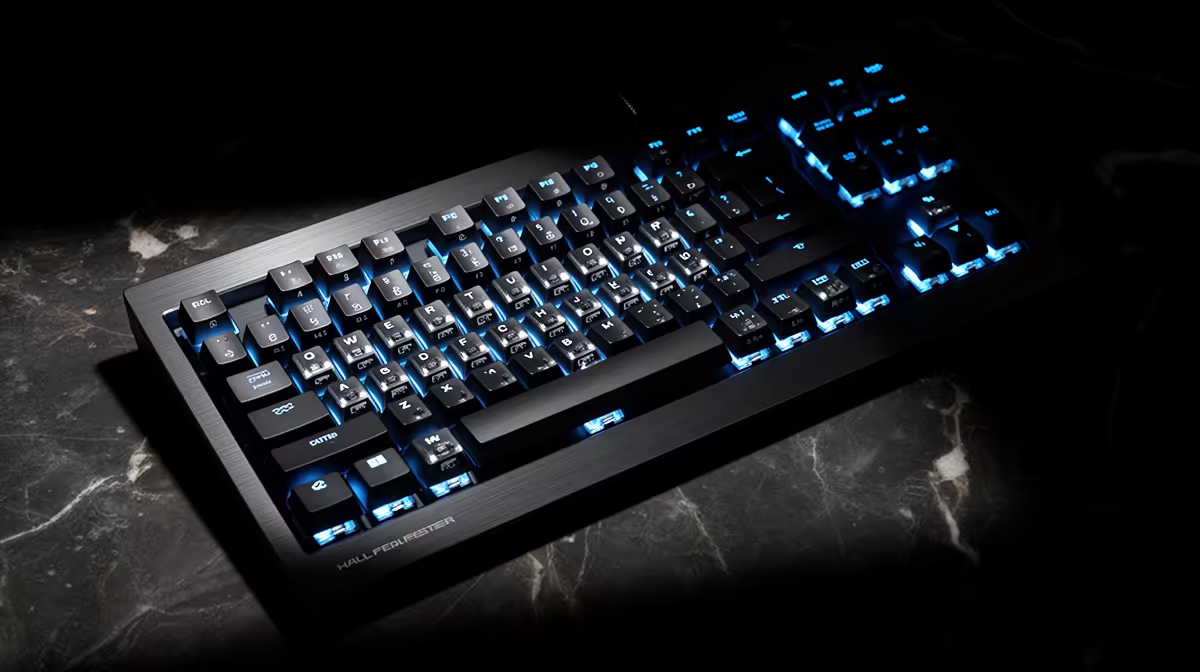
Hall Effect keyboards can be pleasant for long writing sessions. Magnetic sensing gives you control over actuation depth, while the switch spring, stabilisers and case decide whether the board feels smooth and sounds good.
Create separate typing and gaming profiles. Use a deeper actuation point for writing so resting fingers do not trigger letters. Reduce or disable rapid trigger on most keys, then keep a more sensitive gaming profile for movement controls.
Compare switch weight, layout and software in the gaming keyboard deals, and check the keyboard best sellers for shapes that suit a full working day.
The sensor tracks a magnet as the key moves. It does not provide the spring resistance or bottom-out sensation. Two Hall Effect boards can feel far apart because their switches, plates, mounts and keycaps differ.
Look for a spring weight you can control without fatigue. Check large-key stabilisers for rattle and binding. A compact layout creates mouse room, while a tenkeyless or full-size board may be better for navigation and number entry.
A hair-trigger setting suits deliberate movement taps and can punish a typist who rests fingers on the home row. Move the actuation deeper until accidental letters disappear. Use a fixed reset or a generous rapid-trigger distance for normal keys.
Keep Backspace, Enter and shortcuts at a comfortable threshold. If the software supports per-key values, tune movement keys in the gaming profile instead of making the whole board sensitive.
Onboard memory makes it easier to move between a work laptop and gaming PC without leaving configuration software open. Check which settings the keyboard stores; lighting may save while advanced actuation features require the app.
Test profile switching after a restart. Give each profile a clear name or colour cue. A typing profile should remain predictable even after a firmware update or USB reconnection.
Open a document you know and type for fifteen minutes. Count accidental letters, missed capitals and unwanted repeated keys. Raise the actuation depth on problem keys, then repeat the same passage. A typing test exposes mistakes that a switch visualiser may miss.
Check common shortcuts and modifier combinations. A sensitive Windows key, Alt key or Control key can interrupt work before an ordinary letter does. Give modifiers their own calmer thresholds where per-key settings are available. Keep the gaming profile separate so the typing fix does not blunt your movement controls.
The sensing method does not set volume. Switch housing, lubrication, plate, case foam and how hard you bottom out shape the sound.
Yes. Choose a suitable layout and switch feel, use a forgiving actuation depth, and check whether the lighting and software meet workplace needs.
Many are linear, but product designs differ. Read the named switch specification and try the board where possible.
Build a calm typing profile first, then choose a Hall Effect keyboard whose layout and switch feel suit your workday.
The sensing method does not set volume. Switch housing, lubrication, plate, case foam and how hard you bottom out shape the sound.
Yes. Choose a suitable layout and switch feel, use a forgiving actuation depth, and check whether the lighting and software meet workplace needs.
Many are linear, but product designs differ. Read the named switch specification and try the board where possible. {{PRODUCTS: { facets: { query: "keyboard" }, limit: 12, title: "Gaming Keyboards", style: "4" } }}
1000W for RTX 5090 needs a full-build check, not a simple yes. Review GPU guidance, CPU draw, transient load, connectors, PSU quality, and upgrade plans before deciding.
Read more
RTX 5080 Super with a 750W PSU is more comfortable than lower wattage if the unit is quality. SA builders should still confirm GPU guidance, CPU draw, connector type, airflow, and upgrade room.
Read more
How to fix FPS drops after a RX 9070 XT starts with driver cleanup, chipset updates, thermals, and power checks. For SA gaming PCs, confirm PCIe seating, monitor refresh, frame caps, and per-game graphics settings before replacing parts.
Read more
How to fix low FPS Windows 11 Wi-Fi 7 issues starts by checking whether the problem is frame rate or network lag. Test ping, drivers, power settings, Ethernet, and game FPS before adjusting visuals.
Read more
AM5 is smart for SA builders because it supports newer Ryzen CPUs, DDR5 memory, and a longer upgrade path. Compare board cost, cooling, gaming needs, and local part availability before choosing your next PC platform.
Read more
AM5 gives Randburg gaming builders a longer upgrade path. For SA buyers, DDR5 support, newer board features, and future CPU options can justify the platform. Weigh board cost, cooler support, BIOS maturity, and upgrade timing before choosing.
Read more
RTX 5090 on a 550W PSU leaves almost no practical room for OC plans. Treat the setup as constrained, with CPU draw, power spikes, cable quality, thermals, and stability checks more important than chasing extra clocks.

FPS drops on a Ryzen 9 9950X3D build often have a fixable cause. Check settings, drivers, thermals, background tasks, network conditions, and bottlenecks before assuming a part must be replaced.

The difference between PCIe 5.0 and PCIe 4.0 for SA gamers is mostly bandwidth headroom. Compare GPU slot needs, NVMe speed, motherboard support, and upgrade timing before paying extra for a newer platform.

Gaming PC stuck pixel checks in South Africa should confirm the monitor fault first. Use colour tests, screenshot comparison, cable swaps, display menu checks, and clear photos before deciding on support.

AMD's current driver now lists a Radeon RX 9050 4GB, while product coverage details a narrowed memory system. SA buyers should weigh the low VRAM ceiling against current local Radeon options.

Samsung Display has demonstrated a 16-inch 2.5K OLED laptop panel running at 300Hz. SA buyers should wait for a named notebook, full panel specifications and a local price before planning an upgrade.

Microsoft says some Windows 11 game crashes after recent updates are linked to RGB-related drivers. Affected SA gamers should confirm the update and driver before using the published registry workaround.

Thermalright's Fan Frame Vision-1 adds a 640x172 status screen to a standard 120mm fan. SA builders should check clearance, USB routing and local support before treating it as an easy upgrade.

Shokz OpenFit Air 2 earbuds weigh 7.2g each and use a redesigned dual-driver open-ear layout. SA buyers should choose them for comfort and awareness, not maximum isolation.

A fake 113GB GTA VI ISO reportedly used empty padding around a small malware payload. SA gamers should delete unofficial builds, keep Windows security active and wait for official channels.

The ROG Flux Charger Dock combines 260W total output, 140W laptop charging and HDMI 2.1. SA buyers should check laptop USB-C limits, display needs and local warranty first.

ASRock's Rock 360 Digital AIO adds a 1.05-inch CPU temperature display, 360mm radiator and simplified wiring. SA builders should check case fit, socket support and local warranty.