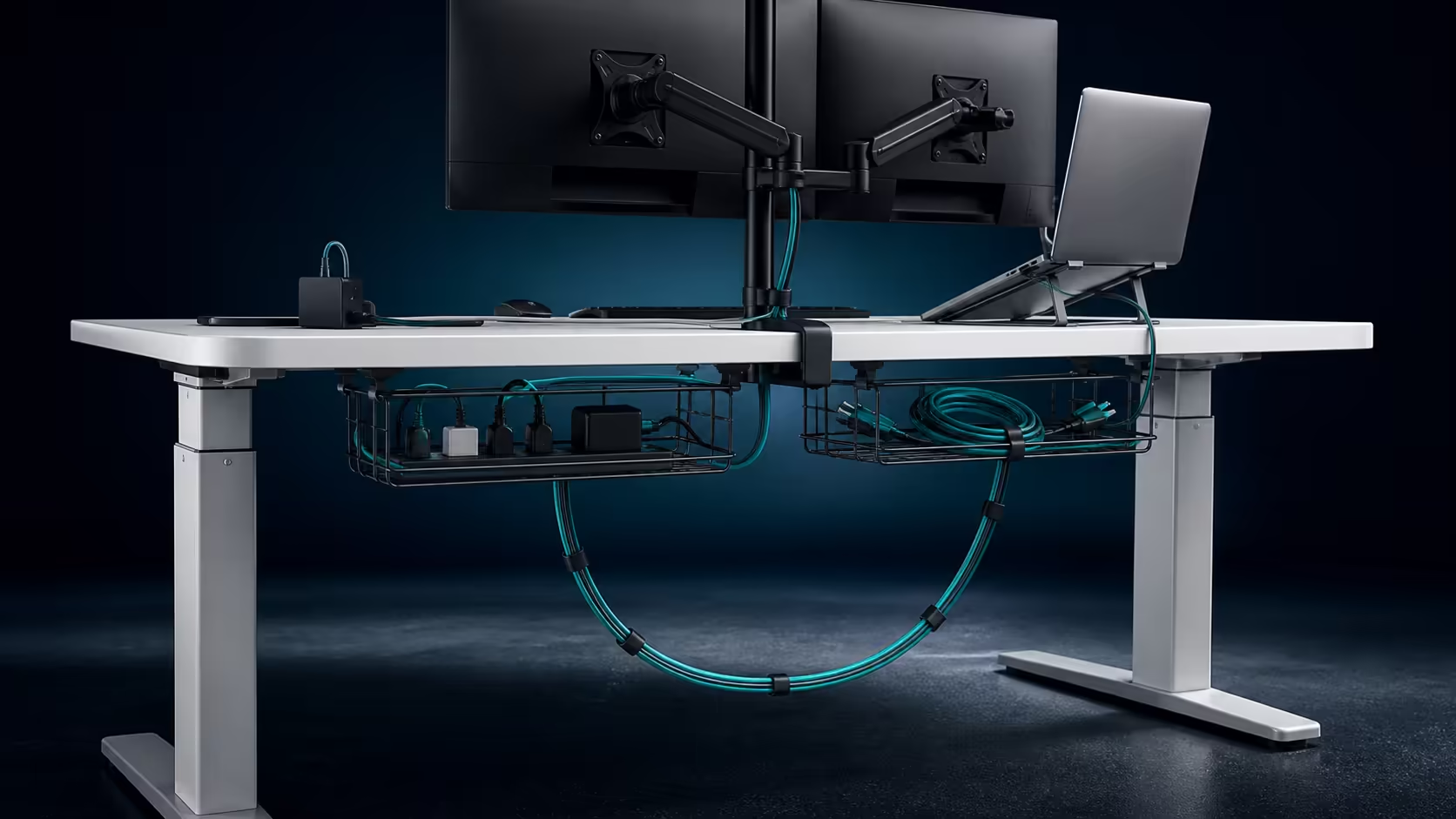
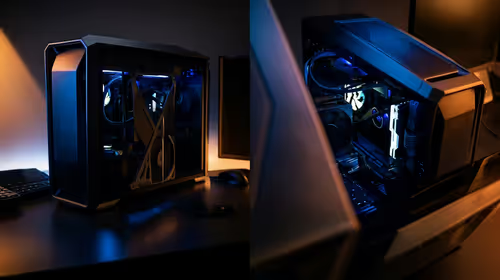
A multi-device workstation becomes confusing when every lead disappears into one bundle. Dual cable baskets for desk organisation make it possible to divide power, display and charging routes into understandable groups. The R4,999 AROZZI Arena Nordico supplies two quick-release baskets beneath a top that travels electrically from 71cm to 115cm.
Quick Answer
Use one basket for permanent power and heavy adaptors, then dedicate the other to display, charging or frequently changed device leads. On the R4,999 Arena Nordico, the two quick-release zones keep the setup easier to trace while controlled slack protects cables throughout the 71-115cm movement.
🗂️ Group by maintenance need
Permanent monitor and computer connections can occupy a stable inner zone. Laptop chargers, controller leads and accessories that change often should remain near an accessible basket edge. This arrangement prevents a daily unplug from disturbing the core route.
Label similar cable ends before placing them. The Evetech gaming desk range provides desk context, but only the actual device list reveals which grouping will remain logical.
Create a simple device map on paper. Draw the two baskets, rear panel and wall socket, then mark every cable crossing a moving boundary. This takes minutes and exposes a short lead before it disappears behind installed equipment.
Place an item used by both computers, such as a monitor or audio interface, in the most neutral zone. Its route should not need to be changed whenever the active machine switches.
Avoid sending one lead across both baskets unless the rear panel guides it first. Cross-links make either basket difficult to remove independently.
🧱 Support bricks instead of hanging them
Power adaptors need a stable, ventilated position. Their weight should not pull on a laptop or monitor socket. Arrange labels and plugs towards the service side so fault checks do not require unloading every coil.
Use broad loops and gentle retention. Tight bends make cables hard to trace and can block the quick-release action. Leave some spare capacity for a replacement brick with a different shape.
Practise lowering each basket with one hand supporting its weight. If a lead pulls before the mechanism releases fully, reroute it now. Service access must work under load, not only while the tray is empty.
Keep unrelated storage out. Loose screws, pens and unused adaptors can move during travel and hide the source of a rattle. Give spare accessories a separate labelled box.
↕️ Make the moving boundary obvious
Most device leads can move with the desk if power distribution is mounted underneath. One main wall lead then requires a controlled service loop. Where a floor computer remains fixed, its video and USB routes need the same care.
Raise the Arena Nordico slowly from 71cm to 115cm and watch each crossing. At the top, connectors should remain relaxed. At the bottom, excess must not reach chair wheels. Its adjustable rear panel can gather monitor cables before they enter the baskets.
The AROZZI workstation page offers related context, and broad gaming setup options help account for all attached equipment.
Photograph the completed layout. When a device changes, the image shows which basket and path it occupied. Review after the first week because repeated desk travel can expose a loop that shifts or a brick that slides.
Repeat that review after relocating the station. A wall socket on the opposite side changes the service-loop direction and may send power diagonally across the frame. Rebuild the route rather than twisting the existing bundle until it reaches.
At the lowest position, roll the chair through its usual path. At standing height, step around the desk and inspect the hanging loop from the side. These two views catch hazards that remain hidden from the normal seated angle.
A tidy result remains understandable, not merely hidden. If one connection can be replaced without disturbing the rest, the dual-basket plan has succeeded.
Frequently Asked Questions
Why are two baskets easier than one large tray?
They allow separate device groups and independent service. A single fault does not require opening the entire cable bundle.
Which items belong near the basket edge?
Put chargers and leads that change regularly where they can be reached. Permanent power distribution can sit deeper if its plugs remain visible.
Should adaptors be tied to cables?
Support adaptors in the basket and retain leads gently. Avoid hanging weight from connectors or crushing the cable around a brick.
How should desk movement be tested?
Run slowly across the complete height path while observing each wall or floor crossing. Then check cable return at the low point.
What management features does the Arena Nordico have?
It provides paired quick-release baskets and a rear section that adjusts for monitor mounts and cable planning. The desk costs R4,999.
Ready to give every device cable a clear home and exit path?
Browse Evetech gaming desks and divide the station into permanent power, display and changing-accessory zones.