



650W PSU Planning for RTX 5090 Builds in SA
650W for RTX 5090 needs a full-build check, not a simple yes. Review GPU guidance, CPU draw, transient load, connectors, PSU quality, and upgrade plans before deciding.
Read moreHow Much RAM Do You Need for Video Editing on a pricing in South Africa. Current cost tiers, budget alternatives & where to find the best local deals.
If you're a South African content creator or aspiring video editor wondering how much RAM you need for video editing on a MacBook, you're in the right place ⚡. Choosing the right RAM size can drastically improve your workflow, avoid frustrating slowdowns, and let you focus on your masterpiece rather than your machine. But what’s the sweet spot for smooth editing on macOS, especially with 4K footage or multiple layers?
RAM directly influences how well your MacBook handles demanding editing tasks. When editing video, your machine loads clips, effects, and previews into RAM for quick access. Insufficient RAM means more reliance on slower storage, causing lag and longer render times.
Apple’s newer MacBook models with M1 and M2 chips have optimised memory architectures. Still, upgrading RAM during purchase or externally is often limited, so it's smart to get it right upfront.
For typical South African users balancing budget and performance, 16GB hits a good balance. For serious editors, going beyond 16GB future-proofs your setup.
Explore Evetech’s broad range of memory upgrades for your PC and Mac needs to find RAM that best suits your workload.
Upgrade to 16GB or 32GB RAM to keep your MacBook quick and responsive—especially for 4K or extensive projects. A little extra RAM now can save hours of frustration later.
Besides RAM, storage speed and CPU power hugely impact video editing. MacBooks with SSD storage load files lightning fast, supporting smoother previews.
If you're thinking of a new device, check out notebooks for sale in South Africa tailored for creative pros. These often come pre-configured with a healthy amount of RAM and swift storage for editing.
MacBook upgrades can be tricky, so if you’re building or upgrading a desktop video editing station instead, Evetech offers pre-built PC deals equipped with ample RAM and components ideal for editing powerhouse performance.
It’s important to monitor your MacBook’s resource use. Use Activity Monitor to check RAM pressure while editing. If you notice frequent swapping or slowdown, it might be time for a RAM boost, or to close unused apps during editing sessions.
Besides RAM, investing in accessories like a quality external monitor and colour-calibrated screens helps elevate your editing precision.
South African gamers and editors can also benefit from comparing PC setups with best gaming PC deals to find hardware crossover value—gaming rigs often come with robust RAM and GPUs suited for video tasks.
Finally, keep an eye on Evetech specials for seasonal discounts that make upgrading your tech stack easier on your wallet.
Upgrade Your Editing Experience Today Don’t let low RAM slow down your creative flow. Shop now at Evetech for powerful MacBooks and PC memory options that match your editing demands.
How Much RAM Do You Need for Video Editi available at Evetech.co.za with local warranty and fast delivery.
How Much RAM Do You Need for Video Editi - check Evetech for latest stock and SA pricing.
Depends on your use case. How Much RAM Do You Need for V offers good value at current Rand pricing.
650W for RTX 5090 needs a full-build check, not a simple yes. Review GPU guidance, CPU draw, transient load, connectors, PSU quality, and upgrade plans before deciding.
Read more
How to fix FPS drops Windows 11 RX 9070 XT starts with GPU drivers, overlays, power plans, and frame pacing checks. For SA gaming PCs, verify chipset updates, HAGS, refresh rate, thermals, and per-game graphics settings.
Read more
How to fix FPS drops on X870E motherboard starts with BIOS, chipset drivers, PCIe settings, and memory stability. SA gamers can check EXPO, resize BAR, thermals, display refresh, and background apps before replacing components.
Read more
RTX 5060 is popular with SA students because it can fit gaming, coursework, and creative app needs in one setup. Compare total system price, cooling, RAM, storage, and screen quality before picking a desktop or laptop.
Read more
1440p is the sweet spot for SA gamers because it balances sharp visuals, high frame rates, and GPU cost better than 4K. It is a practical monitor target for players who want smoother upgrades without the heavier hardware demands of 4K.
Read more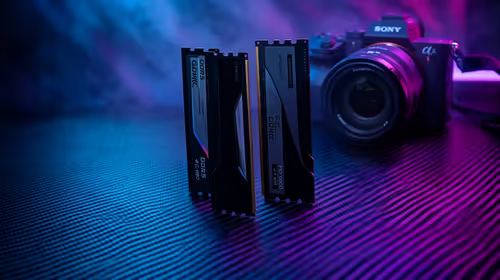
RAM pricing for Midrand gamers can shift with exchange rates, supply, specs, and model tier. Treat the title as a buying prompt, then compare SA warranty, timing, and build priorities.
Read more
From 1 October 2026, WhatsApp Business Platform service replies in South Africa are expected to cost about $0.0076, or 12 cents, per delivered message.

DDR5-8000 RAM Kits pros and cons depend on the build, budget, and workload. Weigh gaming needs, platform fit, power, cooling, warranty support, and South African pricing context before shortlisting it.

Wi-Fi 6E vs Wi-Fi 6 depends on AAA single-player gaming needs, platform limits, and budget fit. Compare compatibility, latency, upgrade path, and real setup constraints before choosing for an SA build.

Ryzen 9 9950X3D dead pixel checks should isolate the panel first. Run colour fills, inspect the monitor menu, test another cable or input, and capture proof before linking it to the SA CPU upgrade.

YouTube will count public views from the first frame across video formats from 24 August, while earnings and eligibility remain tied to engaged viewing.

Canonical expects Ubuntu on WSL users to outnumber native Ubuntu desktop users before the end of 2026. The software is open source and runs inside supported Windows PCs.

Telkom's daily bundles pair WhatsApp access with 10 all-network voice minutes. The R15 option includes 300MB, while the R17 option uses a fair-use threshold.

A 10,000-hour test found similar image retention across older and newer OLED TVs, while newer panels were brighter and more efficient. Local OLED monitors started at R9,999.
650W for RTX 5090 needs a full-build check, not a simple yes. Review GPU guidance, CPU draw, transient load, connectors, PSU quality, and upgrade plans before deciding.

PCIe 5.0 and PCIe 4.0 differ most in lane support, compatibility, and upgrade value for strategy and sim games. SA buyers should match the choice to their actual hardware and games.
How to fix FPS drops Windows 11 RX 9070 XT starts with GPU drivers, overlays, power plans, and frame pacing checks. For SA gaming PCs, verify chipset updates, HAGS, refresh rate, thermals, and per-game graphics settings.

AM5 vs AM4 for video editing in 4K Difference explained is mostly about compatibility, budget, upgrade path, and setup fit. SA buyers should check device support and real needs before expecting a clear win from either option.