



650W PSU Planning for RTX 5090 Builds in SA
650W for RTX 5090 needs a full-build check, not a simple yes. Review GPU guidance, CPU draw, transient load, connectors, PSU quality, and upgrade plans before deciding.
Read moreFix Fable Stuttering: Performance Troubleshooting. Step-by-step instructions with SA-specific tips, common pitfalls to avoid & expert recommendations.

Fable stuttering on PC almost always traces back to shader compilation, traversal stutter from streaming, or a GPU driver that hasn't been refreshed for the title. Update the GPU driver, cap framerate to your monitor's refresh, disable Game Mode briefly, and pre-compile shaders by running the opening area once.
Modern open-world games stream assets aggressively, and Fable is no exception. The two stutter types you'll see are shader compilation stutter (one-off freezes the first time a new effect appears) and traversal stutter (micro-hitches when you cross zone boundaries). Both can hit even on a Ryzen 7 with an RTX 4070, because they're software pipeline issues, not raw GPU horsepower.
Running Fable from an external HDD over USB will cripple traversal performance, no settings tweak fixes that. Turning every setting to Ultra on a mid-tier card forces VRAM swapping that looks exactly like stutter. Leaving Discord overlay, GeForce Experience overlay, and an OBS instance running all at once stacks frame-time spikes. And forcing V-Sync at the driver level while the in-game cap is also on creates conflicting buffer behaviour.
Loadshedding mid-session is a real risk on a desktop, an entry-level UPS keeps the rig and router alive long enough to save and exit cleanly. If you're running fibre, a wired connection beats Wi-Fi for the cloud-save side of Fable, especially on patch day when shader caches re-download.
That's almost always shader compilation in the background. New particle effects, lighting, or enemy types compile the first time they appear in your session. Pre-running the game's opening area after each driver update front-loads most of those compiles.
It helps if you're currently on 16GB and running browsers, Discord, and OBS alongside the game. Bumping to 32GB DDR5 takes pressure off the page file, but if your SSD and GPU driver are the actual bottleneck, more RAM alone won't fix it.
For raw frames yes, but the stutter pattern is similar. Frame Generation on RTX 40 cards smooths perceived motion but can amplify traversal hitches. Test with it both on and off and pick whichever feels cleaner on your specific build.
Ready to Find Your Perfect Match? Build a stutter-free Fable rig with a balanced GPU, NVMe, and SA delivery. See gaming PC deals at Evetech
How to Fix Fable Stuttering: Performance available at Evetech.co.za with local warranty and fast delivery.
How to Fix Fable Stuttering: Performance - check Evetech for latest stock and SA pricing.
Depends on your use case. How to Fix Fable Stuttering: P offers good value at current Rand pricing.
650W for RTX 5090 needs a full-build check, not a simple yes. Review GPU guidance, CPU draw, transient load, connectors, PSU quality, and upgrade plans before deciding.
Read more
How to fix FPS drops Windows 11 RX 9070 XT starts with GPU drivers, overlays, power plans, and frame pacing checks. For SA gaming PCs, verify chipset updates, HAGS, refresh rate, thermals, and per-game graphics settings.
Read more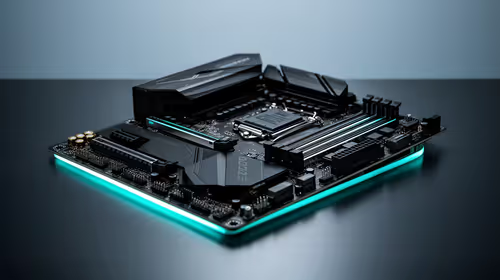
How to fix FPS drops on X870E motherboard starts with BIOS, chipset drivers, PCIe settings, and memory stability. SA gamers can check EXPO, resize BAR, thermals, display refresh, and background apps before replacing components.
Read more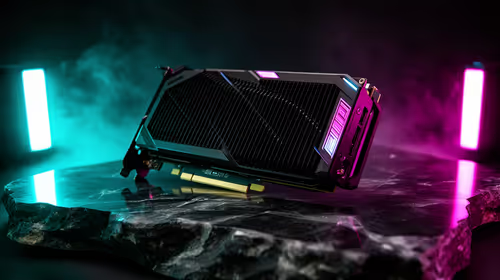
RTX 5060 is popular with SA students because it can fit gaming, coursework, and creative app needs in one setup. Compare total system price, cooling, RAM, storage, and screen quality before picking a desktop or laptop.
Read more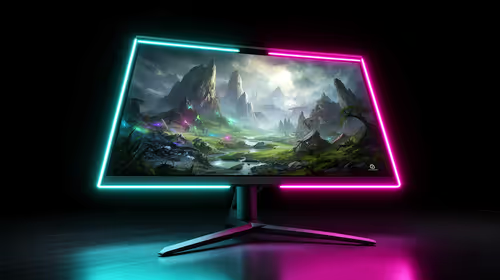
1440p is the sweet spot for SA gamers because it balances sharp visuals, high frame rates, and GPU cost better than 4K. It is a practical monitor target for players who want smoother upgrades without the heavier hardware demands of 4K.
Read more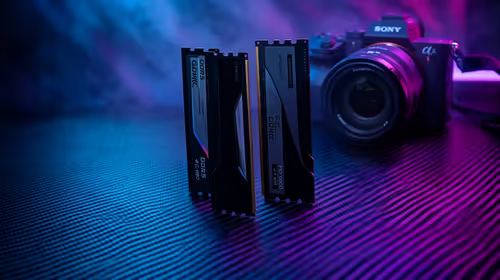
RAM pricing for Midrand gamers can shift with exchange rates, supply, specs, and model tier. Treat the title as a buying prompt, then compare SA warranty, timing, and build priorities.
Read more
From 1 October 2026, WhatsApp Business Platform service replies in South Africa are expected to cost about $0.0076, or 12 cents, per delivered message.

DDR5-8000 RAM Kits pros and cons depend on the build, budget, and workload. Weigh gaming needs, platform fit, power, cooling, warranty support, and South African pricing context before shortlisting it.

Wi-Fi 6E vs Wi-Fi 6 depends on AAA single-player gaming needs, platform limits, and budget fit. Compare compatibility, latency, upgrade path, and real setup constraints before choosing for an SA build.

Ryzen 9 9950X3D dead pixel checks should isolate the panel first. Run colour fills, inspect the monitor menu, test another cable or input, and capture proof before linking it to the SA CPU upgrade.

YouTube will count public views from the first frame across video formats from 24 August, while earnings and eligibility remain tied to engaged viewing.

Canonical expects Ubuntu on WSL users to outnumber native Ubuntu desktop users before the end of 2026. The software is open source and runs inside supported Windows PCs.

Telkom's daily bundles pair WhatsApp access with 10 all-network voice minutes. The R15 option includes 300MB, while the R17 option uses a fair-use threshold.

A 10,000-hour test found similar image retention across older and newer OLED TVs, while newer panels were brighter and more efficient. Local OLED monitors started at R9,999.
650W for RTX 5090 needs a full-build check, not a simple yes. Review GPU guidance, CPU draw, transient load, connectors, PSU quality, and upgrade plans before deciding.

PCIe 5.0 and PCIe 4.0 differ most in lane support, compatibility, and upgrade value for strategy and sim games. SA buyers should match the choice to their actual hardware and games.
How to fix FPS drops Windows 11 RX 9070 XT starts with GPU drivers, overlays, power plans, and frame pacing checks. For SA gaming PCs, verify chipset updates, HAGS, refresh rate, thermals, and per-game graphics settings.

AM5 vs AM4 for video editing in 4K Difference explained is mostly about compatibility, budget, upgrade path, and setup fit. SA buyers should check device support and real needs before expecting a clear win from either option.