


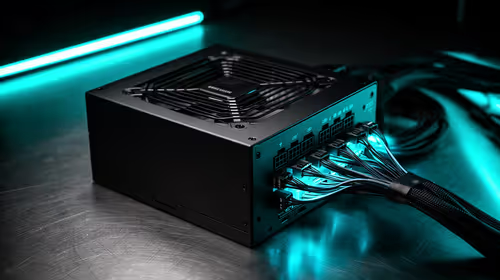
850W PSU Planning for RTX 5090 Builds in SA
850W for RTX 5090 needs a full-build check, not a simple yes. Review GPU guidance, CPU draw, transient load, connectors, PSU quality, and upgrade plans before deciding.
Read moreHow to fix low FPS on RX 9070 XT build starts with driver, thermals, Windows power, and in-game graphics checks. Use this South Africa checklist to separate GPU limits from CPU, RAM, storage, display, or background app issues before upgrading.

Low fps tied to a RX 9070 Xt almost always trace back to a handful of fixable culprits, not a broken part.
To fix low fps on a RX 9070 Xt setup, set Anti-Lag and a framerate cap to keep frametimes even. Most cases clear up once these are right, and you should be back to the frames your parts are capable of.
Start with the basics. Set Anti-Lag and a framerate cap to keep frametimes even. Turn on Resizable BAR, which gives RDNA 4 a real uplift in many titles. These two steps resolve the majority of low fps cases on a RX 9070 Xt, because the default Windows and driver settings are often the real cause rather than the gpu itself.
Next, run the RAM at EXPO and a 750W PSU so the card holds its clocks. Keep Windows 11 fully updated and turn off any background overlays or capture tools that hook into games, since these are a common source of low fps. A clean driver install often does more than any single in-game setting when chasing the frames your parts are capable of.
Sometimes the RX 9070 Xt is a red herring. Low fps often hides a CPU bottleneck, a background process, or memory running below its rated speed. Run the RAM at EXPO or XMP, close startup clutter, and confirm the GPU sits in the CPU-linked slot before blaming the gpu.
Usually not. Low fps on a RX 9070 Xt setup is almost always settings, drivers or thermals. Only suspect hardware after the checks above come back clean.
Watch temperatures with a monitoring overlay while you play. If low fps appears only after a few minutes and the clocks drop as temps climb, cooling is the issue, not the gpu.
It can. Confirm Windows is at the panel's full refresh and enable VRR, since a mismatched refresh and framerate is a common cause of low fps.
Apply the RX 9070 Xt fixes in order, confirm the RAM is at EXPO and the GPU is in the top slot, and the low fps should clear up.
850W for RTX 5090 needs a full-build check, not a simple yes. Review GPU guidance, CPU draw, transient load, connectors, PSU quality, and upgrade plans before deciding.
Read more
How to fix FPS drops Windows 11 DDR5 build issues starts with RAM profiles, BIOS, chipset drivers, and power settings. South African gamers should test EXPO or XMP, dual-channel slots, overlays, thermals, and display refresh.
Read more
Gaming PC upgrade low FPS usually comes from drivers, BIOS settings, cables, power limits, or poor clocks. This SA-focused checklist helps verify the new hardware before chasing unrelated game tweaks.
Read more
Low fps on a ryzen 7 9800x3d build usually needs a settings, driver, thermal, or power check first. Work through safe SA troubleshooting steps before replacing parts or assuming a full upgrade.
Read more
1440p is the sweet spot for many Midrand gamers. It improves sharpness over 1080p without the heavy GPU demand of 4K. SA buyers should compare monitor refresh, GPU class, desk size, cable support, and game settings before upgrading.
Read more
240Hz monitors are mainstream in Johannesburg esports because fast panels improve motion clarity and input feel. Gamers should still check CPU speed, GPU output, game settings, cable support, and whether their titles can hold high frames.
Read more
How to fix FPS drops after a RTX 5080 build starts with driver cleanup, BIOS checks, and power testing. Work through SA-friendly checks for chipset drivers, display refresh, PCIe seating, frame caps, and game settings before blaming the GPU.

How to fix fps drops after a steam deck upgrade starts by checking power profile, storage, shader cache, and game settings. Test the Steam Deck upgrade step by step so SA players can separate install issues from normal handheld limits. Keep settings notes.

Valorant keyboard choices in SA should match switch feel, layout, latency, key rollover, and desk space. Compare practical setup needs, comfort, reliability, and upgrade room before buying gear for long gaming sessions.

DDR5 build upgrade dead pixel checks should begin with the monitor. Run solid colour tests, compare screenshots, reseat display cables, and review GPU output before blaming RAM changes in an SA gaming PC. Document repeatable proof for support.

South African builders should prioritise exact CPU support, DDR5, chassis fit and device requirements before premium motherboard breadth. The E-ATX X870E Extreme then adds five M.2 positions, Wi-Fi 7, multi-gig LAN, USB4 Type-C and named AI tools.

South African buyers considering 32GB GDDR7 should confirm whether their games, AI models or creative projects place real pressure on smaller memory pools. The RTX 5090 costs R73,599, so its capacity must be weighed against the rest of the system budget.

A large cache can reduce costly trips to slower memory in workloads that reuse data effectively, but FPS gains vary by game engine and settings. The Ryzen 7 5800X3D provides 100MB cache alongside eight Zen 3 cores, so representative game tests matter.

A fabric gaming chair price tier is useful only when the added spend improves fit, cushioning, hardware or daily surface comfort. At R7,899, the HERO TX provides a premium South African benchmark with TX fabric, cold-foam, 4D armrests and stainless-steel levers.
How to fix FPS drops after a RTX 5080 build starts with driver cleanup, BIOS checks, and power testing. Work through SA-friendly checks for chipset drivers, display refresh, PCIe seating, frame caps, and game settings before blaming the GPU.
Valorant keyboard choices in SA should match switch feel, layout, latency, key rollover, and desk space. Compare practical setup needs, comfort, reliability, and upgrade room before buying gear for long gaming sessions.
How to fix fps drops after a steam deck upgrade starts by checking power profile, storage, shader cache, and game settings. Test the Steam Deck upgrade step by step so SA players can separate install issues from normal handheld limits. Keep settings notes.
PCIe 5.0 and PCIe 4.0 differ least in couch co-op gaming when the game is already loaded. The real world difference between pcie 5 0 pcie 4 0 is more about load screens, SSD value, and SA build balance.