



FPS Drops Troubleshooting for DDR5 build
DDR5 build FPS drops needs a methodical troubleshooting pass. Review drivers, thermals, power settings, background apps, cables and game settings before replacing parts in an SA gaming setup.
Read moreWhen you generate an AI image locally, your GPU runs inference, which fits 12-24GB of VRAM and takes seconds per image. Training a full diffusion model needs hundreds of GPUs, though LoRA fine-tuning on consumer RTX hardware is a practical middle ground.
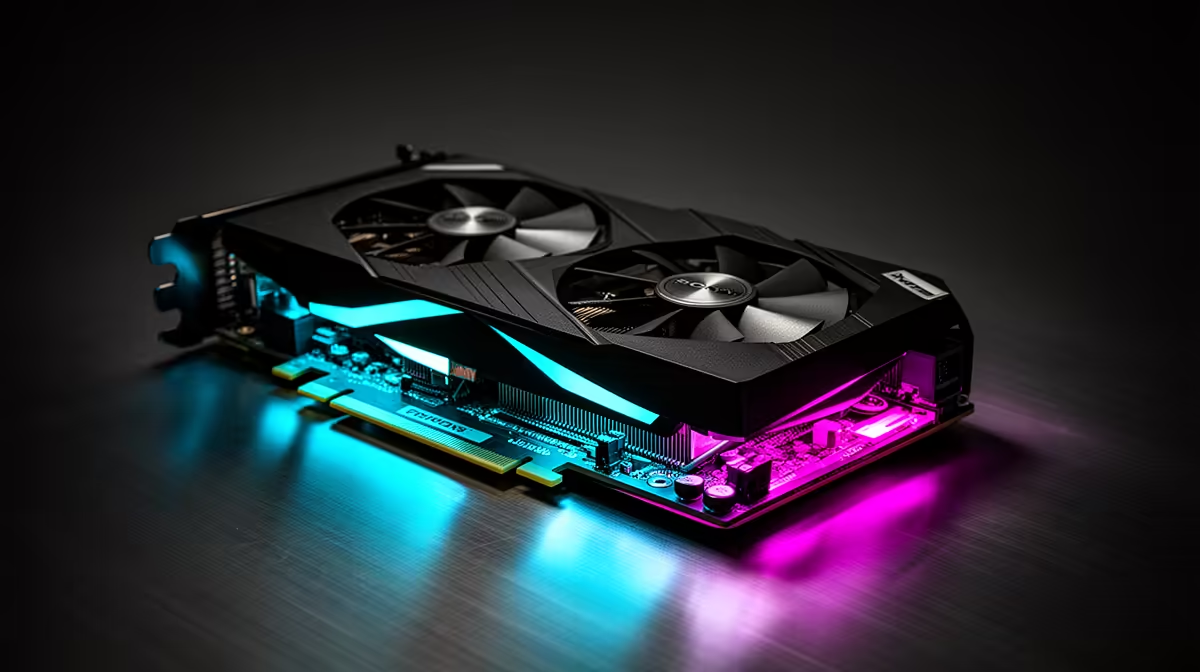
Type a prompt, wait a few seconds, and an image appears on your screen. That moment is your graphics card running inference, not training. The distinction matters because it decides what hardware you actually need. Generating art locally is a job a single consumer card can do comfortably. Building the model that does the generating is an entirely different scale of problem, and conflating the two leads people to wildly over-buy or wrongly assume their setup cannot cope.
When you generate an AI image at home, your GPU is doing inference, which fits comfortably in 12 to 24GB of VRAM and takes seconds per picture. Training a full diffusion model from scratch needs dozens of datacentre GPUs and tens of gigabytes of memory each. The practical middle ground for enthusiasts is LoRA fine-tuning, which runs on a consumer RTX card.
Inference is the act of using a model that already exists. The weights are fixed; your card simply pushes your prompt through them and produces an output. For image generation this is light work by modern standards. Standard square images can run on as little as 4 to 6GB of VRAM, and a card with 12GB or more handles higher resolutions and faster batches without fuss. This is why a single mainstream GPU is all most people ever need to make art locally.
The reason it feels quick is that nothing is being learned. The model is not changing, so there is no need to hold the extra memory that learning demands.
Training is where the model's weights are created or rewritten, and the memory cost explodes. A full fine-tune that updates every weight in a diffusion model can demand roughly 40 to 80GB of VRAM, which puts it squarely on datacentre cards or multi-GPU rigs. Building a model from scratch goes further still, into the realm of large clusters running for extended periods.
That is the figure that scares people off, but it is also the figure most home users never need to meet. You are almost always running someone else's trained model, not making your own from nothing.
Between pure inference and full training sits LoRA fine-tuning, and this is where consumer hardware earns its keep. A LoRA trains a small adapter, often just 50 to 300MB, that teaches an existing model a new style, character or subject without touching the bulk of its weights. It is genuinely achievable on a 12GB card in an afternoon, which means a capable desktop can do real customisation, not just generation.
As a rough guide, lighter models train a LoRA on around 8GB, while the larger current models want 12GB at minimum and are more comfortable with 16 to 24GB. Techniques like gradient checkpointing and mixed precision trim the memory cost further at a modest speed penalty. A well-specified AI creator PC from Evetech covers both fast inference and LoRA work in one machine. If you are choosing the card itself, the GPU best sellers show which options are pulling their weight for this kind of workload.
Less than most people expect. Standard images can run on roughly 4 to 6GB, and a card with 12GB or more handles higher resolutions and faster generation comfortably. Inference is light because the model is fixed and nothing is being learned.
Training a full model from scratch is impractical at home, since it needs tens of gigabytes of VRAM per card and often many cards. What you can do at home is LoRA fine-tuning, which adapts an existing model and runs on a single consumer GPU.
A LoRA trains a small add-on adapter while leaving most of the base model untouched, keeping memory needs low enough for consumer cards. Full fine-tuning rewrites every weight and needs far more VRAM, typically datacentre-class hardware.
Mostly quicker. A stronger card with more VRAM produces images faster and at higher resolutions, but the visual result is set by the model and your prompt, not the card. Extra VRAM matters more for training and large batches than for image quality alone.
Whether you want to generate art in seconds or train your own LoRA styles, the right balance of GPU and VRAM makes it painless. Explore the AI creator PC range at Evetech and build a machine that handles both.
Less than most people expect. Standard images can run on roughly 4 to 6GB, and a card with 12GB or more handles higher resolutions and faster generation comfortably. Inference is light because the model is fixed and nothing is being learned.
Training a full model from scratch is impractical at home, since it needs tens of gigabytes of VRAM per card and often many cards. What you can do at home is LoRA fine-tuning, which adapts an existing model and runs on a single consumer GPU.
A LoRA trains a small add-on adapter while leaving most of the base model untouched, keeping memory needs low enough for consumer cards. Full fine-tuning rewrites every weight and needs far more VRAM, typically datacentre-class hardware.
Mostly quicker. A stronger card with more VRAM produces images faster and at higher resolutions, but the visual result is set by the model and your prompt, not the card. Extra VRAM matters more for training and large batches than for image quality alone.
DDR5 build FPS drops needs a methodical troubleshooting pass. Review drivers, thermals, power settings, background apps, cables and game settings before replacing parts in an SA gaming setup.
Read more
Fps drops on ddr5 build in south africa usually needs a settings, driver, thermal, or power check first. Work through safe SA troubleshooting steps before replacing parts or assuming a full upgrade.
Read more
X870E motherboard frame pacing issues needs a step-by-step check before replacing parts. Review drivers, settings, thermals, power, background apps, display limits, cables, and game options before changing hardware.
Read more
4K monitors cost more as sharp panels raise the bar. See why 4k monitors still expensive for gamers in cape town before choosing screen specs, GPU targets, and value trade-offs.
Read more
4K monitors still feel expensive for Gqeberha gamers because panel quality, higher refresh rates, and GPU demands raise total setup cost. Compare 1440p, screen size, ports, and refresh rate before paying more for 4K.
Read more
ARGB cases explain mid-tier SA build appeal with visible style, airflow room, and cable control. For SA buyers, the smarter choice is a case where lighting, fan layout, and GPU clearance work together instead of just looking bright.
Read more
The Epomaker RT75 is a tri-mode 75% keyboard with a removable TFT screen. Local screen-equipped compact boards started at R1,199 in our snapshot.

Gigabyte has launched two B450M D3HP boards for Ryzen 3000 to 5000 CPUs. The exact models had no confirmed Evetech listing on 15 August.

Attackers are exploiting a patched Mac screen-sharing flaw to gain root access. Update macOS and remove public port 5900 exposure immediately.

An auto-clamping phone holder offers seamless, one-handed convenience for your vehicle. Discover how it compares to manual cradle mounts to see which keeps your device secure during your daily drive. 🚗📱

A 10,000-hour test found similar image retention across older and newer OLED TVs, while newer panels were brighter and more efficient. Local OLED monitors started at R9,999.

Canonical expects Ubuntu on WSL users to outnumber native Ubuntu desktop users before the end of 2026. The software is open source and runs inside supported Windows PCs.

Telkom's daily bundles pair WhatsApp access with 10 all-network voice minutes. The R15 option includes 300MB, while the R17 option uses a fair-use threshold.

PC Partner expects entry-level graphics-card shortages to worsen in the second half of 2026. Current Evetech GPU listings started at R4,399 in our snapshot.
DDR5 build FPS drops needs a methodical troubleshooting pass. Review drivers, thermals, power settings, background apps, cables and game settings before replacing parts in an SA gaming setup.

Wi-Fi 6E vs Wi-Fi 6 depends on AAA single-player gaming needs, platform limits, and budget fit. Compare compatibility, latency, upgrade path, and real setup constraints before choosing for an SA build.
Fps drops on ddr5 build in south africa usually needs a settings, driver, thermal, or power check first. Work through safe SA troubleshooting steps before replacing parts or assuming a full upgrade.
ATX 3.1 vs ATX 3.0 for cinematic story games Difference explained is mostly about compatibility, budget, upgrade path, and setup fit. SA buyers should check device support and real needs before expecting a clear win from either option.