



650W PSU Planning for RTX 5090 Builds in SA
650W for RTX 5090 needs a full-build check, not a simple yes. Review GPU guidance, CPU draw, transient load, connectors, PSU quality, and upgrade plans before deciding.
Read moreA mini PC that stays dark after mains returns is almost always set to the BIOS default 'Power Off' state on AC loss, not a hardware fault. Change the AC power recovery setting to 'Power On' in BIOS and the unit will boot automatically next time.
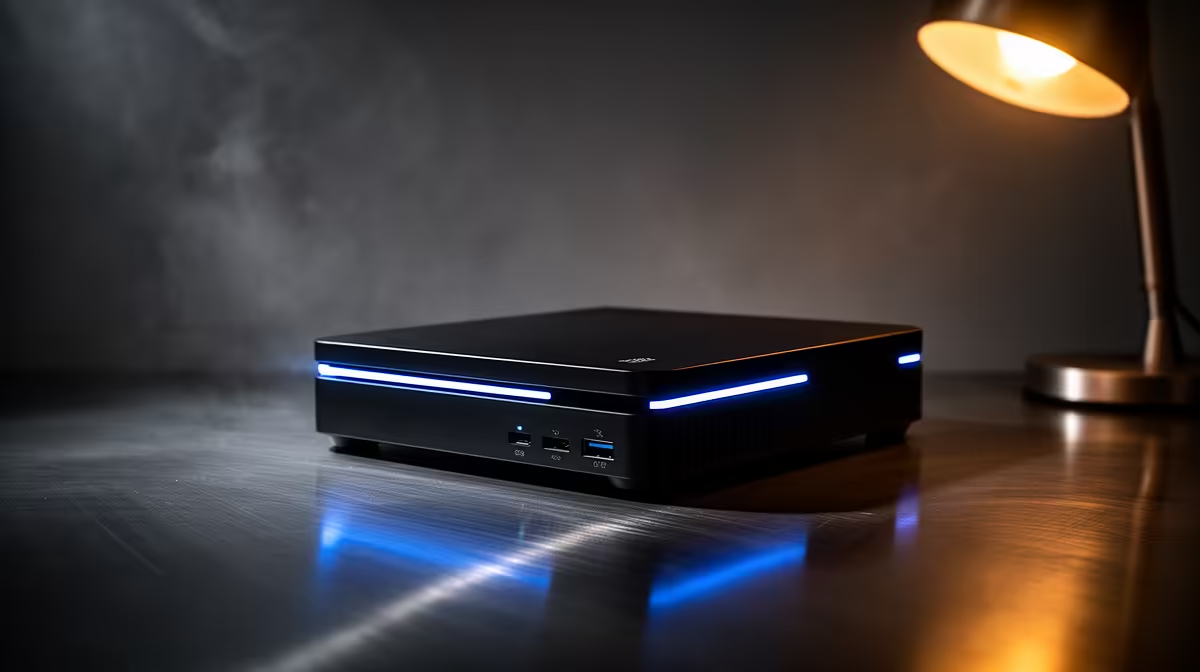
The mains flicker back on after an outage, every other device in the house wakes up, and the mini PC just sits there dark. Before you fear a dead unit, know this: a mini PC that won't turn on after a power cut is almost always obeying a single BIOS setting, not suffering a hardware fault. Flip that setting and the machine boots itself the moment power returns.
A mini PC staying dark after the power comes back is nearly always set to the default "Power Off" state on AC loss in its BIOS, not broken. Enter the BIOS, find the AC power recovery setting, change it from "Stay Off" or "Last State" to "Power On", save and exit. The unit will then boot automatically after future outages.
Most mini PCs ship with their BIOS set to remain off when mains power is restored after an interruption. This is a deliberate default, meant to stop a machine waking unexpectedly, but it is the wrong choice for a unit you want running unattended, like a media server or a small always-on box. The setting governs exactly one thing: what the machine does the instant AC power returns. With it on the default, the answer is nothing, so the Pi-sized server you rely on simply waits for you to walk over and press the button. That is the behaviour, not a fault, and it is a two-minute fix.
The setting lives in the BIOS, and reaching it takes a minute.
That is the whole fix. Next time the power drops and returns, the unit boots on its own.
If you have set "Power On" and the mini PC still stays dark after an outage, one quirk affects some units. A power supply protection feature can detect the surge as power returns and shut itself into a protective state, so the motherboard never sees a clean power signal. In that case you may need to flick the physical power switch on the supply off and on, or unplug and replug it, to reset it before the auto-boot works. It is uncommon, but worth knowing before assuming the board is faulty. If the machine genuinely shows no sign of life even with power confirmed at the wall, the mini PC range at Evetech is where to look for a replacement or an upgrade with more reliable power behaviour.
Almost certainly not. The usual cause is the BIOS being set to stay off when AC power returns, which is a default setting rather than a fault. Changing it to power on after power loss fixes the behaviour.
It varies by manufacturer but reads as something like "Restore on AC Power Loss", "AC Power Recovery", "After Power Failure" or "State After Power Loss". Set it to "Power On" or "Always On" rather than "Stay Off" or "Last State".
Power the unit on and immediately tap the entry key, commonly Delete, F2, F1, F10 or Escape. The exact key depends on the maker, so if one does not work, restart and try another.
Some power supplies enter a protective state after detecting the surge when power returns, so the board never sees a clean signal. Flicking the supply's physical switch off and on, or unplugging and replugging it, often resets it so auto-boot works. If you are weighing a replacement, the best-selling PCs at Evetech highlights compact options from reliable brands with consistent power-recovery behaviour.
Need a compact machine that handles power interruptions reliably? Browse the mini PCs at Evetech and find a unit built to boot back up the moment power returns.
Almost certainly not. The usual cause is the BIOS being set to stay off when AC power returns, which is a default setting rather than a fault. Changing it to power on after power loss fixes the behaviour.
It varies by manufacturer but reads as something like "Restore on AC Power Loss", "AC Power Recovery", "After Power Failure" or "State After Power Loss". Set it to "Power On" or "Always On" rather than "Stay Off" or "Last State".
Power the unit on and immediately tap the entry key, commonly Delete, F2, F1, F10 or Escape. The exact key depends on the maker, so if one does not work, restart and try another.
Some power supplies enter a protective state after detecting the surge when power returns, so the board never sees a clean signal. Flicking the supply's physical switch off and on, or unplugging and replugging it, often resets it so auto-boot works. If you are weighing a replacement, the [best-selling PCs at Evetech](https://www.evetech.co.za/pc-best-sellers/x/1912) highlights compact options from reliable brands with consistent power-recovery behaviour.
650W for RTX 5090 needs a full-build check, not a simple yes. Review GPU guidance, CPU draw, transient load, connectors, PSU quality, and upgrade plans before deciding.
Read more
How to fix FPS drops Windows 11 RX 9070 XT starts with GPU drivers, overlays, power plans, and frame pacing checks. For SA gaming PCs, verify chipset updates, HAGS, refresh rate, thermals, and per-game graphics settings.
Read more
How to fix FPS drops on X870E motherboard starts with BIOS, chipset drivers, PCIe settings, and memory stability. SA gamers can check EXPO, resize BAR, thermals, display refresh, and background apps before replacing components.
Read more
RTX 5060 is popular with SA students because it can fit gaming, coursework, and creative app needs in one setup. Compare total system price, cooling, RAM, storage, and screen quality before picking a desktop or laptop.
Read more
1440p is the sweet spot for SA gamers because it balances sharp visuals, high frame rates, and GPU cost better than 4K. It is a practical monitor target for players who want smoother upgrades without the heavier hardware demands of 4K.
Read more
RAM pricing for Midrand gamers can shift with exchange rates, supply, specs, and model tier. Treat the title as a buying prompt, then compare SA warranty, timing, and build priorities.
Read more
From 1 October 2026, WhatsApp Business Platform service replies in South Africa are expected to cost about $0.0076, or 12 cents, per delivered message.

DDR5-8000 RAM Kits pros and cons depend on the build, budget, and workload. Weigh gaming needs, platform fit, power, cooling, warranty support, and South African pricing context before shortlisting it.

Wi-Fi 6E vs Wi-Fi 6 depends on AAA single-player gaming needs, platform limits, and budget fit. Compare compatibility, latency, upgrade path, and real setup constraints before choosing for an SA build.

Ryzen 9 9950X3D dead pixel checks should isolate the panel first. Run colour fills, inspect the monitor menu, test another cable or input, and capture proof before linking it to the SA CPU upgrade.

YouTube will count public views from the first frame across video formats from 24 August, while earnings and eligibility remain tied to engaged viewing.

Canonical expects Ubuntu on WSL users to outnumber native Ubuntu desktop users before the end of 2026. The software is open source and runs inside supported Windows PCs.

Telkom's daily bundles pair WhatsApp access with 10 all-network voice minutes. The R15 option includes 300MB, while the R17 option uses a fair-use threshold.

A 10,000-hour test found similar image retention across older and newer OLED TVs, while newer panels were brighter and more efficient. Local OLED monitors started at R9,999.
650W for RTX 5090 needs a full-build check, not a simple yes. Review GPU guidance, CPU draw, transient load, connectors, PSU quality, and upgrade plans before deciding.

PCIe 5.0 and PCIe 4.0 differ most in lane support, compatibility, and upgrade value for strategy and sim games. SA buyers should match the choice to their actual hardware and games.
How to fix FPS drops Windows 11 RX 9070 XT starts with GPU drivers, overlays, power plans, and frame pacing checks. For SA gaming PCs, verify chipset updates, HAGS, refresh rate, thermals, and per-game graphics settings.

AM5 vs AM4 for video editing in 4K Difference explained is mostly about compatibility, budget, upgrade path, and setup fit. SA buyers should check device support and real needs before expecting a clear win from either option.