




RTX 5090 For Elden Ring At 1080p: SA Gamer Guide
RTX 5090 Elden Ring at 1080p guidance depends on settings, CPU balance, VRAM, cooling, and game updates. Treat FPS wording as a test target, not a guaranteed result for SA builds.
Read moreShould SA buyers pay more for LAN ports or QoS should be shortlisted around the job it must do. South African buyers should compare WiFi standard, coverage, latency, and device support, warranty path, and upgrade room before treating any pick as best.
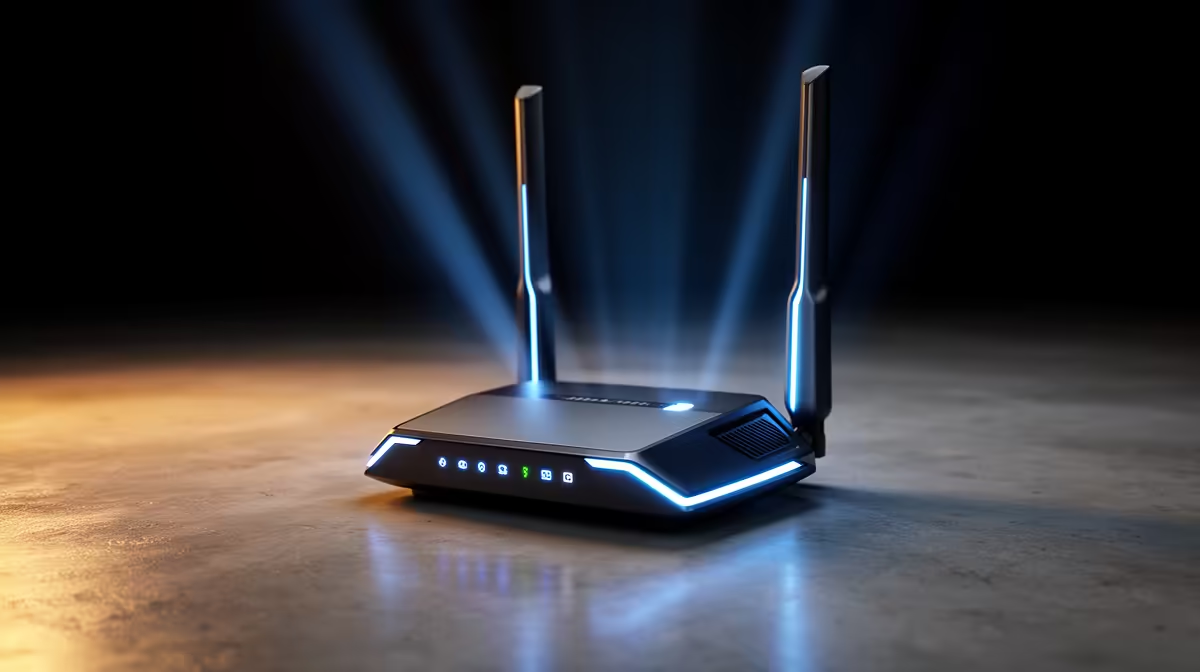
Pay more for LAN ports if the gaming PC, console, TV and NAS can be wired; pay more for QoS if several people share fibre or 5G at the same time. For most SA homes, gigabit LAN plus usable QoS beats raw Wi-Fi speed claims.
Look for Wi-Fi 6, gigabit Ethernet and clear QoS controls in the R1,200 to R5,000 range. Vumatel, Openserve and Rain 5G homes often benefit from stable wired backhaul before chasing bigger wireless numbers. In practical terms, that means the shortlist must show at least one hard number: Wi-Fi 6, gigabit LAN, QoS controls and 2x2 or 4x4 wireless radios. For SA buyers, local stock, courier timing and warranty support make fit and support part of the value calculation, not an afterthought.
Do not pay for extreme Wi-Fi if the important gaming device can sit on Ethernet and avoid wireless interference. A good cart keeps the main device, cables, desk space and future upgrade path aligned without turning one purchase into three more purchases.
Before buying, compare the product page specs with the actual PC, room or campus workflow. Check dimensions, connector count, power needs, software support and warranty handling.
For this use, a cautious working band is R1,200 to R5,000. The lower end should still meet Wi-Fi 6, gigabit LAN, QoS controls and 2x2 or 4x4 wireless radios, while the higher end should add a visible benefit rather than a cosmetic extra.
Check LAN port count, QoS controls, apartment wall layout and ISP router bridge options before comparing smaller features. That prevents a part that looks strong on paper from becoming awkward in a South African home, campus or shared setup.
Yes, use Ethernet for the main gaming PC when the room allows it. QoS helps shared traffic, but a cable still gives the most predictable ping.
RTX 5090 Elden Ring at 1080p guidance depends on settings, CPU balance, VRAM, cooling, and game updates. Treat FPS wording as a test target, not a guaranteed result for SA builds.
Read more
Cheapest GPU that runs Hollow Knight at 1440p should be shortlisted around the job it must do. South African buyers should compare GPU tier, VRAM, cooling, and PSU headroom, warranty path, and upgrade room before treating any pick as best.
Read more
60% Mechanical Keyboard in SA Comparison needs structured comparison. Use a matrix for specs, use case, budget tier, warranty, and upgrade path, with live price and availability checked before final picks.
Read more
Will the Arc B580 still be relevant in 2028 should be shortlisted around the job it must do. South African buyers should compare fit, performance, compatibility, and upgrade room, warranty path, and upgrade room before treating any pick as best.
Read more
Common Sapphire Graphics Cards buying mistakes that cost SA shoppers needs a cautious, practical check of specs, fit, support, and real local conditions. Use it as a planning guide, then confirm current price, stock, and product details before publishing
Read more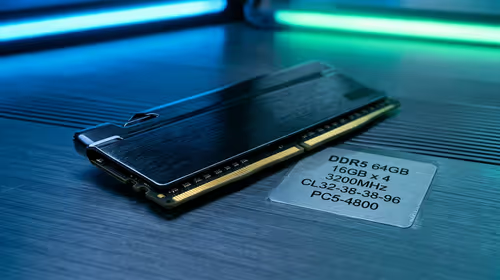
A practical DDR5 RAM kit spec floor for matric-to-varsity upgrades should avoid obvious weak links. Use SA buyer context to compare compatibility, capacity, cooling, warranty, and upgrade room before paying for extras.
Read more
Steam download region can affect which content server supplies your game files. Compare speed units and test another nearby region before blaming your router. A controlled download test costs no replacement hardware and helps you choose the next step.

HiBy PULSE and GRID are a gaming headset and an external sound card with Cyberpunk 2077 designs. The reveal does not yet provide detailed specifications or pricing. Choose whether to wait around your actual audio needs and the cost of a working headset today.

Pulsar X2F CrazyLight removes the rear shell for a dedicated fingertip grip. Its stated 29g weight is only useful if that shape suits your hand. Compare grip, receiver requirements and desk control before paying for a specialist gaming mouse.

Steam overlay not opening usually needs a settings or game-support check before a keyboard purchase. Review the global switch, the per-game option and the assigned shortcut. Test a second supported game to narrow the fault without reinstalling everything.

Steam processing Vulkan shaders is graphics preparation rather than a normal game download. On Linux, compare progress and repeat launches before deleting caches. A driver or game change can alter the work, so gather evidence before paying for a new GPU.

Steam discounts and events are moving towards personalised recommendations in early 2027. A firm start date is still pending. The change concerns promotional visibility, so compare the actual rand price and game requirements before making a purchase.

Windows 11 Bluetooth toggle missing can mean the radio is not being detected or enabled. Start with a complete power-off, then check the adapter and drivers. Pairing a new mouse cannot repair an absent Bluetooth control, so isolate the PC first.
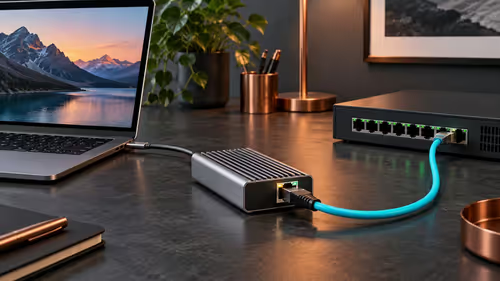
Sonnet Solo10G T5 adds 10GbE through a compatible Thunderbolt or USB4 host. It cannot raise a slow switch or storage device to that speed. Verify the computer, operating system and complete wired path before paying for a South African network upgrade.
RTX 5090 Elden Ring at 1080p guidance depends on settings, CPU balance, VRAM, cooling, and game updates. Treat FPS wording as a test target, not a guaranteed result for SA builds.

RTX 4080 too expensive? Cheaper SA alternatives should solve the exact workload without overbuying. Compare nearby options by GPU tier, VRAM, cooling, and PSU headroom, local warranty path, and total build balance before moving to a product page.
Cheapest GPU that runs Hollow Knight at 1440p should be shortlisted around the job it must do. South African buyers should compare GPU tier, VRAM, cooling, and PSU headroom, warranty path, and upgrade room before treating any pick as best.

Best NSFAS-approved laptops under R5,200 should be shortlisted around the job it must do. South African buyers should compare CPU, GPU, RAM, and screen quality, warranty path, and upgrade room before treating any pick as best.