



650W PSU Planning for RTX 5090 Builds in SA
650W for RTX 5090 needs a full-build check, not a simple yes. Review GPU guidance, CPU draw, transient load, connectors, PSU quality, and upgrade plans before deciding.
Read moreStudent Laptops for CAD learners: when SSD should be shortlisted around the job it must do. South African buyers should compare CPU, GPU, RAM, and screen quality, warranty path, and upgrade room before treating any pick as best.

For CAD learners, a 1TB Gen4 NVMe drive is the practical buy at roughly R1,000-R1,800, with read speeds around 5,000-7,000 MB/s. A WD Black SN770, Samsung 990 Pro or Kingston NV2 covers gaming and study without the price premium of Gen5. Buy capacity over raw sequential speed - 1TB fills fast.
Three sensible tiers for CAD learners: a 500GB Gen4 (R600-R900) as a tight boot drive, a 1TB Gen4 (R1,000-R1,800) as the do-everything sweet spot, and a 2TB Gen4 (R2,000-R3,200) when you keep a big Steam library. The SN770 and Kingston NV2 anchor the value end; the Samsung 990 Pro is the premium pick with a DRAM cache for sustained writes.
Gen5 drives hit 12,000+ MB/s but you will not feel that in games - load times are bottlenecked elsewhere, and Gen5 runs hotter and costs far more. For CAD learners, a good Gen4 drive is the smarter spend. DirectStorage gains are real but small, and a DRAM-less budget drive only slows down on huge sustained file copies.
Check the slot before you buy: most boards give one Gen4 M.2 wired to the CPU (fastest) and a second wired through the chipset. Put your boot drive in the CPU-linked slot. Add a heatsink for 2TB+ drives under heavy load - a hot NVMe throttles, and many motherboards ship M.2 heatsinks free.
1TB is the sweet spot at R1,000-R1,800 - a single AAA install now runs 80-150GB. Drop to 500GB only for a pure boot drive, and step to 2TB if you keep a large library installed at once.
Not for gaming. Game load times barely change between Gen4 and Gen5 because the bottleneck is decompression, not raw bandwidth. Gen5 costs much more and runs hotter - save the money for capacity or a better GPU.
For mostly-gaming use, a good DRAM-less drive (like the SN770) is fine. DRAM-cached drives like the 990 Pro only pull ahead on long sustained writes - large video exports or moving hundreds of GB at once.
"Pro Tip" | Install your boot NVMe in the CPU-linked M.2 slot (usually the top one) and fit a heatsink on any 2TB+ Gen4 drive so it holds full speed under sustained load.
650W for RTX 5090 needs a full-build check, not a simple yes. Review GPU guidance, CPU draw, transient load, connectors, PSU quality, and upgrade plans before deciding.
Read more
How to fix FPS drops Windows 11 RX 9070 XT starts with GPU drivers, overlays, power plans, and frame pacing checks. For SA gaming PCs, verify chipset updates, HAGS, refresh rate, thermals, and per-game graphics settings.
Read more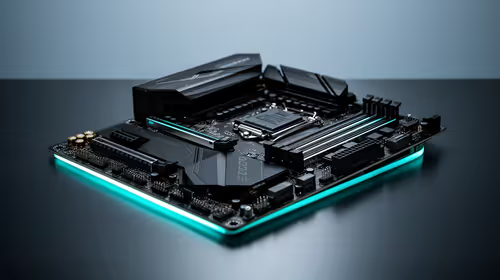
How to fix FPS drops on X870E motherboard starts with BIOS, chipset drivers, PCIe settings, and memory stability. SA gamers can check EXPO, resize BAR, thermals, display refresh, and background apps before replacing components.
Read more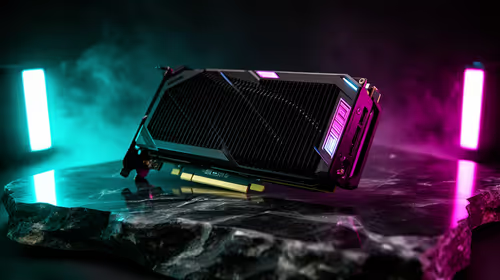
RTX 5060 is popular with SA students because it can fit gaming, coursework, and creative app needs in one setup. Compare total system price, cooling, RAM, storage, and screen quality before picking a desktop or laptop.
Read more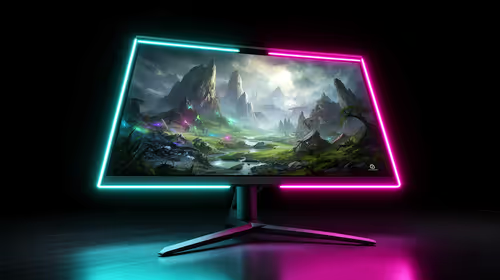
1440p is the sweet spot for SA gamers because it balances sharp visuals, high frame rates, and GPU cost better than 4K. It is a practical monitor target for players who want smoother upgrades without the heavier hardware demands of 4K.
Read more
RAM pricing for Midrand gamers can shift with exchange rates, supply, specs, and model tier. Treat the title as a buying prompt, then compare SA warranty, timing, and build priorities.
Read more
From 1 October 2026, WhatsApp Business Platform service replies in South Africa are expected to cost about $0.0076, or 12 cents, per delivered message.

DDR5-8000 RAM Kits pros and cons depend on the build, budget, and workload. Weigh gaming needs, platform fit, power, cooling, warranty support, and South African pricing context before shortlisting it.

Wi-Fi 6E vs Wi-Fi 6 depends on AAA single-player gaming needs, platform limits, and budget fit. Compare compatibility, latency, upgrade path, and real setup constraints before choosing for an SA build.

Ryzen 9 9950X3D dead pixel checks should isolate the panel first. Run colour fills, inspect the monitor menu, test another cable or input, and capture proof before linking it to the SA CPU upgrade.

YouTube will count public views from the first frame across video formats from 24 August, while earnings and eligibility remain tied to engaged viewing.

Canonical expects Ubuntu on WSL users to outnumber native Ubuntu desktop users before the end of 2026. The software is open source and runs inside supported Windows PCs.

Telkom's daily bundles pair WhatsApp access with 10 all-network voice minutes. The R15 option includes 300MB, while the R17 option uses a fair-use threshold.

A 10,000-hour test found similar image retention across older and newer OLED TVs, while newer panels were brighter and more efficient. Local OLED monitors started at R9,999.
650W for RTX 5090 needs a full-build check, not a simple yes. Review GPU guidance, CPU draw, transient load, connectors, PSU quality, and upgrade plans before deciding.

PCIe 5.0 and PCIe 4.0 differ most in lane support, compatibility, and upgrade value for strategy and sim games. SA buyers should match the choice to their actual hardware and games.
How to fix FPS drops Windows 11 RX 9070 XT starts with GPU drivers, overlays, power plans, and frame pacing checks. For SA gaming PCs, verify chipset updates, HAGS, refresh rate, thermals, and per-game graphics settings.

AM5 vs AM4 for video editing in 4K Difference explained is mostly about compatibility, budget, upgrade path, and setup fit. SA buyers should check device support and real needs before expecting a clear win from either option.