



650W PSU Planning for RTX 5090 Builds in SA
650W for RTX 5090 needs a full-build check, not a simple yes. Review GPU guidance, CPU draw, transient load, connectors, PSU quality, and upgrade plans before deciding.
Read moreTailscale vs WireGuard for home lab remote access splits on ease versus control: Tailscale builds a WireGuard mesh with no port forwarding, while raw WireGuard is a self-hosted VPN for maximum control. Tailscale's free tier supports 3 users and 100 devices.
Reaching your home lab from a coffee shop or the office used to mean wrestling with port forwarding and a static IP. Two tools dominate the modern answer, and the Tailscale vs WireGuard choice really comes down to a single trade-off: how much convenience you want versus how much control you want. Both are fast, both are secure, and picking between them is mostly about how hands-on you like your networking.
Tailscale builds a WireGuard-based mesh network for you with no port forwarding and almost no configuration, ideal if you want remote access working in minutes. Raw WireGuard is a self-hosted VPN that gives you total control but requires you to manage keys, configuration and port forwarding yourself. Tailscale's free tier covers 3 users and 100 devices, which is plenty for a home lab.
The most important thing to understand is that Tailscale is built on WireGuard. The actual encrypted tunnels in both cases use the same modern, fast, audited WireGuard protocol. So this is not a security or speed contest between two different technologies. It is a question of who handles the setup and management around that shared engine: you, or Tailscale.
That framing makes the decision simpler. You are not choosing a better protocol, you are choosing how much of the plumbing you want to own.
Tailscale wraps WireGuard in a coordination service that handles the hard parts. It manages key exchange, builds a mesh so every device can reach every other device, and crucially performs NAT traversal so you usually do not need to open any ports on your router. You install the client, log in, and your devices appear on a private network regardless of where they physically are.
For a home lab behind a typical South African fibre router with no static IP, that NAT traversal is the killer feature. It sidesteps the whole port-forwarding headache. The free tier's 3 users and 100 devices comfortably covers a personal lab, and the experience is close to plug and play. The trade-off is that you rely on Tailscale's coordination service and account system.
Plain WireGuard hands you the raw protocol and nothing else. You generate the keys, write the configuration files, decide the IP ranges, and set up port forwarding on your router so the outside world can reach your WireGuard server. Nothing depends on a third-party service, which is exactly what some people want.
This appeals to anyone running Proxmox or a dedicated server who values self-hosting on principle, wants no external dependency, and is comfortable managing networking by hand. The cost is your time and a steeper setup, plus the need for either a static IP or a dynamic DNS workaround so your endpoint stays reachable. A solid mini PC makes an excellent always-on WireGuard endpoint, and the mini PC range at Evetech covers low-power machines that can sit quietly running a VPN server around the clock.
Choose Tailscale if you want remote access working today, dislike fiddling with router settings, or sit behind carrier-grade NAT that makes port forwarding impossible. It is the pragmatic choice for most people, and the free tier rarely runs out for personal use.
Choose plain WireGuard if you want zero external dependencies, enjoy managing your own networking, already have a static IP or dynamic DNS sorted, and want the leanest possible self-hosted setup. Both run on modest hardware, so the hardware question is less about power and more about having a reliable always-on box, which is where the best-selling PC builds at Evetech can point you toward dependable, low-fuss machines.
They use the same WireGuard encryption, so the underlying security is equivalent. The difference is management: Tailscale handles keys and coordination for you, while WireGuard leaves that to you, which means your own configuration discipline matters more with raw WireGuard.
Usually not. Tailscale performs NAT traversal to connect devices without opening router ports, which is its biggest practical advantage for home users behind typical routers or carrier-grade NAT.
Yes. The free tier supports 3 users and 100 devices, which comfortably covers a personal home lab. Most enthusiasts never approach those limits, so there is no cost for typical home use.
Yes, that is exactly what plain WireGuard offers. It has no external coordination service, so once configured it runs entirely on your own infrastructure, at the cost of handling setup and port forwarding yourself.
Tailscale. It gets remote access working in minutes without router configuration, making it far gentler for newcomers. You can always move to self-hosted WireGuard later once you want more control.
Setting up remote access to your home lab? Browse the mini PC range and best-selling builds at Evetech to find a low-power, always-on machine to host your VPN.
They use the same WireGuard encryption, so the underlying security is equivalent. The difference is management: Tailscale handles keys and coordination for you, while WireGuard leaves that to you, which means your own configuration discipline matters more with raw WireGuard.
Usually not. Tailscale performs NAT traversal to connect devices without opening router ports, which is its biggest practical advantage for home users behind typical routers or carrier-grade NAT.
Yes. The free tier supports 3 users and 100 devices, which comfortably covers a personal home lab. Most enthusiasts never approach those limits, so there is no cost for typical home use.
Yes, that is exactly what plain WireGuard offers. It has no external coordination service, so once configured it runs entirely on your own infrastructure, at the cost of handling setup and port forwarding yourself.
Tailscale. It gets remote access working in minutes without router configuration, making it far gentler for newcomers. You can always move to self-hosted WireGuard later once you want more control.
650W for RTX 5090 needs a full-build check, not a simple yes. Review GPU guidance, CPU draw, transient load, connectors, PSU quality, and upgrade plans before deciding.
Read more
How to fix FPS drops Windows 11 RX 9070 XT starts with GPU drivers, overlays, power plans, and frame pacing checks. For SA gaming PCs, verify chipset updates, HAGS, refresh rate, thermals, and per-game graphics settings.
Read more
How to fix FPS drops on X870E motherboard starts with BIOS, chipset drivers, PCIe settings, and memory stability. SA gamers can check EXPO, resize BAR, thermals, display refresh, and background apps before replacing components.
Read more
RTX 5060 is popular with SA students because it can fit gaming, coursework, and creative app needs in one setup. Compare total system price, cooling, RAM, storage, and screen quality before picking a desktop or laptop.
Read more
1440p is the sweet spot for SA gamers because it balances sharp visuals, high frame rates, and GPU cost better than 4K. It is a practical monitor target for players who want smoother upgrades without the heavier hardware demands of 4K.
Read more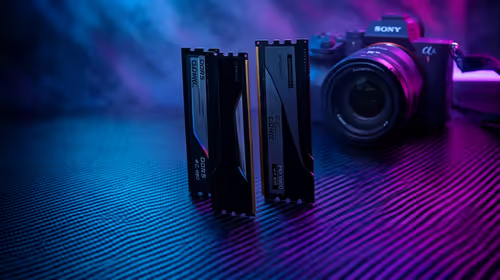
RAM pricing for Midrand gamers can shift with exchange rates, supply, specs, and model tier. Treat the title as a buying prompt, then compare SA warranty, timing, and build priorities.
Read more
From 1 October 2026, WhatsApp Business Platform service replies in South Africa are expected to cost about $0.0076, or 12 cents, per delivered message.

DDR5-8000 RAM Kits pros and cons depend on the build, budget, and workload. Weigh gaming needs, platform fit, power, cooling, warranty support, and South African pricing context before shortlisting it.

Wi-Fi 6E vs Wi-Fi 6 depends on AAA single-player gaming needs, platform limits, and budget fit. Compare compatibility, latency, upgrade path, and real setup constraints before choosing for an SA build.

Ryzen 9 9950X3D dead pixel checks should isolate the panel first. Run colour fills, inspect the monitor menu, test another cable or input, and capture proof before linking it to the SA CPU upgrade.

YouTube will count public views from the first frame across video formats from 24 August, while earnings and eligibility remain tied to engaged viewing.

Canonical expects Ubuntu on WSL users to outnumber native Ubuntu desktop users before the end of 2026. The software is open source and runs inside supported Windows PCs.

Telkom's daily bundles pair WhatsApp access with 10 all-network voice minutes. The R15 option includes 300MB, while the R17 option uses a fair-use threshold.

A 10,000-hour test found similar image retention across older and newer OLED TVs, while newer panels were brighter and more efficient. Local OLED monitors started at R9,999.
650W for RTX 5090 needs a full-build check, not a simple yes. Review GPU guidance, CPU draw, transient load, connectors, PSU quality, and upgrade plans before deciding.

PCIe 5.0 and PCIe 4.0 differ most in lane support, compatibility, and upgrade value for strategy and sim games. SA buyers should match the choice to their actual hardware and games.
How to fix FPS drops Windows 11 RX 9070 XT starts with GPU drivers, overlays, power plans, and frame pacing checks. For SA gaming PCs, verify chipset updates, HAGS, refresh rate, thermals, and per-game graphics settings.

AM5 vs AM4 for video editing in 4K Difference explained is mostly about compatibility, budget, upgrade path, and setup fit. SA buyers should check device support and real needs before expecting a clear win from either option.