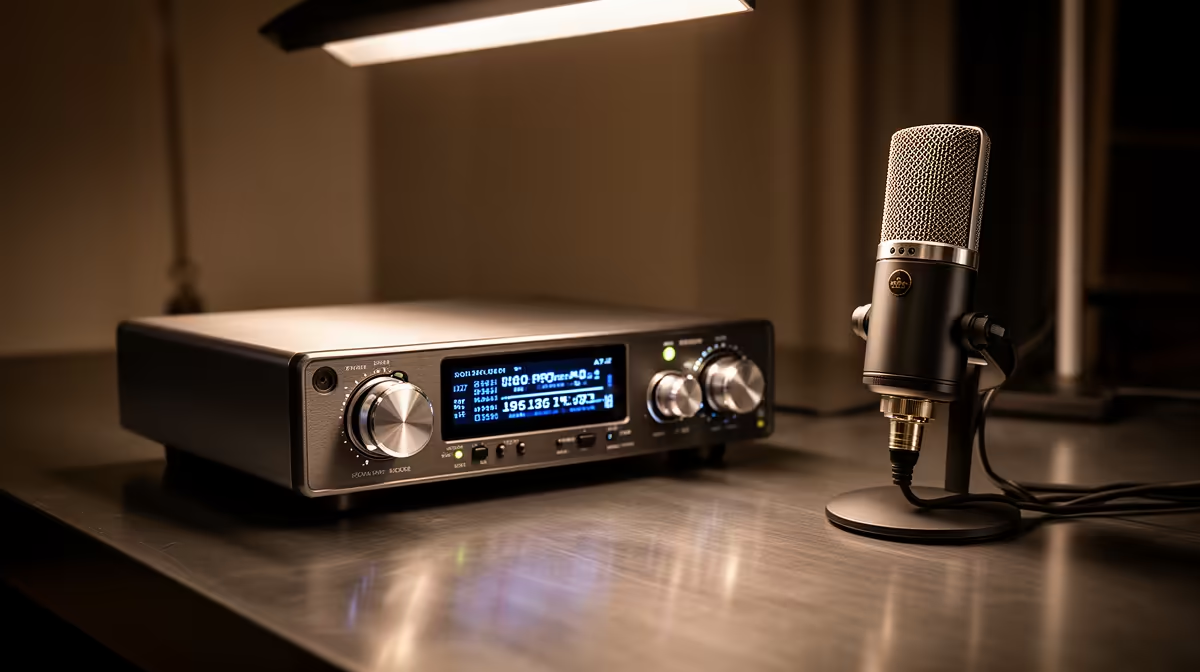
An audio interface is the small box that sits between an XLR microphone and your computer, turning a weak analogue mic signal into clean digital audio your software can actually use. Plug a professional XLR mic straight into a laptop and you get nothing usable, because the laptop has no way to power the mic or boost its signal correctly. The interface does both jobs.
Quick Answer
An audio interface is a hardware bridge that gives an XLR microphone three things it cannot get from a computer alone: preamp gain to raise the quiet mic signal, analogue-to-digital conversion so the computer understands it, and 48V phantom power for condenser mics. Without it, an XLR mic simply will not record properly.
What An Audio Interface Actually Does
A microphone produces a tiny analogue voltage. That signal is far too weak and in the wrong form for a computer, which only deals in digital data. The interface handles the handover in three steps.
First, a built-in preamp amplifies the faint mic signal up to a healthy working level, with a gain knob you control. Second, an analogue-to-digital converter samples that boosted signal and turns it into the digital stream your recording software reads. Third, for condenser microphones, the interface supplies 48V phantom power down the XLR cable, which the mic needs to function at all. Most interfaces also send sound back out to your headphones or monitors so you can hear what you are recording.
Why XLR Mics Specifically Need One
XLR microphones are built for balanced, professional signal chains, not for plugging into a consumer device. They have no built-in converter and no power source of their own, so they rely on external gear to do that work. A USB microphone, by contrast, has a tiny preamp and converter packed inside, which is why it plugs straight into a computer port.
That difference is the whole reason the interface exists. The XLR mic stays a pure analogue capture device, and the interface becomes the engine room: power, gain, and conversion all in one unit. The payoff is flexibility, since you can swap mics, run better preamps, and scale up later without throwing the whole chain away.
Condenser Versus Dynamic
Condenser mics need phantom power, so an interface that supplies 48V is essential for them. Many dynamic mics do not need phantom power but still need the preamp gain and conversion an interface provides, and some quieter dynamics benefit from extra clean gain. Either way, the XLR mic needs the interface to reach your software.
Choosing The Right One
Match the interface to how many sources you record at once. A solo streamer or podcaster usually needs one or two XLR inputs. A musician recording a guitar and vocal together wants two inputs minimum. Look for low-noise preamps, a clear gain control, and a headphone output with its own level so you can monitor without delay. You will also want a decent pair of monitoring headphones to hear the result accurately, and the headset and headphone range Evetech stocks covers closed-back options that suit recording.
If you want a quick sense of what other creators are actually buying for their setups, the best-selling headsets at Evetech are a useful shortlist when you pair monitoring gear with a new interface.
gain so your loudest speaking peaks land short of the maximum on the software meter. This leaves headroom so sudden loud moments do not clip and distort.
Frequently Asked Questions
Can I plug an XLR mic straight into my PC?
Not into a standard computer. PCs lack the preamp, converter, and phantom power an XLR mic needs, so you need an interface in between. The mic jack on a laptop is for low-level consumer signals, not XLR mics.
Do all XLR mics need phantom power?
No. Condenser mics need 48V phantom power, but most dynamic mics do not. Both still need the interface for gain and conversion, so an interface remains essential either way.
Is a USB mic easier than an XLR mic plus interface?
For a single, simple setup, yes, because the USB mic has the conversion built in. An XLR mic with an interface offers more room to upgrade mics and add inputs later.
How many inputs do I need?
Count the sources you record at the same time. One voice needs one input, while a co-host or an instrument alongside your voice needs two. Buying a little ahead saves a second purchase soon after.
Will an interface improve my sound?
It can, through cleaner preamps and better conversion, but placement, room treatment, and the mic itself still matter most. The interface removes the bottleneck rather than fixing a poor recording space on its own.
Building a recording chain around an XLR mic? Pair the right interface with accurate monitoring from the headphone and headset range at Evetech and start capturing clean audio.