



1000W PSU Planning for RTX 5090 Builds in SA
1000W for RTX 5090 needs a full-build check, not a simple yes. Review GPU guidance, CPU draw, transient load, connectors, PSU quality, and upgrade plans before deciding.
Read moreWhere cheap mini PCs become expensive should be shortlisted around the job it must do. South African buyers should compare fit, performance, compatibility, and upgrade room, warranty path, and upgrade room before treating any pick as best.
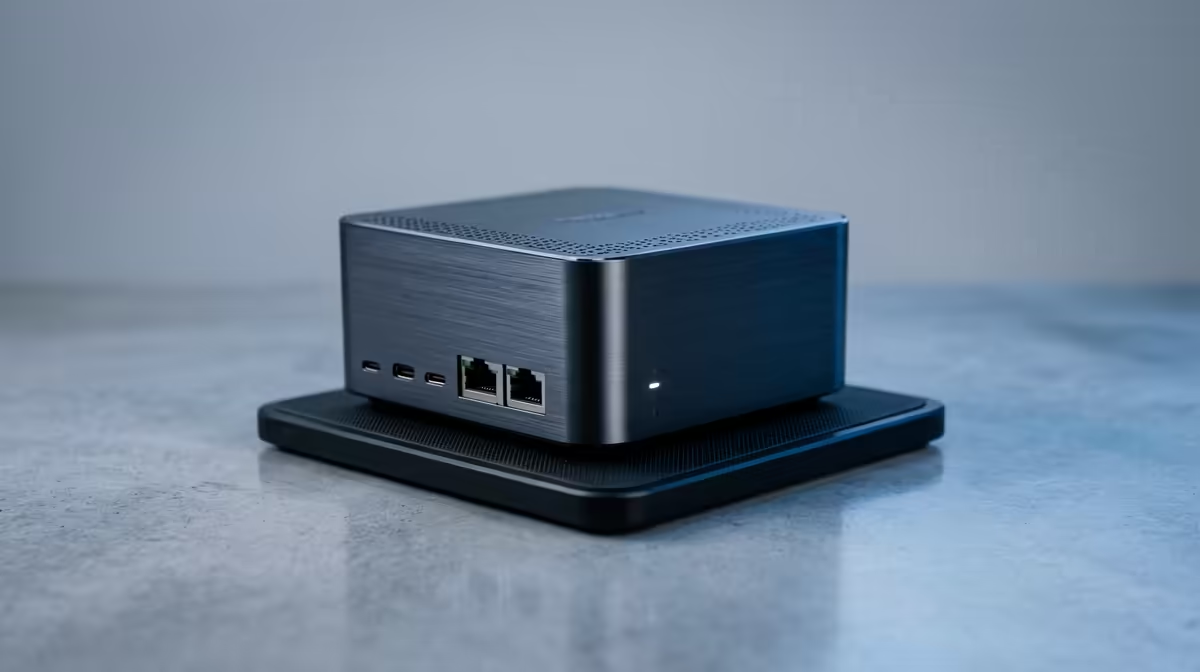
Cheap mini PCs become expensive for Python data analysis once you add the RAM the work demands, a R6,000 unit needs 32GB RAM and a fast SSD to handle real datasets, pushing it past R10,000. The hidden cost is memory: pandas holds data in RAM, so 8-16GB chokes on large dataframes and forces an upgrade.
A budget mini PC handles toy datasets fine, then real work exposes it. 8-16GB RAM fills on multi-gigabyte CSVs, causing swapping and crashes, so you upgrade to 32GB. A slow SSD compounds disk-spill delays, prompting an NVMe upgrade. Sustained computation also throttles the small chassis. Each fix adds cost.
For data analysis, start with 32GB RAM (64GB for big data), a 6-8 core CPU for parallel work, and a fast NVMe SSD. Specifying this up front is cheaper than upgrading a cheap unit piecemeal.
A mini PC with 32GB RAM and good cooling handles serious pandas/NumPy work quietly at low power. Buy enough RAM from the start, it's the part that actually limits data analysis.
Check the maximum RAM the mini PC supports before buying; some budget units cap at 16GB soldered memory, which makes the 32GB you need for real data work impossible without replacing the whole machine.
RAM. Pandas holds data in memory, so 8-16GB chokes on large dataframes, forcing a 32GB upgrade. Add a faster SSD and the budget unit's price climbs past R10,000.
32GB minimum, 64GB for big datasets. Memory is the main limit; multi-gigabyte files exhaust 16GB and cause swapping and crashes.
Usually, yes. Buying a mini PC with 32GB RAM and a fast SSD up front costs less than buying cheap and upgrading RAM and storage piecemeal.
data work, spec 32GB RAM and a fast NVMe SSD from the start; memory is the real limit, so a cheap 16GB mini PC forces an upgrade that costs more overall.
1000W for RTX 5090 needs a full-build check, not a simple yes. Review GPU guidance, CPU draw, transient load, connectors, PSU quality, and upgrade plans before deciding.
Read more
RTX 5080 Super with a 750W PSU is more comfortable than lower wattage if the unit is quality. SA builders should still confirm GPU guidance, CPU draw, connector type, airflow, and upgrade room.
Read more
How to fix FPS drops after a RX 9070 XT starts with driver cleanup, chipset updates, thermals, and power checks. For SA gaming PCs, confirm PCIe seating, monitor refresh, frame caps, and per-game graphics settings before replacing parts.
Read more
How to fix low FPS Windows 11 Wi-Fi 7 issues starts by checking whether the problem is frame rate or network lag. Test ping, drivers, power settings, Ethernet, and game FPS before adjusting visuals.
Read more
AM5 is smart for SA builders because it supports newer Ryzen CPUs, DDR5 memory, and a longer upgrade path. Compare board cost, cooling, gaming needs, and local part availability before choosing your next PC platform.
Read more
AM5 gives Randburg gaming builders a longer upgrade path. For SA buyers, DDR5 support, newer board features, and future CPU options can justify the platform. Weigh board cost, cooler support, BIOS maturity, and upgrade timing before choosing.
Read more
RTX 5090 on a 550W PSU leaves almost no practical room for OC plans. Treat the setup as constrained, with CPU draw, power spikes, cable quality, thermals, and stability checks more important than chasing extra clocks.

FPS drops on a Ryzen 9 9950X3D build often have a fixable cause. Check settings, drivers, thermals, background tasks, network conditions, and bottlenecks before assuming a part must be replaced.

The difference between PCIe 5.0 and PCIe 4.0 for SA gamers is mostly bandwidth headroom. Compare GPU slot needs, NVMe speed, motherboard support, and upgrade timing before paying extra for a newer platform.

Gaming PC stuck pixel checks in South Africa should confirm the monitor fault first. Use colour tests, screenshot comparison, cable swaps, display menu checks, and clear photos before deciding on support.

AMD's current driver now lists a Radeon RX 9050 4GB, while product coverage details a narrowed memory system. SA buyers should weigh the low VRAM ceiling against current local Radeon options.

Samsung Display has demonstrated a 16-inch 2.5K OLED laptop panel running at 300Hz. SA buyers should wait for a named notebook, full panel specifications and a local price before planning an upgrade.

Microsoft says some Windows 11 game crashes after recent updates are linked to RGB-related drivers. Affected SA gamers should confirm the update and driver before using the published registry workaround.

Thermalright's Fan Frame Vision-1 adds a 640x172 status screen to a standard 120mm fan. SA builders should check clearance, USB routing and local support before treating it as an easy upgrade.

Shokz OpenFit Air 2 earbuds weigh 7.2g each and use a redesigned dual-driver open-ear layout. SA buyers should choose them for comfort and awareness, not maximum isolation.

A fake 113GB GTA VI ISO reportedly used empty padding around a small malware payload. SA gamers should delete unofficial builds, keep Windows security active and wait for official channels.

The ROG Flux Charger Dock combines 260W total output, 140W laptop charging and HDMI 2.1. SA buyers should check laptop USB-C limits, display needs and local warranty first.

ASRock's Rock 360 Digital AIO adds a 1.05-inch CPU temperature display, 360mm radiator and simplified wiring. SA builders should check case fit, socket support and local warranty.