You’re in a 1v3 clutch in Apex Legends. The zone is closing in, you’ve got the high ground, and you line up the final headshot... but your cursor freezes. Your wireless mouse keeps disconnecting again, and just like that, you’re back in the lobby. Sound familiar? Ja, we’ve all been there. A wireless mouse that keeps disconnecting is one of the most frustrating problems a PC gamer in South Africa can face. But don’t rage-quit just yet. Let's fix this.
Why Your Wireless Mouse Keeps Disconnecting: The Quick Fixes 🔧
Before diving into complex software issues, let's start with the basics. Often, a simple physical issue is the reason your wireless mouse disconnects. Run through this checklist first.
Check the Simple Stuff
- Battery Power: Is it just out of juice? This is the number one culprit. For rechargeable mice, plug it in for a solid 30 minutes. If it uses disposable batteries, swap them out for a fresh pair. A low battery can cause a weak, intermittent signal long before it dies completely.
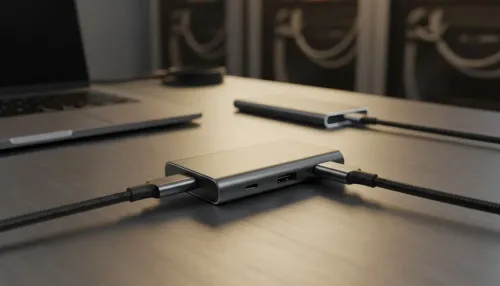
- USB Port & Dongle: Your mouse’s wireless receiver (the dongle) might be in a faulty or low-power USB port. Try plugging it into a different port, preferably one directly on your motherboard at the back of your PC, as these often provide a more stable connection than front-panel ports.
- Surface Issues: Are you using your mouse on a glossy, glass, or uneven surface? Most mouse sensors need a consistent surface to track properly. A good mousepad isn't just for smooth glides; it ensures your sensor works optimally.
A stable gaming setup is about more than just your mouse. Ensuring your whole desk is optimised for performance, right down to having a comfortable wrist rest, can make a surprising difference to your comfort and focus during long sessions.
Signal Strength Pro Tip ⚡
If your PC tower is under your desk or far away, the signal to your mouse might be weak. Use a simple USB extension cable to move the wireless dongle closer to your mousepad. Getting it out from behind a metal case and into a clear line of sight can solve many disconnection problems instantly.
Diving Deeper: Software and Interference Issues
If the basics didn't solve your wireless mouse disconnection issues, it’s time to look at software and your environment. These problems are a bit trickier but are often the root cause for persistent dropouts.
Wireless Interference
Your home is flooded with 2.4GHz wireless signals. Your Wi-Fi router, cordless phone, Bluetooth speakers, and even your microwave can interfere with your mouse's signal. Try to move your Wi-Fi router further from your PC setup and turn off any unnecessary Bluetooth devices to see if the connection stabilises.
Driver and Software Conflicts
Outdated or corrupt drivers are a classic cause of peripheral problems.
- Update Your Drivers: Go to the manufacturer’s website (e.g., Logitech, Razer, Corsair) and download the latest software and drivers for your specific mouse model.
- Reinstall the Device: Open Device Manager in Windows, find your mouse under "Mice and other pointing devices," right-click it, and select "Uninstall device." Unplug the dongle, restart your PC, and plug it back in to let Windows reinstall it fresh.
Perfecting your setup's software and hardware synergy is key. It's like customising your rig with unique keyboard keycaps; every component should work together to reflect your style and performance needs.
When to Call It: Is Your Mouse Beyond Repair?
Sometimes, after all the troubleshooting, you have to face the hard truth: your mouse might just be broken. If you’ve tried everything and your wireless mouse keeps disconnecting, it might be time for an upgrade. A mouse that has been dropped too many times can have internal damage, and older models can simply wear out.
That crisp click you're missing might be found in a new mouse, just as gamers seek the perfect tactile feedback from different keyboard switches. Don't let faulty gear hold you back. While you're at it, if your other peripherals are feeling a bit tired, grabbing a reliable gaming keyboard in South Africa can complete your setup's refresh. You can often find fantastic value by keeping an eye on the best gaming keyboard deals, ensuring your entire arsenal is ready for action. ✨
Tired of Lag? Upgrade Your Gear.
A disconnecting mouse is more than an annoyance—it's a guaranteed loss. Stop the frustration and step up your game with hardware you can rely on. Explore our unbeatable keyboard and mouse combo deals and get back in the game with gear that won't let you down.