




1000W PSU for RTX 5080 Super builds in SA
1000W for an RTX 5080 Super build is a sizing question, not a blanket verdict. Check GPU guidance, CPU draw, cables, transient headroom, and upgrade plans before choosing a PSU in SA.
Read moreX870 1TB Gen 5 NVMe with QLC vs TLC guide needs a workload-first comparison. For SA buyers, judge real performance, platform fit, warranty path, power needs, and upgrade timing before choosing either side.
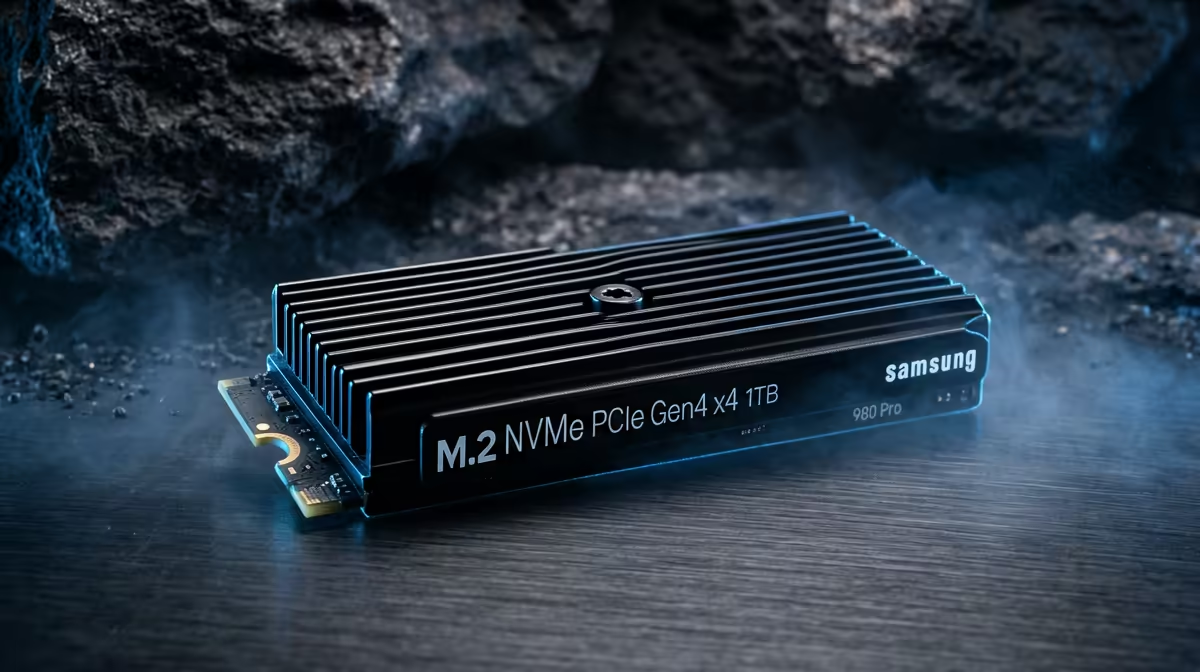
For SA builders on X870, choose TLC (Triple-Level Cell) over QLC (Quad-Level Cell) for a Gen 5 NVMe primary drive. TLC Gen 5 drives like the Crucial T705 1 TB (R1,200–R1,800 at Evetech) deliver 14,500/12,700 MB/s and maintain full speed throughout their warranty life. QLC Gen 5 drives are cheaper but drop to Gen 3 equivalent speeds (3,500 MB/s) after the SLC write cache is exhausted — typically during large game downloads or video editing workloads.
| Metric | TLC Gen 5 (T705) | QLC Gen 5 |
|---|---|---|
| Sequential read | 14,500 MB/s | 14,000 MB/s |
| Sustained sequential write | 12,700 MB/s | 3,000–4,000 MB/s (after SLC cache) |
| TBW (1 TB) | 600 TBW | 300–400 TBW |
| ZAR price (1 TB) at Evetech | ~R1,200–R1,800 | ~R800–R1,200 |
| Best for | Games + creation | Light use, read-heavy |
The TLC vs QLC distinction matters most when writing large amounts of data continuously — a 50 GB game download writes the data fast enough to exhaust a QLC drive's SLC cache (typically 20–40 GB), after which write speed drops dramatically. TLC drives maintain rated speed throughout.
X870 boards (Ryzen 9000 series) include PCIe 5.0 on the primary GPU slot. For Gen 5 NVMe, X870 requires a board with a native PCIe 5.0 M.2 slot (check spec sheet) or a PCIe 5.0 adapter card. X870E boards more commonly include native Gen 5 M.2 slots; X870 boards vary.
For gaming-only builds: yes, with caveats. Game launches and in-game texture streaming are mostly read operations, where QLC and TLC perform similarly. The problem is when games update (large writes) — a 50 GB patch write can exhaust a QLC drive's cache and slow the download for 10–20 minutes. TLC avoids this completely.
Typically 10–30 TB/year for a heavy gamer (game installs, patches, saves, OS activity). Even a modest 300 TBW QLC drive would last 10–30 years at this rate — TBW is rarely the practical limit. The sustained write speed difference is more relevant than endurance for SA gaming builds.
Most premium X870 boards include an M.2 heatsink that holds Gen 5 TLC drives at 60–70°C under sustained loads. Ambient temperatures in SA (25–32°C summer) push temps 3–5°C higher than European test conditions — the heatsink is not optional for Gen 5 TLC on X870 in SA.
X870 build buying a Crucial T705, choose the heatsink-included SKU — it's typically only R100–R200 more expensive than the bare drive version and saves you the hassle of sourcing a compatible third-party M.2 heatsink for a Gen 5 drive running at 80°C without cooling.
1000W for an RTX 5080 Super build is a sizing question, not a blanket verdict. Check GPU guidance, CPU draw, cables, transient headroom, and upgrade plans before choosing a PSU in SA.
Read more
RTX 5070 Ti with a 550W PSU is a compatibility question about quality, connectors, and total system draw. SA gamers should check the PSU model, GPU cable support, CPU pairing, and upgrade margin before building.
Read more
Capture Card is worth considering for single-PC streaming for strategy and sim games only if it fixes a clear limit in comfort, performance, space, thermals, or workflow. Use this SA guide to avoid buying extras that do not help.
Read more
Ryzen 7 9700X and RTX 5080 bottleneck risk in Content Warning at 1440p depends on game engine, settings, and monitor target. SA PC buyers should compare CPU usage, GPU usage, upscaling, thermals, and upgrade goals before changing parts.
Read more
Will the RTX 5090 Founders clear DDR5 RAM in a should be shortlisted around the job it must do. South African buyers should compare GPU tier, VRAM, cooling, and PSU headroom, warranty path, and upgrade room before treating any pick as best.
Read more
Will the RTX 4060 still be relevant in 2028 should be shortlisted around the job it must do. South African buyers should compare GPU tier, VRAM, cooling, and PSU headroom, warranty path, and upgrade room before treating any pick as best.
Read more
File Explorer can attempt to restore previous folder windows at logon. Enable the Folder Options preference and test an ordinary local folder; do not assume it restores every tab, unsaved document or application after a restart.

Lenovo Legion 27Q-20 brings a 27-inch QHD IPS panel and 320Hz refresh capability to a new China-market listing. Check your PC, display port and desk before using a foreign launch price to set a South African budget.

DLSS Swapper bulk update arrives in version 1.2.7.0, letting users apply DLL and preset changes to several games. Test one compatible game and its restore path before extending the change; this is not a new GPU feature.

Yes, if you split your time between a phone and a PlayStation, because the GameBuds use two links. Evetech sells them at R3,999 with IP55 protection and a Qi charging case. Dongle for console, Bluetooth for phone.

OWC Dock Ejector has a new general-availability announcement for one-click volume ejection. Its Mac and Windows downloads use different version numbers, and high-power charging applies to supported Mac dock configurations rather than every connected USB port.
File Explorer can attempt to restore previous folder windows at logon. Enable the Folder Options preference and test an ordinary local folder; do not assume it restores every tab, unsaved document or application after a restart.

Windows Sticky Keys shortcut can respond to repeated Shift presses during play. Review the keyboard accessibility setting and its shortcut separately, so you can stop accidental prompts while preserving an aid you may need.

Windows mouse double click speed changes how close together two clicks must be recognised. Test a small timing adjustment before replacing a mouse, and distinguish a slow double-click from a switch that registers extra clicks.
1000W for an RTX 5080 Super build is a sizing question, not a blanket verdict. Check GPU guidance, CPU draw, cables, transient headroom, and upgrade plans before choosing a PSU in SA.

Best alternatives to the RTX 5070 for SA 4K should solve the exact workload without overbuying. Compare nearby options by GPU tier, VRAM, cooling, and PSU headroom, local warranty path, and total build balance before moving to a product page.
RTX 5070 Ti with a 550W PSU is a compatibility question about quality, connectors, and total system draw. SA gamers should check the PSU model, GPU cable support, CPU pairing, and upgrade margin before building.

RTX 4070 Ti Super pros cons and SA specific gotchas include price tier, PSU quality, case fit, and 1440p monitor match. Use this local buyer view to decide where the GPU shines and where local category fit and build balance matter more locally.