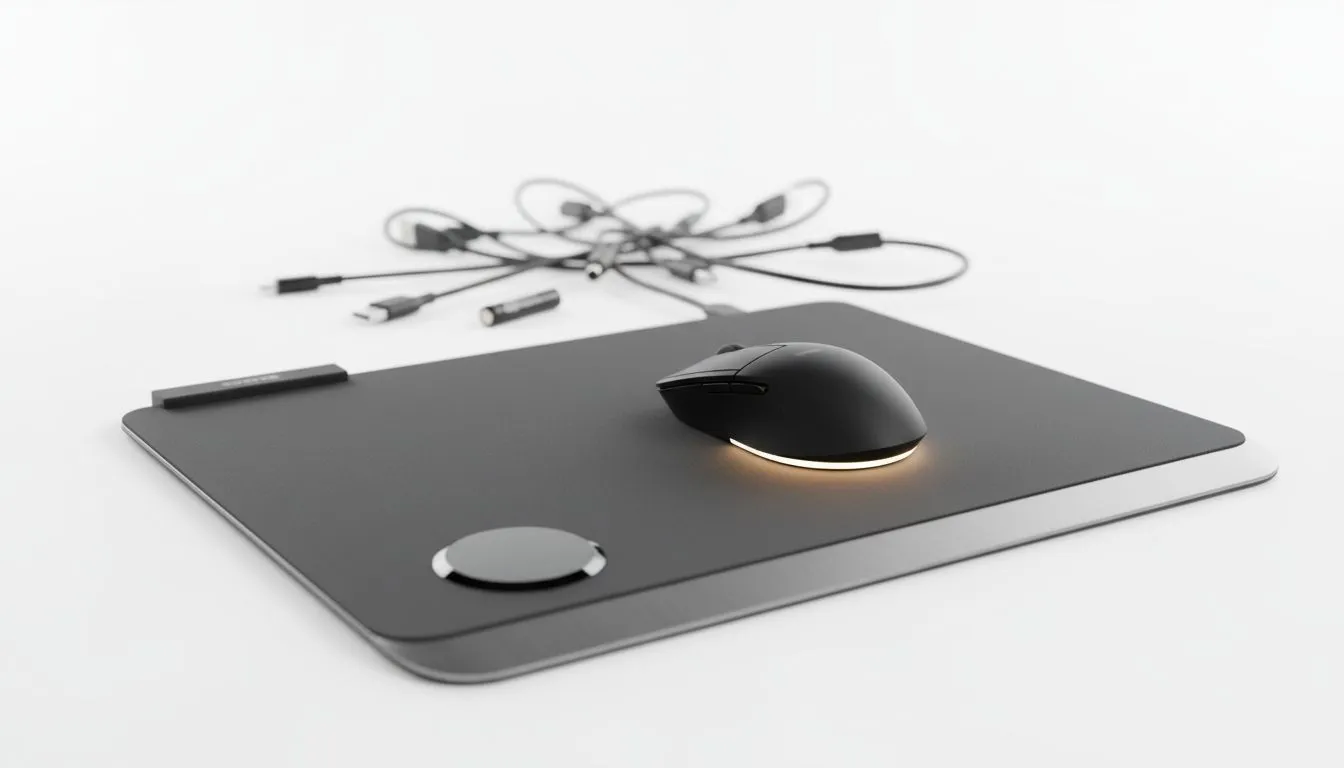
Why a wireless charging mousepad makes sense for South African gamers ⚡
If you're tired of swapping mouse batteries mid-match or chasing cables across your desk, a wireless charging mousepad can quietly cut those costs and clutter. Think fewer AA purchases and one clean USB-C feed under your rig… Perfect for gamers and PC builders in Cape Town, Johannesburg and beyond who value convenience and a tidy battlestation.
How wireless charging mousepads save money on batteries and cables
A wireless charging mousepad charges compatible mice and accessories while you play, so you buy fewer disposable batteries and run fewer extension cables. That reduces recurring spend and keeps your setup neat. Want to start exploring options? Our mouse pad primer shows the full range and materials to consider: Evetech's mousepad guide is a great first stop.
https://www.evetech.co.za/components/mouse-pads-101
Picking the right size and surface for your play style
Size matters when you swap to a charging mat. If you prefer massive sweep movements, look at XXL or extended mats for full keyboard-to-mouse coverage — you'll get stable tracking and a larger wireless charging area. See our XXL options for scale and feel.
https://www.evetech.co.za/components/mouse-pads-101?attributes-size=XXL
If you want room for both keyboard and mouse, extended mats give that desk real estate. Check extended sizes here.
https://www.evetech.co.za/components/mouse-pads-101?attributes-size=Extended
Lighting, brand choices and compatibility
Some pads come with RGB zones that look great on stream; others keep a clean, non-illuminated aesthetic. Choose based on your desk lighting and streaming brand. Browse non-RGB and RGB options:
https://www.evetech.co.za/components/mouse-pads-101?attributes-lightingeffects=No
https://www.evetech.co.za/components/mouse-pads-101?attributes-lightingeffects=Yes+%28RGB%29
Brand matters for sensor and charging compatibility. From Evetech-labelled pads to popular gaming manufacturers, we stock varied choices so your mouse and mat play nicely together: Evetech-branded pads for straightforward value, SteelSeries options for esports-grade surfaces, and Marvo for budget-friendly alternatives.
https://www.evetech.co.za/components/mouse-pads-101?category=Evetech+Mousepad
https://www.evetech.co.za/components/mouse-pads-101?category=Steelseries+Gaming+Mouse+Pads
https://www.evetech.co.za/components/mouse-pads-101?category=Marvo+Gaming+Mousepads
Real-world tip: one night, one charge, less fuss 🚀
I left a wireless-charging mousepad under my work mouse one week and noticed I didn’t charge my mouse separately for days. That small change saved trips to battery drawers and a tangled cable hunt—time is money, after all. For reliable contact, keep the charging zone free of dust and line your mouse's charging receiver over it during breaks.
Charging Tip ⚡
Align the mouse sensor with the mat’s charging zone when you step away. A quick 10–15 minute top-up between sessions keeps battery levels healthy and reduces wear on the mouse battery cycle.
Buying checklist — what to look for before you buy
- Charging standard: confirm the pad supports your mouse's charging method.
- Surface finish: cloth for control, hard for speed. See material options in the mousepad primer.
https://www.evetech.co.za/components/mouse-pads-101
- Size and lighting: choose from extended, XXL, RGB, or no-light variants (links above).
- Brand match: some mice pair better with certain pads—our category pages help you match gear.
Final thoughts — practical upgrades that pay off
A wireless charging mousepad isn't flashy tech; it's practical. It reduces recurring battery spend and streamlines cabling. For South African gamers balancing budgets and performance, that equals more focus on the game and less on errands and cable management.
Ready to Find Your Perfect Match?
The Mac vs Windows debate is complex, but for maximum power, choice, and value in South Africa, Windows is hard to beat. Explore our massive range of laptop specials and find the perfect machine to conquer your world.