


Clean Gaming Keyboard: Guide for Dusty & Humid Conditions
Clean gaming keyboard quickly and safely in dusty or humid conditions with step-by-step tips, tool checklist, and maintenance routines to prevent corrosion and switch failure. 🧼💨
Read more120mm fan static pressure vs high airflow — decide the right fan for radiators, CPU coolers, or case intake with clear performance tips and picks 🔧🌀
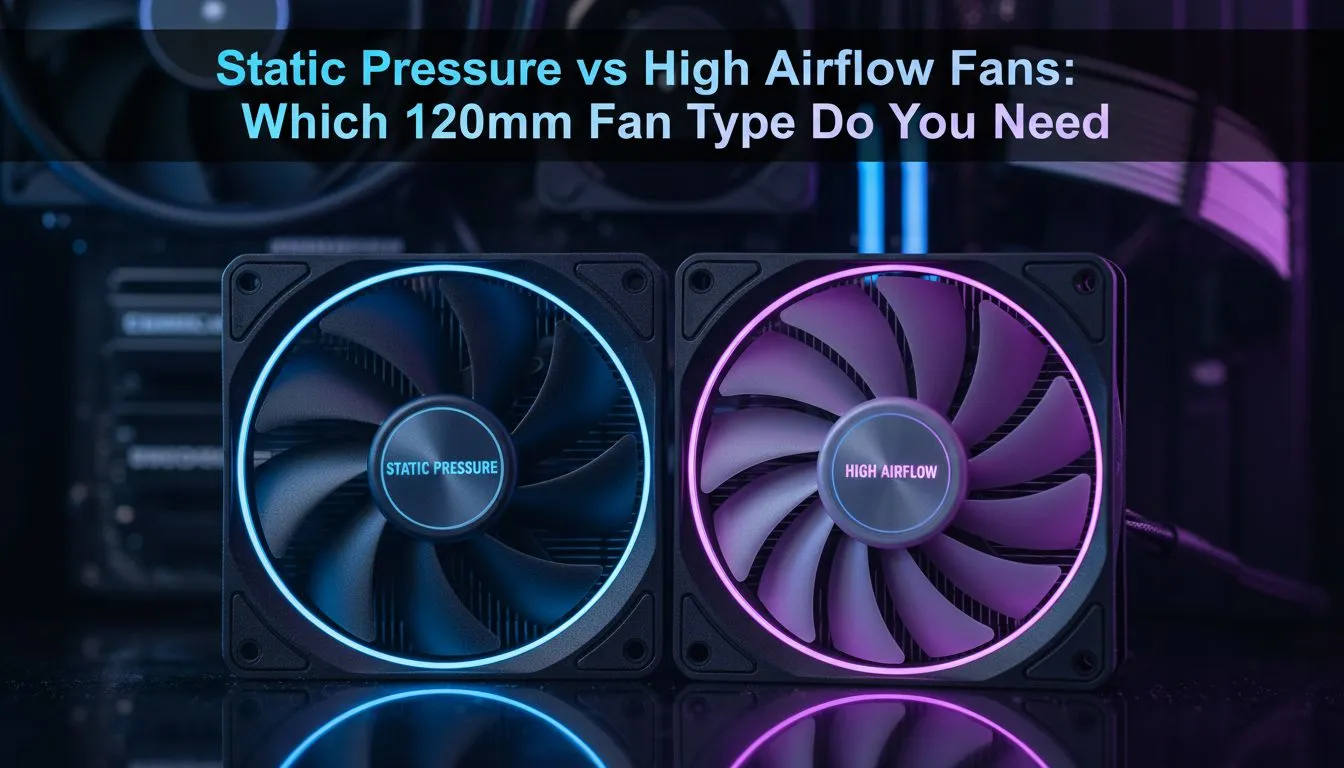
Building a gaming PC in South Africa means fighting a constant battle against the heat. Whether it is a humid Durban afternoon or a dry Gauteng summer... your cooling setup is vital. Choosing between 120mm fan static pressure vs high airflow is the first step. Pick the wrong one and your expensive components might throttle. Let us break down exactly what your rig needs to stay frosty. 🔧
The debate often confuses new builders... but the logic is simple. High airflow fans are designed to move a massive volume of air in an unrestricted space. Think of them as the lungs of your chassis. If you have an open mesh front with nothing blocking the path... these are your best friends. On the other hand... static pressure fans are built to "muscle" air through tight spaces.
When browsing for 120mm fans specifically... you need to look at the blade shape. Wide... flat blades usually indicate a static pressure focus. Thin... curved blades are typically meant for high airflow.
If you are using an All-In-One (AIO) liquid cooler or a thick air cooling tower... you need static pressure. These fans are engineered to overcome resistance. Without high static pressure... the air simply bounces off the radiator fins instead of passing through them. This leads to heat soak and higher CPU temperatures.
Brands like Deepcool offer excellent options that balance cost and performance for South African builders. If you have a case with a solid front panel and small side vents... static pressure fans can help pull air through those narrow gaps more effectively than standard fans. ⚡
For those who want the absolute best in motor technology and reliability... CORSAIR provides high-end static pressure models that keep your liquid-cooled loops running cool even during intense rendering sessions or 4K gaming marathons.
High airflow fans excel as exhaust fans. Their job is to evacuate the hot air generated by your GPU and CPU as quickly as possible. In a case with plenty of internal room... these fans create a consistent stream of cool air. If your case supports them... moving up to 140mm fans can move even more air at lower noise levels compared to smaller units.
Not sure which way your fan is blowing? Most fans have small arrows on the side of the frame indicating rotation and airflow direction. If you cannot see them... hold a single ply of tissue paper near the fan. If it sucks the paper against the hub... that is the intake side. If it blows it away... that is the exhaust. Simple and effective for checking your push-pull configurations!
Once you decide on the performance specs... you have to consider the look of your build. Many gamers prefer RGB fans to add some local flair and colour to their setup. It is a great way to synchronise your components with your peripheral lighting.
However... if you prefer a professional... stealthy look... there are plenty of high-performance fans with no lighting available. These often focus entirely on bearing quality and noise reduction. 🚀
Choosing the right case fans is about understanding your specific hardware. A radiator always needs static pressure... while a rear exhaust is perfect for high airflow. Balancing these two will ensure your PC survives the South African summer without breaking a sweat. ✨
Ready to Find Your Perfect Match? The 120mm fan static pressure vs high airflow choice is vital for a cool and quiet PC. Whether you need to blast air through a radiator or vent your chassis, we have the right solution. Explore our massive range of case fans and find the perfect cooling for your next build.
Static pressure fans push air through resistance (radiators, heatsinks). High airflow fans move more air in open cases. Choose by mounting and purpose.
Use a static pressure 120mm fan on radiators, dense heatsinks, or restricted front panels for consistent cooling performance.
Yes. High airflow 120mm fans excel at moving large volumes of air in open or unrestricted case intake and exhaust roles.
Not necessarily. Quality static pressure fans can be quiet. Noise depends on RPM, blade design, and bearing type.
Choose static pressure fans for AIO radiators; they maintain airflow through dense fins and boost cooling efficiency.
You can, but static pressure fans usually outperform airflow fans on dense CPU coolers and tower heatsinks.
Look for models labeled as quiet static pressure fans with optimized blades and low-vibration mounts for radiator use.
Clean gaming keyboard quickly and safely in dusty or humid conditions with step-by-step tips, tool checklist, and maintenance routines to prevent corrosion and switch failure. 🧼💨
Read more
Best gaming keyboard features to prioritize when building a high-end setup: mechanical switches, low latency, hot-swap, RGB, macros, durability and ergonomics 🎮⌨️
Read more
Custom actuation point keyboard setup guide: learn to set per-key actuation on your analog gaming keyboard for faster, precise inputs and better control 🎮⚙️
Read more
Cable management for home entertainment helps you eliminate cable clutter quickly and safely. Learn routing, concealment, and product picks to tidy your setup fast 📺🔌
Read more
conference room setup Microsoft Teams Zoom: Upgrade AV, camera, mic, and network to ensure seamless meetings, clear audio, and crisp video 🎯🔧
Read more
• Audit setup • Link accounts • Configure ViewBoard • Test workflows Integrate Google Workspace with ViewSonic ViewBoard to enable secure SSO, calendar and Drive sync, and smooth collaborative whiteboarding 🔗📋
Read more
Discover webcams that automatically adjust light and color for crystal-clear video calls 🎥✨. Boost your streaming quality today!
Read more
Discover webcams that blend into your workflow 🎯 Capture moments while you work, stream, or create. Upgrade your setup with smart, multitasking tech!
Read more
Dedicated media keys give streamers one-touch control to mute, switch scenes, clip highlights, and adjust audio — cutting task time and boosting consistency 🎛️⚡
Read more
PBT vs ABS keycaps: Clear, local guide for South African gamers—compare feel, sound, durability and where to buy. Find the best material for your budget and playstyle 🎮🇿🇦
Read more
- Multi-Function Digital Dial: define benefits - Show gamer setups and macros - Offer buying and setup tips Multi-Function Digital Dial puts programmable control at your fingertips for faster actions and smoother streaming. 🎮⚙️
Read more
- Explain benefits; - Show the science; - Compare options; - Recommend picks. Magnetic wrist rest for gaming cuts wrist strain and boosts comfort during long sessions 🕹️✨
Read more