


Clean Gaming Keyboard: Guide for Dusty & Humid Conditions
Clean gaming keyboard quickly and safely in dusty or humid conditions with step-by-step tips, tool checklist, and maintenance routines to prevent corrosion and switch failure. 🧼💨
Read moreCable management for home entertainment helps you eliminate cable clutter quickly and safely. Learn routing, concealment, and product picks to tidy your setup fast 📺🔌
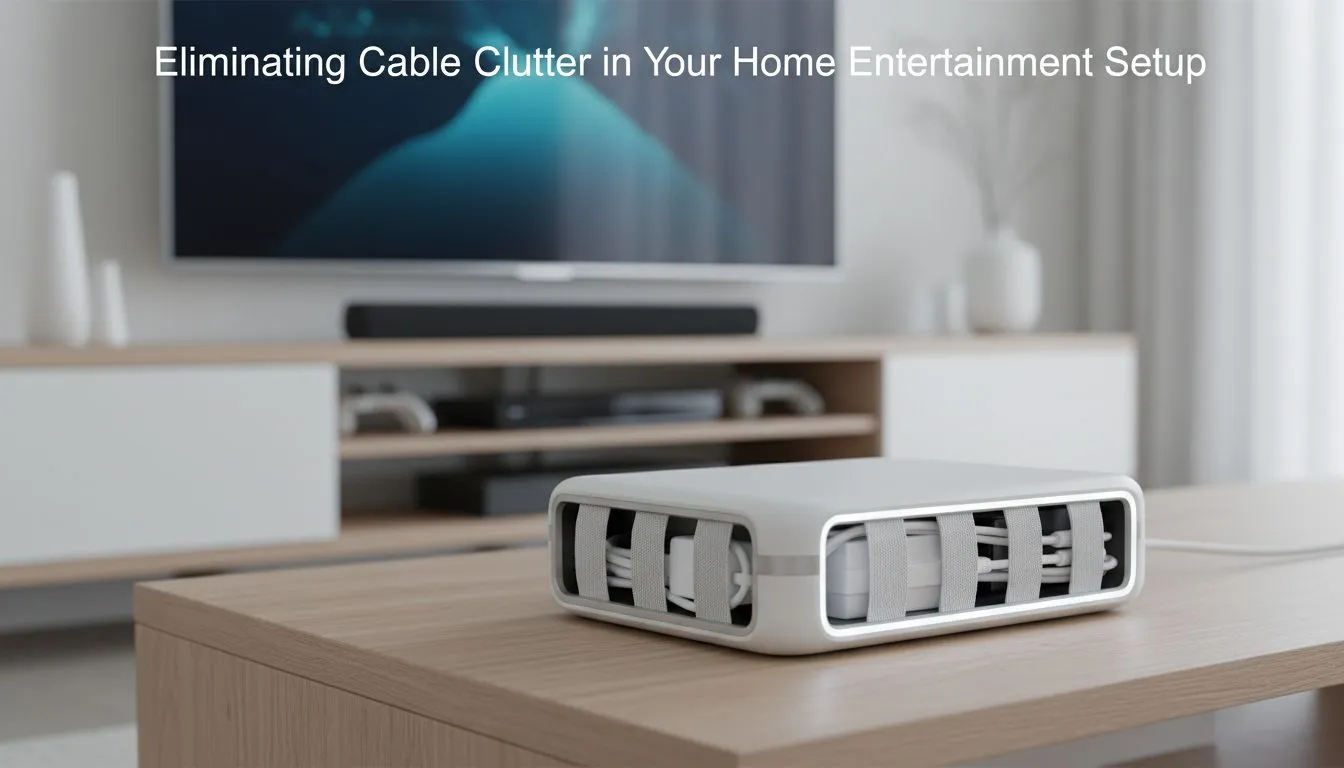
Sick of HDMI spaghetti behind your TV? South African gamers and home cinema fans, tidy cables do more than look sharp, they improve airflow, make cleaning easier and cut trip hazards. This short guide gives quick wins and pro tricks for cable management for home entertainment, using affordable gear and step-by-step installs any DIYer in SA can do tonight. 🔧✨
Start with the basics: group, label and route. Velcro ties, cable sleeves and low-profile raceways are the workhorses. For a one-stop browse of practical items — from ties to cable combs and mounting clips — check out this range of gaming accessories available at Evetech. (They’re great for consoles, soundbars and PC rigs alike.)
If you want to level up fast, think in layers: power, signal, and peripheral. Keep power cables on a separate path from HDMI and audio to reduce interference and make tracing faults far simpler. For bulk buys or seasonal deals that suit local budgets, compare the latest gaming accessories deals — you’ll often find bundled cable kits that make tidy installs quicker.
Pair a slim surge protector behind your media console with a short, quality HDMI for the TV, and label both ends. Labels save time when troubleshooting mid-match.
When mounting behind a wall or entertainment unit, measure twice and choose an access point for future upgrades. Leave 10–15cm extra at connectors for movement and add a loop for strain relief.
Practical steps for a tidy install:
For specific mounting brackets, clips and organiser packs tailored to gaming setups, browse the gaming accessories category at Evetech — it’s useful when you need components that match desk and TV configurations.
Once clean, keep it that way. Revisit your setup after big upgrades and tidy any new runs immediately. If you ever need replacements, check the dedicated accessories hub for compatible items rather than improvising — it saves hours later. For seasonal specials or bundle deals, the Evetech deals page often lists price-friendly options that help refresh kits without breaking the bank.
⚡ Final micro-story: one Cape Town streamer I helped swapped tangled HDMI and PSU runs for labelled, colour-coded sleeves. Setup time dropped from 30 minutes to under 5 when swapping gear mid-stream — and viewers noticed the cleaner backdrop.
Ready to Find Your Perfect Match? The Mac vs Windows debate is complex, but for maximum power, choice, and value in South Africa, Windows is hard to beat. Explore our massive range of laptop specials and find the perfect machine to conquer your world.
Start with cable ties, concealment raceways and a powered surge strip; grouping and labeling cables simplifies maintenance and hides mess.
Yes with certified in-wall HDMI and power kits or by hiring a pro; follow building codes and use in-wall rated cables for safety.
Cord concealer raceways, flat in-wall HDMI kits, and adhesive cable channels are reliable for concealing TV cables without major remodeling.
Use under-shelf trays, velcro straps, and labeled runs for each device; under-desk cable trays keep cables off the floor and tidy.
Wireless devices reduce some runs, but for best video and audio quality use a hybrid approach with selective wired connections.
Label both ends with short IDs and color tags; include device name and port to speed troubleshooting and rearranging.
Route cables away from walkways, use surge protection, secure cords with clips, and avoid overloading power strips for safety.
Clean gaming keyboard quickly and safely in dusty or humid conditions with step-by-step tips, tool checklist, and maintenance routines to prevent corrosion and switch failure. 🧼💨
Read more
Best gaming keyboard features to prioritize when building a high-end setup: mechanical switches, low latency, hot-swap, RGB, macros, durability and ergonomics 🎮⌨️
Read more
Custom actuation point keyboard setup guide: learn to set per-key actuation on your analog gaming keyboard for faster, precise inputs and better control 🎮⚙️
Read more
conference room setup Microsoft Teams Zoom: Upgrade AV, camera, mic, and network to ensure seamless meetings, clear audio, and crisp video 🎯🔧
Read more
• Audit setup • Link accounts • Configure ViewBoard • Test workflows Integrate Google Workspace with ViewSonic ViewBoard to enable secure SSO, calendar and Drive sync, and smooth collaborative whiteboarding 🔗📋
Read more
Best gaming mouse for beginners: fast, comfy picks and pairing tips for your first gaming PC. Learn DPI, grip, wired vs wireless, and budget picks 🎮🖱️
Read more
Discover webcams that automatically adjust light and color for crystal-clear video calls 🎥✨. Boost your streaming quality today!

Discover webcams that blend into your workflow 🎯 Capture moments while you work, stream, or create. Upgrade your setup with smart, multitasking tech!

Dedicated media keys give streamers one-touch control to mute, switch scenes, clip highlights, and adjust audio — cutting task time and boosting consistency 🎛️⚡

PBT vs ABS keycaps: Clear, local guide for South African gamers—compare feel, sound, durability and where to buy. Find the best material for your budget and playstyle 🎮🇿🇦

- Multi-Function Digital Dial: define benefits - Show gamer setups and macros - Offer buying and setup tips Multi-Function Digital Dial puts programmable control at your fingertips for faster actions and smoother streaming. 🎮⚙️

- Explain benefits; - Show the science; - Compare options; - Recommend picks. Magnetic wrist rest for gaming cuts wrist strain and boosts comfort during long sessions 🕹️✨