


Clean Gaming Keyboard: Guide for Dusty & Humid Conditions
Clean gaming keyboard quickly and safely in dusty or humid conditions with step-by-step tips, tool checklist, and maintenance routines to prevent corrosion and switch failure. 🧼💨
Read moreBest gaming mouse for beginners: fast, comfy picks and pairing tips for your first gaming PC. Learn DPI, grip, wired vs wireless, and budget picks 🎮🖱️
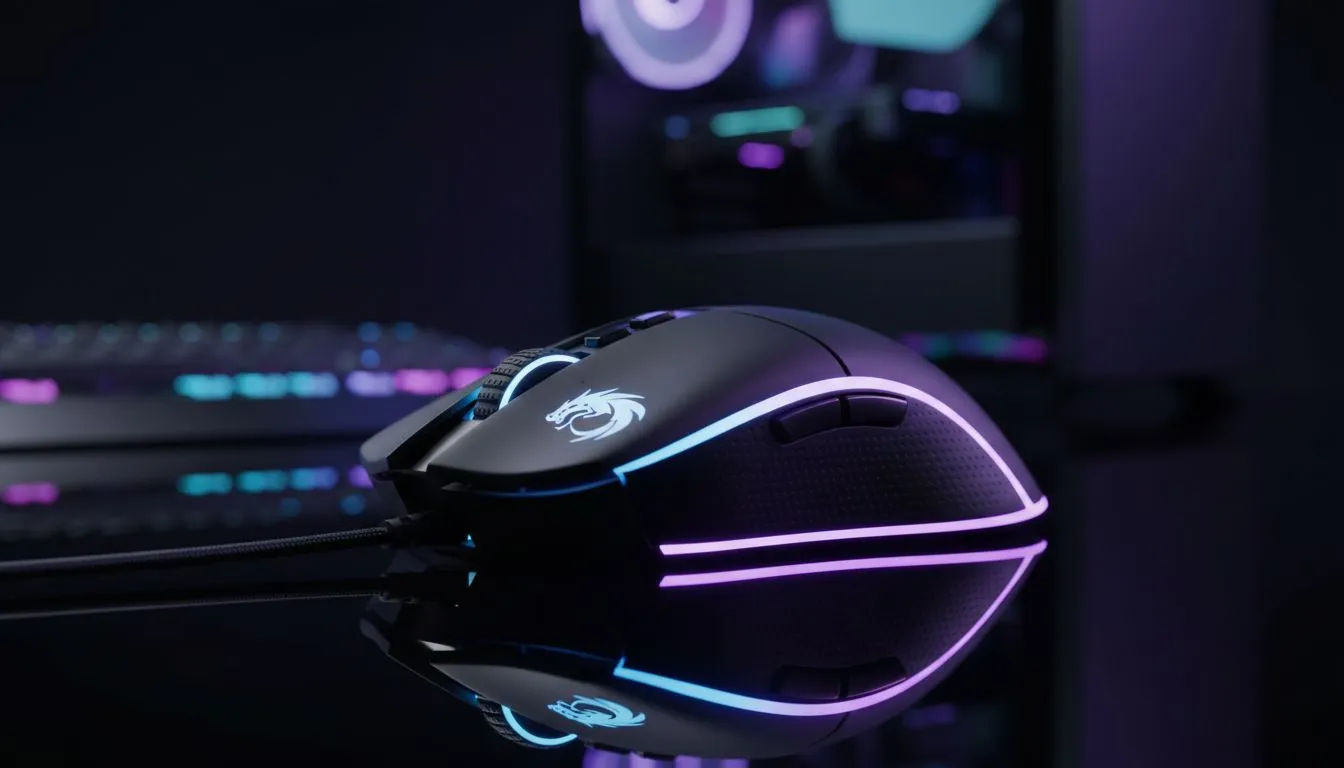
Looking for the best way to start your PC gaming journey? A great mouse matters more than you think — comfort, sensor, and buttons shape aim and endurance. This guide cuts through the noise and helps South African beginners pair the best gaming mouse for beginners with their first gaming PC...quick, practical, and built for local buyers.
Pick comfort over bells. Grip style, weight, and button layout decide whether you frag or fatigue. Start by testing ergonomic shape in-store when you can, or compare models on Evetech’s gaming mouse range to see what fits your hand and budget. For a broad selection of wired and wireless options, browse Evetech’s full components list here: Evetech gaming mice collection.
Optical sensors beat older ball mice for tracking precision. Beginners should focus on consistent tracking rather than ultra-high DPI. If you’re torn between wireless and wired, consider the trade-offs: battery convenience versus absolute latency predictability — both covered on Evetech’s wireless and wired mouse pages for deeper reading and comparisons (see linked sections below). For wireless options check this page: Wireless mice at Evetech. For wired options see: Wired mice at Evetech.
Start with a mid-range DPI (800–1600). Tune sensitivity in-game rather than maxing DPI. A slightly heavier mouse helps steady small aiming corrections when you’re learning.
FPS players often prefer two to three thumb buttons and a light body for flicks. MOBA or MMO players want extra programmable buttons. Before you buy, scan Evetech’s curated deals to spot entry-level picks that pack the features you need without overspending: Best gaming mouse deals. These deal pages also help you compare specs side-by-side.
Switch longevity and build feel matter. Beginner mice from reputable brands often use Omron-style switches; they last longer and feel crisper. If you plan on adding mouse skates, grips, or spare feet later, Evetech stocks dedicated accessories to customise lifespan and feel: Mouse accessories at Evetech.
Think about your monitor resolution and mouse sensitivity together. A high-resolution monitor can make low DPI feel sluggish, while a standard 1080p screen pairs well with modest DPI settings. When building or buying your first gaming PC, match a mid-range GPU and CPU with a reliable, comfortable mouse — you'll get the best value and progression path.
Quick checklist before checkout:
If you’re buying in South Africa, factor in warranty, local support, and stock — Evetech lists local availability and support on each product page. If you're unsure, start with a versatile, ergonomic entry-level mouse and upgrade once your playstyle locks in.
Ready to Find Your Perfect Match? The Mac vs Windows debate is complex, but for maximum power, choice, and value in South Africa, Windows is hard to beat. Explore our massive range of laptop specials and find the perfect machine to conquer your world.
Look for a reliable sensor, comfortable shape, and friendly price. The best gaming mouse for beginners often has 800–1600 DPI and ergonomic grip.
Both work well. Wired offers consistent latency; wireless gives freedom. For beginners, consider a quality wireless mouse rated for gaming or a reliable wired mouse.
DPI affects sensitivity. Beginners benefit from adjustable DPI (800–3200) so you can tune sensitivity to your game and monitor resolution.
Yes. Affordable gaming mouse models can excel if they have a solid sensor and stable build. Look for best budget gaming mouse reviews and specs.
Match the mouse size to your hand and grip: palm for larger shapes, claw or fingertip for smaller mice. Try ergonomic gaming mouse for small hands if needed.
Not required, but programmable buttons help in MMOs and MOBAs. For starters, 2–6 extra buttons are useful without overcomplicating controls.
Install the driver or software, plug USB or pair Bluetooth/receiver, set DPI and polling rate, then test in-game. Follow the manufacturer setup guide.
Clean gaming keyboard quickly and safely in dusty or humid conditions with step-by-step tips, tool checklist, and maintenance routines to prevent corrosion and switch failure. 🧼💨
Read more
Best gaming keyboard features to prioritize when building a high-end setup: mechanical switches, low latency, hot-swap, RGB, macros, durability and ergonomics 🎮⌨️
Read more
Custom actuation point keyboard setup guide: learn to set per-key actuation on your analog gaming keyboard for faster, precise inputs and better control 🎮⚙️
Read more
Cable management for home entertainment helps you eliminate cable clutter quickly and safely. Learn routing, concealment, and product picks to tidy your setup fast 📺🔌
Read more
conference room setup Microsoft Teams Zoom: Upgrade AV, camera, mic, and network to ensure seamless meetings, clear audio, and crisp video 🎯🔧
Read more
• Audit setup • Link accounts • Configure ViewBoard • Test workflows Integrate Google Workspace with ViewSonic ViewBoard to enable secure SSO, calendar and Drive sync, and smooth collaborative whiteboarding 🔗📋
Read more
Discover webcams that automatically adjust light and color for crystal-clear video calls 🎥✨. Boost your streaming quality today!

Discover webcams that blend into your workflow 🎯 Capture moments while you work, stream, or create. Upgrade your setup with smart, multitasking tech!

Dedicated media keys give streamers one-touch control to mute, switch scenes, clip highlights, and adjust audio — cutting task time and boosting consistency 🎛️⚡

PBT vs ABS keycaps: Clear, local guide for South African gamers—compare feel, sound, durability and where to buy. Find the best material for your budget and playstyle 🎮🇿🇦

- Multi-Function Digital Dial: define benefits - Show gamer setups and macros - Offer buying and setup tips Multi-Function Digital Dial puts programmable control at your fingertips for faster actions and smoother streaming. 🎮⚙️

- Explain benefits; - Show the science; - Compare options; - Recommend picks. Magnetic wrist rest for gaming cuts wrist strain and boosts comfort during long sessions 🕹️✨