


Clean Gaming Keyboard: Guide for Dusty & Humid Conditions
Clean gaming keyboard quickly and safely in dusty or humid conditions with step-by-step tips, tool checklist, and maintenance routines to prevent corrosion and switch failure. 🧼💨
Read moreBest gaming keyboard features to prioritize when building a high-end setup: mechanical switches, low latency, hot-swap, RGB, macros, durability and ergonomics 🎮⌨️
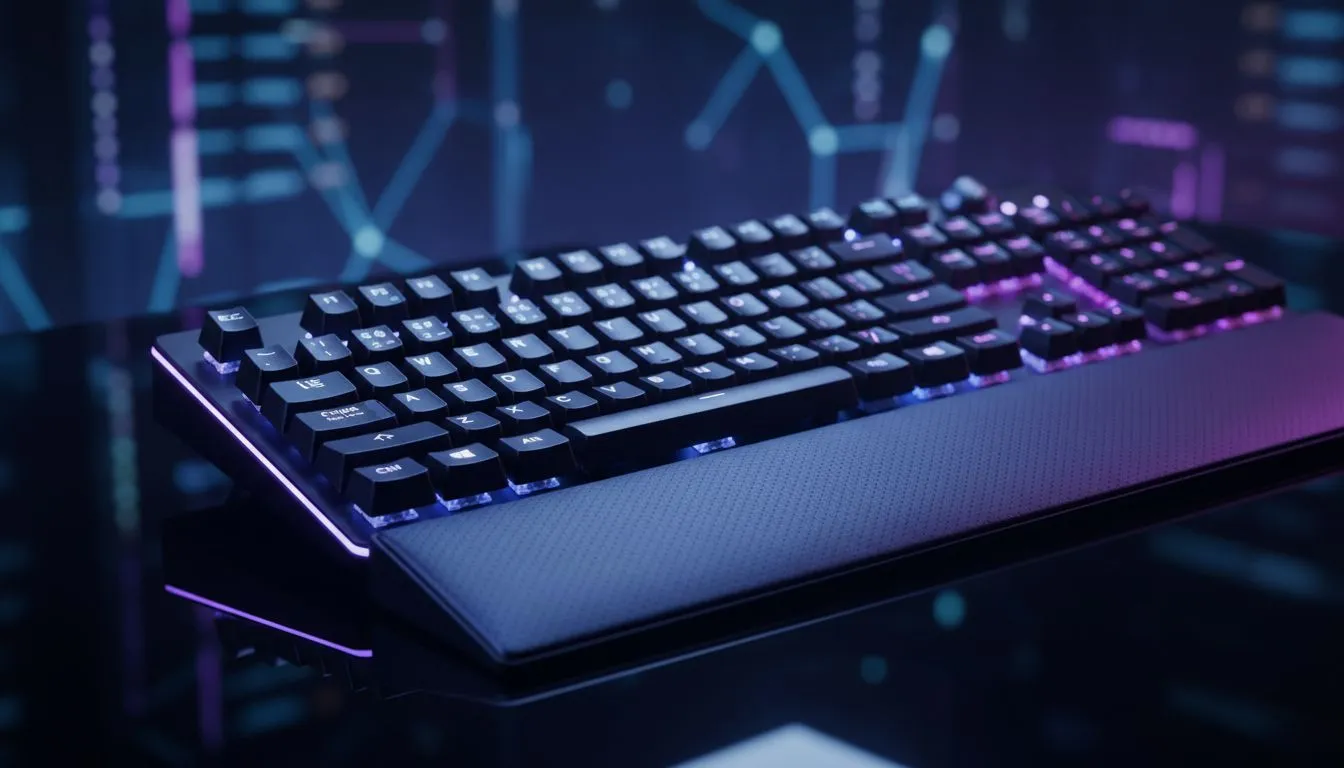
South African gamers building a premium battlestation want gear that performs and feels right. Whether you prize precision in FPS, comfort during long raids, or a slick desk aesthetic, the "Best Gaming Keyboard Features for a High-End Setup" boil down to switch choice, build quality and connectivity. Read on for practical tips, local buying links in ZAR, and quick tradeoffs to help you choose with confidence.
Mechanical switches are the backbone of a high-end keyboard. Pick switches that match your playstyle: tactile for feedback, linear for smooth rapid presses, clicky if you love audio cues. Look for rated lifespans and hot‑swappable PCBs if you want to try multiple switch types without buying a new board. For current South African deals and model comparisons, see Evetech’s curated list of best gaming keyboard deals at Evetech.
N-key rollover and high polling rates are important for competitive play. Higher polling lowers input lag... but real-world gains vary by game and system. Balance specs against price and personal feel.
Wired remains the most reliable for pro play; wireless has closed the gap for many users and offers cleaner setups. If you want budget options, check Evetech’s cheapest wired selections here: cheapest wired gaming keyboards in South Africa. Prefer cable-free desks? Compare wireless picks at Evetech here: wireless gaming keyboards in ZAR.
Full-size, tenkeyless, or 60%... choose a layout your games and desk demand. Look for PBT keycaps for longevity, stabiliser quality for larger keys, and an ergonomic wrist rest for marathon sessions. Combo shoppers can save: see keyboard + mouse bundles at Evetech if you're upgrading both together: keyboard and mouse combos.
On Windows, use the PowerToys FancyZones utility to create custom snap layouts for your windows. It's a lifesaver for managing multiple apps on an ultrawide monitor, letting you organise your timeline, preview window, and asset folders perfectly for video editing.
Customisable RGB and solid config software let you map macros, set profiles and sync lighting. If you value deep customisation at a lower price, check Evetech’s cheapest keyboard listings for good software support and solid hardware value: budget gaming keyboards.
Ready to Find Your Perfect Match? The Mac vs Windows debate is complex, but for maximum power, choice, and value in South Africa, Windows is hard to beat. Explore our massive range of laptop specials and find the perfect machine to conquer your world.
Look for mechanical switches, low latency, anti-ghosting n-key rollover, programmable macro keys, durable keycaps and RGB customization.
Yes. Mechanical switches offer consistent actuation, faster response and durability—ideal for low latency, pro-level gameplay.
Hot-swappable keyboard benefits include easy switch upgrades and customization without soldering, perfect for fine-tuning feel per game.
Wired keyboards usually win for lowest latency and stable polling rate, though modern low latency wireless options can match performance.
Programmable macro keys speed complex commands and improve competitiveness—essential for MMOs, macros, and streaming workflows.
Durable keycaps like PBT resist shine and wear, preserving legends and texture for extended pro use in a high-end build.
Polling rate is how often the keyboard reports to your PC. Higher rates reduce input delay and complement low latency for pro play.
Clean gaming keyboard quickly and safely in dusty or humid conditions with step-by-step tips, tool checklist, and maintenance routines to prevent corrosion and switch failure. 🧼💨
Read more
Custom actuation point keyboard setup guide: learn to set per-key actuation on your analog gaming keyboard for faster, precise inputs and better control 🎮⚙️
Read more
Cable management for home entertainment helps you eliminate cable clutter quickly and safely. Learn routing, concealment, and product picks to tidy your setup fast 📺🔌
Read more
conference room setup Microsoft Teams Zoom: Upgrade AV, camera, mic, and network to ensure seamless meetings, clear audio, and crisp video 🎯🔧
Read more
• Audit setup • Link accounts • Configure ViewBoard • Test workflows Integrate Google Workspace with ViewSonic ViewBoard to enable secure SSO, calendar and Drive sync, and smooth collaborative whiteboarding 🔗📋
Read more
Best gaming mouse for beginners: fast, comfy picks and pairing tips for your first gaming PC. Learn DPI, grip, wired vs wireless, and budget picks 🎮🖱️
Read more
Discover webcams that automatically adjust light and color for crystal-clear video calls 🎥✨. Boost your streaming quality today!

Discover webcams that blend into your workflow 🎯 Capture moments while you work, stream, or create. Upgrade your setup with smart, multitasking tech!

Dedicated media keys give streamers one-touch control to mute, switch scenes, clip highlights, and adjust audio — cutting task time and boosting consistency 🎛️⚡

PBT vs ABS keycaps: Clear, local guide for South African gamers—compare feel, sound, durability and where to buy. Find the best material for your budget and playstyle 🎮🇿🇦

- Multi-Function Digital Dial: define benefits - Show gamer setups and macros - Offer buying and setup tips Multi-Function Digital Dial puts programmable control at your fingertips for faster actions and smoother streaming. 🎮⚙️

- Explain benefits; - Show the science; - Compare options; - Recommend picks. Magnetic wrist rest for gaming cuts wrist strain and boosts comfort during long sessions 🕹️✨