If aoc g menu not working is what brought you here, the cause is almost always DDC/CI, the channel Windows uses to talk to the monitor. Switch DDC/CI on in the monitor's own menu, reinstall the latest G-Menu from AOC's support page, run the installer as administrator and plug the screen into your graphics card with DisplayPort or HDMI. Most dead installs come back after those four steps.
Quick Answer
G-Menu cannot see a monitor that has DDC/CI turned off, so that is the first switch to check. Open the on-screen menu, find DDC/CI under the setup or extra section, set it to On, then restart G-Menu with the cable connected straight to the PC. If your model is not on AOC's supported list, no reinstall will help and the buttons or joystick are your fallback.
🔧 Switch on DDC/CI and check the cable
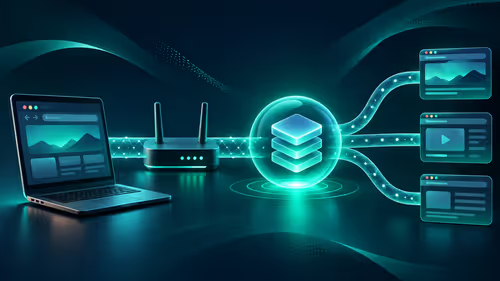
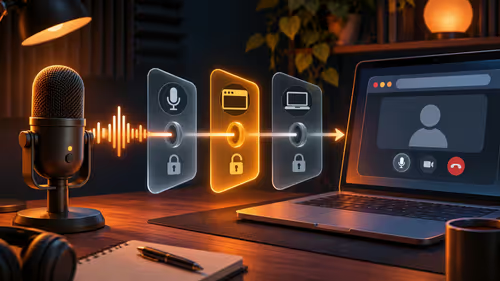
G-Menu sends brightness, picture mode and input commands down the video cable. If the monitor refuses those commands, the program opens but shows nothing to control.
- Press the joystick or menu button on the monitor.
- Look for DDC/CI in the setup, extra or system page (the name differs slightly between AOC models).
- Set it to On and exit the menu.
- Close G-Menu completely, then open it again.
Cables matter here. A DisplayPort or HDMI lead plugged into the graphics card works best. A cheap VGA adapter, a USB-C dongle or an old DVI converter often drops the DDC/CI signal. If you have a spare cable, swap it before you spend an hour on software. The gaming monitors range lists the connection types each screen offers, which helps when you are deciding which port to use.
🧹 Reinstall G-Menu the clean way
An old or half-finished install is the second most common culprit, especially after a Windows feature update.
Remove the old copy
Open Settings, go to Apps, find G-Menu and uninstall it. Restart the PC. Leftover services from the old version can stop the new one from starting.
Install the current version
Download G-Menu from the AOC downloads section for your monitor's model number, not from a random mirror. Right-click the installer and choose Run as administrator. After it finishes, launch the program from the Start menu and approve any prompt that asks for permission to change settings.
If antivirus software blocks the program, allow it through and try again. Keep the monitor on its native resolution during the install, because switching refresh rates mid-way can make the detection step fail.
🧩 Dock, KVM or laptop in the way
Many South African homes and offices run a laptop into a docking station or share one monitor between two machines using a switch. Those are the most reliable ways to lose DDC/CI.
- Docks and adapters: plug the monitor directly into the PC or laptop for a test. If G-Menu works, the dock is the problem.
- KVM switches: many cheaper units do not pass DDC/CI signals. Bypass it while you test.
- Two graphics outputs: with a laptop, connect to the port wired to the dedicated graphics chip when there is one, and check that G-Menu is not looking at an unused port.
If you are replacing a monitor that no longer plays nicely, browse the AOC and other gaming monitors on Evetech to compare refresh rates and ports.
📋 When your model is not supported
G-Menu does not cover every AOC screen. Newer or budget models sometimes work with a different tool, or only through the buttons. Check your model number on the back of the panel against AOC's support list. If it is not named, use the on-screen menu: joystick up or down moves through options, press to confirm. You lose the convenience of Windows control, but every picture setting is still there.
A graphics driver update can also help. Install the current driver for your NVIDIA or AMD card, restart, then try G-Menu once more.
Frequently Asked Questions
What does AOC G-Menu do?
It changes brightness, picture modes and other settings from Windows instead of the small buttons on the monitor. It is handy for dimming the screen after a bright Gauteng afternoon.
Why does G-Menu not detect my monitor?
DDC/CI is probably off or blocked. Enable it in the monitor menu, use a direct DisplayPort or HDMI cable to the graphics card, then restart the program.
Should I reinstall G-Menu?
Yes, if it is an old version. Uninstall it, restart the PC and install the latest release for your model, running the installer as administrator.
Is every AOC monitor supported?
No. Support depends on the model, so check AOC's support page. Where your screen is not listed, use the joystick or buttons instead.
What if G-Sync is not working on my AOC screen?
G-Sync needs a compatible NVIDIA graphics card, a DisplayPort connection and the feature enabled in both the NVIDIA Control Panel and the monitor menu.
Does a USB hub or KVM affect it?
It can. Plug the monitor straight into the graphics card first, because switches and cheap adapters often block the DDC/CI signal.
Ready to pick a monitor that talks to your PC properly?
Browse the gaming monitors category at Evetech to compare ports, refresh rates and sizes, so settings tools and cables work from day one.