ARGB vs RGB Case Fans: Understanding the Difference and Choosing Your Setup
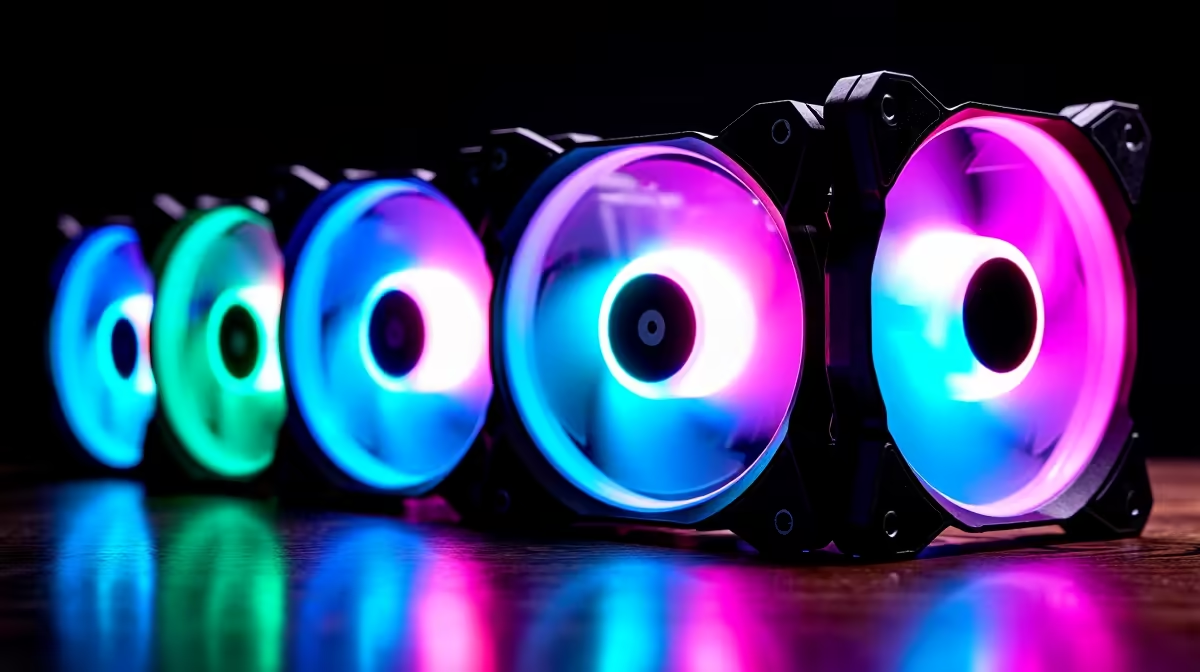
ARGB and RGB are both LED lighting standards for case fans, but they work completely differently. RGB fans let you pick a single colour for all LEDs. ARGB fans let you control each LED individually, creating complex animations and effects. Choosing between them depends on your motherboard, desired aesthetics, and budget—but the technical difference is fundamental.
RGB Fundamentals
RGB stands for Red-Green-Blue. An RGB LED contains three separate diodes (one red, one green, one blue) that mix light to create any colour on the spectrum. A standard RGB fan has:
- A 4-pin RGB connector (red, green, blue, ground)
- A single colour applied to all LEDs on the fan simultaneously
- Control via an analogue voltage signal
When you set an RGB fan to "red", all its LEDs glow red. Set it to "purple", the red and blue diodes mix at equal brightness. Every LED on the fan displays the exact same colour at the same time—no variation, no animation, no independent control.
RGB fans connect to your motherboard's standard RGB header (sometimes labeled "RGB_Header" or "RGB1"). A motherboard with RGB control software can change colours on command, cycling through presets or reacting to audio input. But each fan receives the same signal, so all RGB fans in your case glow identically.
ARGB Fundamentals
ARGB stands for Addressable RGB. Each LED on an ARGB fan has a unique address, allowing your motherboard to control each one independently. An ARGB fan typically has:
- A 3-pin connector (5V power, ground, data signal)
- Individually addressable LEDs that can display different colours simultaneously
- Control via a digital data signal (usually WS2812 or compatible protocol)
With ARGB, your software can:
- Make the top LED red, middle LED blue, bottom LED green—all at once
- Create rainbow gradients across the fan
- Animate colours flowing around the blade
- Synchronise multiple fans with different patterns on each
- React to music or in-game events
ARGB fans connect to your motherboard's ARGB header (sometimes labeled "ARGB_Header", "Addressable RGB", or "A-RGB1"). The motherboard sends a data stream telling each LED exactly what colour to display, updating up to 25 times per second. This creates smooth, complex animations impossible with standard RGB.
Connector Differences
RGB (Standard)
- 4-pin connector
- Pins: Red, Green, Blue, Ground
- Analogue voltage control (0–12V per channel)
- One colour for all LEDs
ARGB (Addressable)
- 3-pin connector
- Pins: 5V Power, Ground, Data Signal
- Digital data stream control
- Individual colour per LED
These connectors are not interchangeable. Plugging an ARGB fan into an RGB header will either not light up or damage the fan. Plugging an RGB fan into an ARGB header won't work either. Always match the fan type to your motherboard's available headers.
Choosing Between RGB and ARGB
Choose RGB if:
- Your motherboard has only RGB headers (check your manual)
- You prefer simplicity over flashy effects
- You're on a tight budget (RGB fans are usually R50–100 cheaper)
- You want all fans in your case to glow the same colour (coordinated aesthetic)
- You're building an older or budget system
Choose ARGB if:
- Your motherboard has ARGB headers (most modern boards do)
- You want complex lighting effects and animations
- You enjoy customising individual fan colours to match components
- You want synchronisation with RGB RAM, coolers, or other ARGB peripherals
- You prioritise visual appeal and are willing to spend slightly more
Motherboard ARGB Support
Nearly all modern motherboards include at least one ARGB header. Check your motherboard manual to confirm:
- ASUS boards: "ARGB_Header" or "A_RGB1"
- MSI boards: "ARGB_Header" or "RGB_Header" (sometimes separate from standard RGB)
- Gigabyte boards: "RGB_Header" or "ARGB_Header" (check manual, some support both)
- ASRock boards: "ARGB" or "RGB" (clearly labeled)
If your motherboard has at least one ARGB header, buying ARGB fans gives you maximum flexibility. You can always use ARGB fans on a motherboard and set them to a solid colour if you don't want animations. But an RGB-only motherboard cannot control ARGB fans properly.
Control Software and Synchronisation
RGB Control:
Most motherboards ship with RGB control software:
- ASUS Aura
- MSI Dragon Centre / Mystic Light
- Gigabyte RGB Fusion
- ASRock Polychrome RGB
These tools let you:
- Select colours from a palette
- Cycle through preset animations
- Manually set each RGB header to a different colour
- Synchronise RGB with other components
ARGB Control:
ARGB software offers far more customisation:
- Per-LED colour assignment
- Complex animations (rainbow waves, breathing, colour shift)
- Audio reactivity (lights respond to music or game sound)
- Thermal reactivity (colour changes based on temperature)
- Profile switching (different effects for gaming vs. idle)
Advanced ARGB platforms like ASUS Aura or Corsair iCUE (if your fans are compatible) let you create custom animations beyond what RGB can achieve.
ARGB and RGB in a South African Context
For SA gaming and content creation builds, ARGB offers practical benefits beyond aesthetics:
- Component Compatibility: Most modern gaming components (GPUs, RAM, CPU coolers) now use ARGB. A unified ARGB ecosystem looks professional and cohesive.
- Future-Proofing: As ARGB becomes the standard, investing in ARGB fans now ensures compatibility with future hardware purchases.
- Resale Value: ARGB fans retain value better than aging RGB in the SA secondhand market.
For budget builds or professional workstations where lighting isn't a priority, RGB remains a solid, cost-effective choice.
Installation and Cabling
Both RGB and ARGB fans connect the same way:
- Mount the physical fan to your case using the four mounting holes
- Connect the power cable to a motherboard fan header (4-pin PWM or 3-pin DC)
- Connect the RGB/ARGB connector to the appropriate motherboard header
Many high-end fans include both PWM (for speed control) and RGB/ARGB connectors, giving you independent control over cooling and lighting. Route cables through your case's cable management holes to keep them hidden.
Some motherboards include RGB/ARGB hub connectors that let you daisy-chain multiple fans to a single header. Check your manual to see how many fans one header can support.
Common Compatibility Issues
ARGB Fans Won't Light Up:
You've likely connected them to an RGB (non-addressable) header. Check your motherboard manual to locate a true ARGB header and move the connector. Many boards label both types, so it's easy to mix them up.
RGB Fans Connected to ARGB Header:
This won't damage the fans, but the software won't recognise them properly. For best results, use RGB fans on RGB headers and ARGB fans on ARGB headers.
Too Many Fans for Available Headers:
Use an RGB/ARGB hub (passive splitter) to connect multiple fans to a single header. These hubs don't require extra power and allow daisy-chaining. Alternatively, upgrade to a motherboard with more headers—when shopping, browse Evetech's selection of motherboards with abundant RGB/ARGB support.
Aesthetic Comparison
RGB Aesthetic:
- Clean, unified glow (all fans the same colour)
- Professional look for office or minimal cases
- Less visually striking but functional
- Ideal for builds prioritising performance over appearance
ARGB Aesthetic:
- Dynamic, colourful, eye-catching
- Allows each component to display its own colour
- Creates a "high-end" visual impression
- Popular in gaming and streaming setups
- Can look chaotic if poorly coordinated
Budget Considerations
In South Africa, ARGB fans typically cost R50–150 more per unit than equivalent RGB fans. For a three-fan setup, that's R150–450 more. If your motherboard supports ARGB and budget allows, it's worth the investment for the expanded lighting options.
For budget builds under R5,000, RGB remains a sensible choice. For mid-range and high-end builds, ARGB is increasingly the standard.
Making Your Final Choice
- Check your motherboard manual – Does it have ARGB headers?
- Define your priorities – Do you want complex lighting, or is simplicity enough?
- Check your budget – Can you accommodate the ARGB premium?
- Plan for the future – Are you likely to add ARGB components later?
Most modern SA gamers and builders choose ARGB simply because:
- Modern motherboards support it
- It pairs well with modern GPUs and RAM
- It offers far more customisation
- The price difference is minimal when buying in bulk
Explore Evetech's range of ARGB and RGB case fans to find options matching your motherboard and aesthetic preferences.
"Illuminate your build with the perfect lighting setup—browse ARGB and RGB fans at Evetech and match them to your motherboard for seamless control."