Staring at a render bar that barely moves? Or a timeline that stutters every time you add a simple transition? We’ve all been there. Building a powerful editing PC in South Africa doesn’t have to cost a fortune. For under R30,000, you can assemble a beast that crushes 4K timelines, but it all starts with choosing the best CPU for your editing PC. This guide will help you find the perfect processor to power your creativity.
Finding the Best CPU for Your R30k Editing Build
When it comes to video editing, your Central Processing Unit (CPU) does the heaviest lifting. It handles tasks like decoding footage, processing effects, and the final export... that dreaded render. But what matters more, core count or clock speed?
- Core Count: More cores mean your PC can handle more tasks simultaneously. This is brilliant for rendering and multitasking, like having Adobe Premiere Pro, After Effects, and Photoshop open at once.
- Clock Speed (GHz): This measures how fast a single core can perform a task. Higher clock speeds are great for smooth timeline scrubbing and real-time playback.
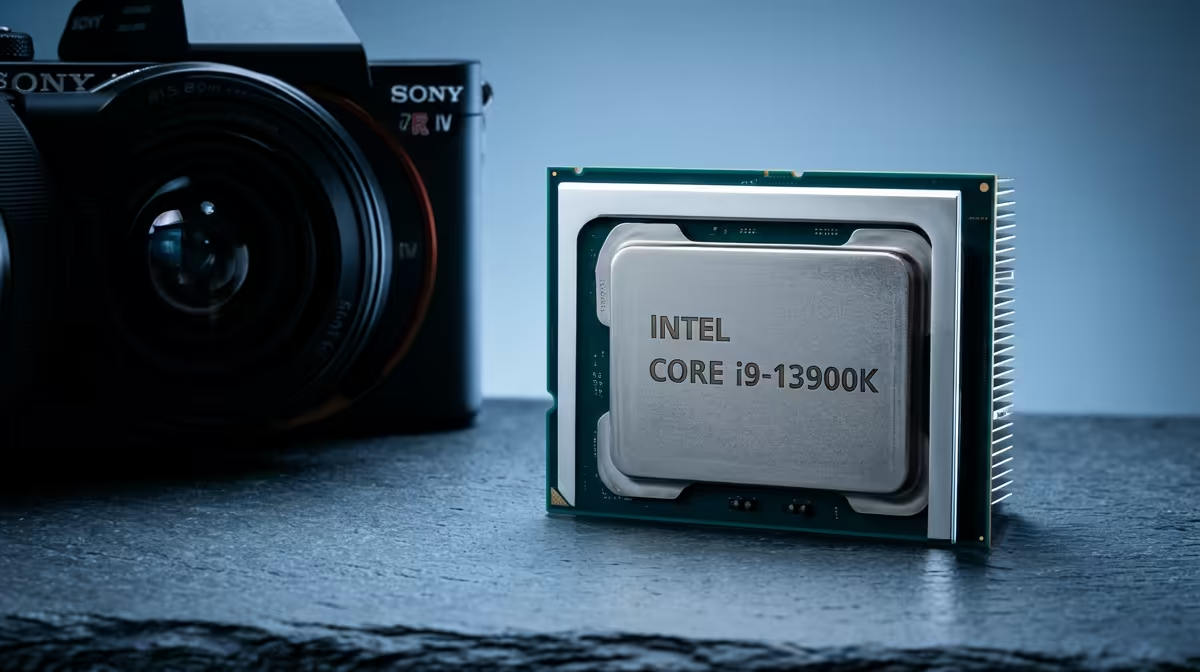
For the best CPU for an editing PC under R30k in South Africa, you need a balance. A modern processor with at least 6-8 cores and a high boost clock speed is the sweet spot.
Top Processor Choices for Editing in South Africa
In the sub-R30k bracket, the battle is fierce between Intel and AMD, and both offer fantastic options. Your choice often depends on the software you use most.
The Intel Core Advantage
Intel CPUs, particularly the Core i5 and i7 series, often feature Quick Sync Video technology. This is a dedicated media engine on the chip that dramatically speeds up encoding and decoding of common video formats like H.264 and HEVC. If you spend most of your day in Adobe Premiere Pro, this can make your timeline feel incredibly responsive. For this budget, you're looking at some seriously capable PCs above R20k that hit the perfect price-to-performance ratio.
The AMD Ryzen Powerhouse
AMD Ryzen CPUs are famous for offering more cores for your money. A Ryzen 5 or Ryzen 7 processor can give you a significant edge in applications that are heavily multi-threaded, like DaVinci Resolve or when rendering complex 3D scenes in Blender. While they lack a direct Quick Sync equivalent, their raw multi-core power is undeniable. Surprisingly, even some of the top-tier PCs under R20k can be configured for solid 1080p editing performance with the right Ryzen chip.
Editing Pro Tip ⚡
If your 4K footage stutters during playback, don't immediately blame your CPU. Create low-resolution proxies! In Premiere Pro or DaVinci Resolve, you can right-click your clips and generate smaller 'proxy' versions for editing. The software uses these for a smooth timeline experience and then switches back to the full-quality originals for the final export. It's a lifesaver.
It's Not Just the CPU: Balancing Your R30k Build
Choosing the best processor for your editing PC is crucial, but it’s only one part of the puzzle. A powerful CPU is wasted if it's bottlenecked by other components. Your R30,000 budget needs to be allocated wisely.
- Graphics Card (GPU): Essential for GPU-accelerated effects, colour grading, and faster playback. Often, the components that make for the best gaming PC deals are also fantastic for creative work.
- RAM: 16GB is the absolute minimum for 1080p editing. For 4K, aim for 32GB to avoid system slowdowns.
- Storage: A fast NVMe SSD for your operating system and applications is non-negotiable. It ensures your PC is snappy and your software loads in a flash.
Don't overlook well-balanced budget gaming PCs, as their modern CPUs and dedicated GPUs can handle 1080p editing surprisingly well, offering a great starting point.
Pre-Built vs. DIY: Getting the Most Value 🔧
Building a PC yourself can be rewarding, but it also comes with risks. Sourcing parts, ensuring compatibility, and troubleshooting can eat up valuable editing time. For a guaranteed, stable, and warrantied system, a professionally assembled machine is often the smarter choice.
At Evetech, we ensure every component is perfectly matched to deliver maximum performance for your budget. You get a machine that works flawlessly out of the box, with local support you can count on. Why not check out our fantastic pre-built PC deals and find a system that’s ready to bring your vision to life?
Ready to Build Your Creative Powerhouse? 🚀
The right CPU is crucial, but building a balanced system is the real key to performance. Take the guesswork out of your next rig and let our experts craft the perfect machine for your workflow.
Design Your Perfect Editing PC with Our Custom Builder