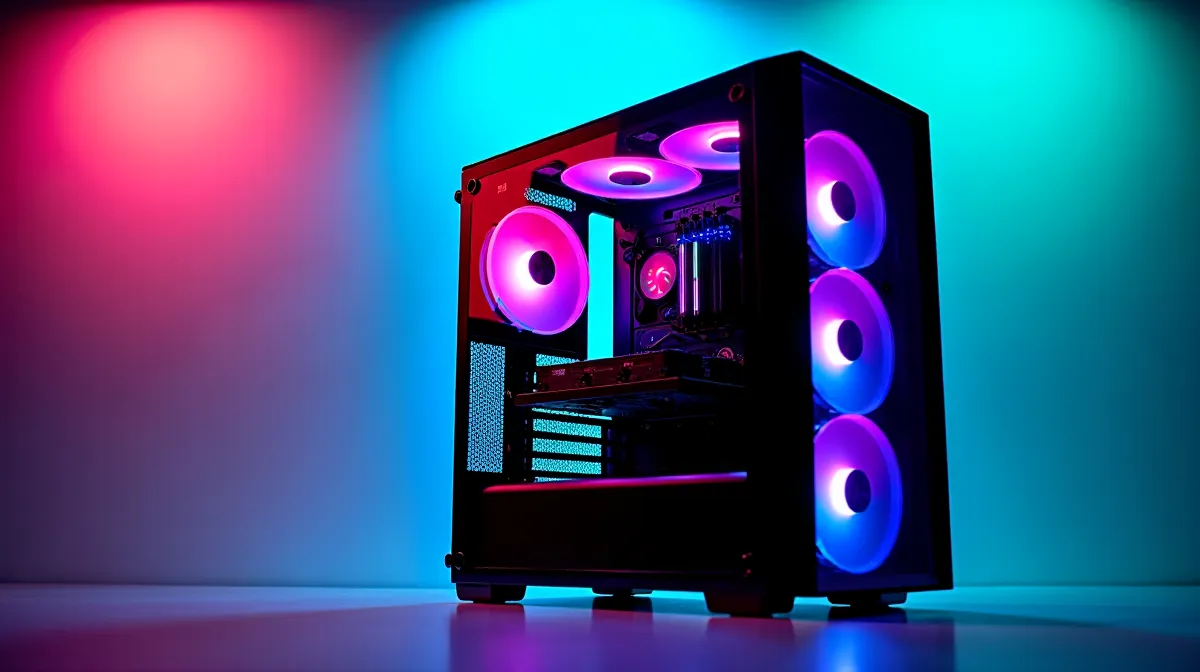
R30,000 is the sweet spot for a gaming PC build in South Africa in 2026 — it buys you reliable 1440p gaming at high-to-ultra settings with 60–120+ FPS in modern titles. This isn't a compromise build; it's a genuinely powerful gaming machine that handles everything from competitive esports to demanding AAA releases. Here's a complete parts list with current SA pricing and the FPS you can expect in popular games.
🔧 The R30,000 Build: Complete Parts List
GPU: AMD RX 7700 XT or NVIDIA RTX 4060 Ti — R7,000–R9,000
The GPU takes the largest slice of the budget, and for good reason — it determines your gaming performance more than any other component. The RX 7700 XT offers stronger raw rasterisation performance, while the RTX 4060 Ti provides DLSS 3 frame generation and better ray tracing. Both are excellent 1440p cards.
CPU: AMD Ryzen 5 7600 or Intel Core i5-14400F — R3,500–R4,500
Either processor pairs perfectly with mid-range GPUs without creating a bottleneck. The Ryzen 5 7600 offers 6 cores / 12 threads with strong single-core performance, while the i5-14400F provides 10 cores (6P+4E) / 16 threads for slightly better multitasking. Both deliver virtually identical gaming performance.
Motherboard: B650 (AMD) or B760 (Intel) — R2,500–R3,500
Mid-range chipsets that provide all the features a gaming build needs: PCIe 4.0, DDR5 support, USB 3.2, and adequate VRM for the CPUs listed. Don't overspend on an X670 or Z790 board — you won't use the extra features for gaming.
RAM: 32GB DDR5-5600 (2x16GB) — R1,500–R2,200
32GB is the new standard for gaming in 2026. Several modern titles already use 18–20GB, and running Discord, a browser, and monitoring software alongside a game easily pushes past 16GB. DDR5-5600 with CL30 or lower timings is the sweet spot for price-to-performance.
Storage: 1TB NVMe Gen4 SSD — R900–R1,200
Gen4 NVMe drives deliver 5,000–7,000 MB/s read speeds. For a gaming build, one 1TB drive handles your OS and a solid library of games. Add a 2TB secondary drive later if storage becomes tight — 2TB Gen4 drives sit around R1,600–R1,800 in SA.
PSU: 650W 80+ Bronze — R1,000–R1,500
A quality 650W PSU from a reputable brand handles this build with headroom. Avoid unknown brands — a failing PSU can take your entire system with it. 80+ Bronze certification ensures reasonable efficiency.
Case: Mid-Tower with Mesh Front — R700–R1,500
Airflow is the priority. A mesh-front mid-tower with at least two included fans keeps temperatures comfortable without needing expensive aftermarket cooling. Ensure it fits your GPU length (check specs — most RX 7700 XT models are 300–330mm).
CPU Cooler: Tower Air Cooler — R400–R800
The stock coolers included with Ryzen and Intel processors work, but they run warm and loud under sustained gaming loads. A mid-range tower cooler keeps your CPU 10–15°C cooler and significantly quieter. Budget R400–R800 for a quality option.
Total: R17,500–R24,200
This leaves R5,800–R12,500 of the R30,000 budget for a monitor, peripherals, or component upgrades. Allocating the remaining budget wisely is where the build comes together.
📊 Expected FPS at 1440p High Settings
With the RX 7700 XT or RTX 4060 Ti, here's what this build delivers at 1440p, high preset, without upscaling:
Cyberpunk 2077: 65–85 FPS (with FSR/DLSS: 90–110 FPS)
Fortnite: 140–180 FPS
CS2: 200–300 FPS
Hogwarts Legacy: 55–75 FPS (with upscaling: 80–100 FPS)
Call of Duty Warzone: 100–130 FPS
Baldur's Gate 3: 70–90 FPS
Elden Ring: 55–60 FPS (engine-locked at 60)
Valorant: 300+ FPS
At 1080p, add roughly 30–50% more FPS across the board. This build also handles 4K at medium settings in most titles at 40–60 FPS, though 1440p remains the ideal resolution for this hardware tier.
⚡ Where to Allocate the Remaining Budget
If your R30,000 is all-in (including monitor and peripherals), here's how to allocate what's left after the core build:
Monitor (R3,000–R5,000): A 27-inch 1440p 165Hz monitor is the perfect match for this build. IPS panels at this spec are available from R3,000 in SA.
Keyboard + Mouse (R500–R1,500): A quality gaming mouse is the single most impactful peripheral. Budget R300–R700 for a good mouse and R200–R800 for a mechanical keyboard.
Headset (R300–R800): A basic gaming headset with a decent microphone handles voice chat and game audio.
R30K Build Pro Tip ⚡
Before buying individual parts, check Evetech's prebuilt gaming PCs in the R25,000–R30,000 range. Prebuilts sometimes offer better value than buying components separately because of bulk pricing. If the specs match what you'd build yourself, a prebuilt saves assembly time and comes with a single warranty for the whole system.
🇿🇦 Build or Buy in SA
Whether you prefer building your own or buying prebuilt, Evetech has you covered. Browse gaming PCs for prebuilt options, or shop components individually to build your own. Use the AI PC Builder to configure a system and check compatibility automatically.
Ready to Build Your R30K Gaming PC?
Browse Evetech's gaming PCs, components, and bundles — competitive SA pricing with local warranty and delivery nationwide. Start Building at Evetech.