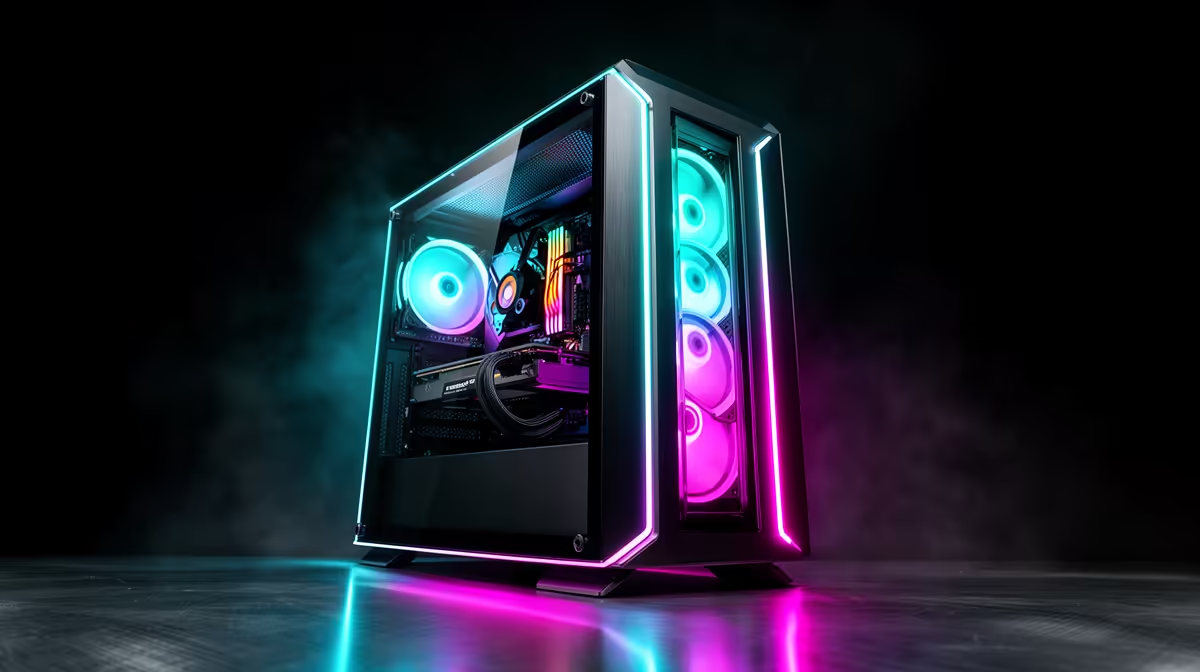
Tired of screen tearing in the final circle? Dreaming of that silky-smooth 144Hz gameplay in Apex Legends or Valorant but your wallet is feeling the pressure? You're not alone. Building a budget gaming PC for 144Hz in South Africa is totally possible without selling a kidney. This guide will show you how, component by component, so you can finally get the competitive edge you deserve. Let's get building! 🔧
Why 144Hz is the New Standard for Gaming
For years, 60Hz was the gold standard. But today, especially in fast-paced shooters and competitive titles, 144Hz is the baseline for serious gamers. Why the jump?
A 144Hz monitor refreshes the image on your screen 144 times per second, compared to just 60 on a standard display. This results in:
- Buttery-Smooth Motion: Tracking fast-moving enemies becomes easier and more fluid.
- Reduced Input Lag: Your mouse movements and actions feel more responsive.
- Less Motion Blur: On-screen action stays sharp and clear, even in chaotic firefights.
The challenge? Your PC needs to consistently push out 144 frames per second (FPS) to take full advantage. Let's break down how to build an affordable rig that can do just that.
The Core Components for Your 144Hz Budget Build
Building a balanced PC is like making a good potjie... every ingredient matters. For a budget gaming PC for 144Hz, the GPU and CPU are your star players, but you can't neglect the supporting cast. We'll focus on hitting that 144 FPS target in popular esports titles at 1080p resolution.
The Muscle: Graphics Card (GPU)
This is where most of your budget should go. The GPU does the heavy lifting to render all those glorious frames. For a 144Hz budget build, you need a card that punches above its weight without costing a fortune.
Look for models like the NVIDIA GeForce RTX 3050 or RTX 4060, or on the AMD side, the Radeon RX 6600 or RX 7600. These cards offer an excellent price-to-performance ratio for 1080p gaming, ensuring you can hit high frame rates in titles like Fortnite, CS2, and Warzone. You'll find many of these powerful cards inside our expertly configured budget gaming PCs.
The Brains: Processor (CPU)
Your powerful new GPU needs a capable CPU to feed it data. A bottleneck here means your GPU will be sitting around waiting for instructions, and your frame rate will suffer. You don't need a top-of-the-line chip, just something that can keep up.
An AMD Ryzen 5 5600 or an Intel Core i5-12400F are fantastic choices. They offer enough multi-core performance for gaming and everyday tasks without breaking the bank. These CPUs form the heart of many of the best value builds, often found in the PCs under R20k category.
Don't Forget to Flip the Switch! ⚡
After building your PC and installing Windows, your fancy 144Hz monitor will likely default to 60Hz. Right-click your desktop, go to 'Display settings' > 'Advanced display settings', and select the 144Hz refresh rate from the dropdown menu. It's a simple step many gamers forget!
The Supporting Cast: RAM, Storage, and Power
- RAM: 16GB of DDR4 RAM is the sweet spot. It's affordable and provides more than enough memory for gaming while having a few browser tabs open in the background. Aim for a kit with a speed of at least 3200MHz.
- Storage: A fast NVMe SSD is non-negotiable. It dramatically reduces game loading times and makes the whole system feel snappy. A 1TB drive offers a good balance of space and speed for your operating system and a healthy library of games.
- Power Supply (PSU): Never skimp on the PSU. A reliable 550W-650W unit with an 80+ Bronze rating will provide clean, stable power to your components and give you some headroom for future upgrades.
Assembling Your Rig vs. Buying Pre-Built
Building your own PC is a rewarding experience, but it takes time, research, and a bit of courage. You have to worry about component compatibility, cable management, and troubleshooting if things don't post on the first try. ✨
For many South African gamers, a professionally assembled PC is the smarter choice. You get:
- Expert Assembly: No-fuss, clean builds with optimised airflow.
- Full System Warranty: If something goes wrong, the entire machine is covered.
- Plug-and-Play: It arrives ready to go, with Windows and all drivers installed.
Often, the cost difference is minimal when you factor in the warranty and peace of mind. If you'd rather spend your time gaming than building, checking out the latest pre-built PC deals is a no-brainer. While our focus has been on budget builds, pushing your budget slightly can yield significant performance gains, opening the door to higher resolutions or even more demanding games. It's always worth seeing what's available in the PCs above R20k range for that extra power.
Ultimately, achieving that 144Hz dream is more accessible than ever. Whether you build it yourself or opt for a professionally crafted machine, the silky-smooth gameplay that awaits is well worth the investment. For a curated look at the top value rigs, our list of the best gaming PC deals is the perfect place to start your search. 🚀
Ready to Dominate at 144Hz?
Building a budget gaming PC for 144Hz is a great project, but sometimes you just want to jump straight into the action. Evetech's wide range of pre-built gaming PCs are expertly assembled, tested, and ready to ship.Explore our massive range of gaming PC deals and find the perfect machine to conquer the competition today.