


Clean Gaming Keyboard: Guide for Dusty & Humid Conditions
Clean gaming keyboard quickly and safely in dusty or humid conditions with step-by-step tips, tool checklist, and maintenance routines to prevent corrosion and switch failure. 🧼💨
Read moreReady to build a video editing PC that crushes render times? This guide walks you through every step, from choosing the best components to final assembly. Unlock smoother workflows and bring your creative vision to life without the lag! 💻✨ Get started on your ultimate editing rig today.
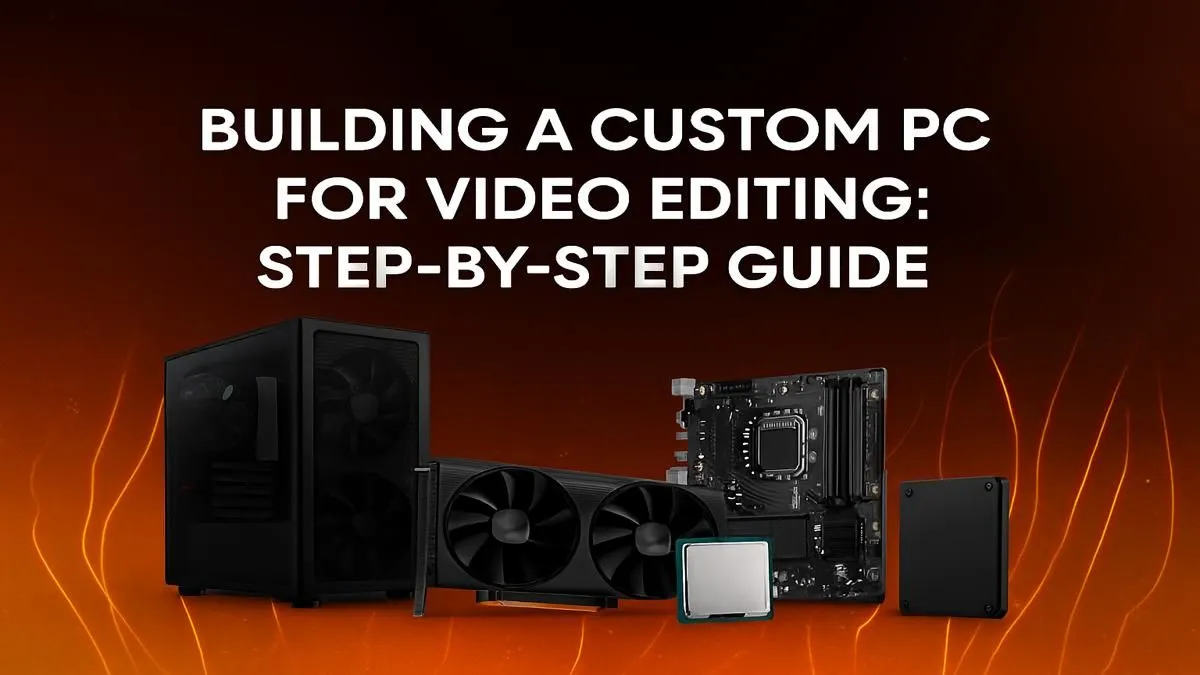
Tired of your PC stuttering every time you scrub through a 4K timeline? Is that render progress bar moving slower than traffic on the N1? We get it. For South African creators, a sluggish machine doesn’t just kill your flow… it costs you time and money. This guide is your blueprint to build a video editing PC that crushes renders, handles complex effects with ease, and lets you focus on what truly matters: your creativity. 🚀
When you build a video editing PC, the Central Processing Unit (CPU) is your undisputed king. It handles encoding, decoding, and running the software itself. More cores and higher clock speeds mean faster performance, especially when exporting your final masterpiece.
For video editing, you're primarily looking at two teams: Intel and AMD.
Your motherboard is the foundation that connects everything. Ensure it's compatible with your chosen CPU and has enough RAM slots, M.2 ports for fast storage, and connectivity options (like Thunderbolt or USB-C) for your workflow.
While the CPU is crucial, the Graphics Processing Unit (GPU) is what accelerates effects, colour grading, and playback. A powerful GPU with plenty of VRAM (Video RAM) can make the difference between a smooth editing experience and a choppy, frustrating one.
NVIDIA's CUDA technology is widely supported in professional editing software, making their cards a popular choice. The more CUDA cores, the better your performance in GPU-accelerated tasks. Many of our top-tier NVIDIA GeForce gaming PCs double as incredible editing machines. However, don't discount Team Red; modern AMD Radeon gaming PCs offer fantastic performance and value, with excellent support in software like DaVinci Resolve.
Smooth video editing is impossible without enough RAM and fast storage. Skimping here is a recipe for disaster.
Your storage setup is just as critical. A multi-drive configuration is the professional standard for a reason.
For the best performance, use a three-drive setup. Drive 1 (NVMe SSD): Your Operating System and applications. Drive 2 (NVMe SSD): Your project files, media cache, and scratch disks. Drive 3 (Large HDD or SSD): For archiving completed projects and storing raw footage. This prevents bottlenecks and keeps your editing workflow lightning-fast.
Let's be honest, not everyone has the time or desire to assemble a machine from scratch. If you want guaranteed compatibility and professional cable management without the hassle, a pre-configured system is the way to go.
This is where you get the best of both worlds: expert assembly and components chosen specifically for demanding workloads. Our range of pre-built PC deals offers incredible value and performance straight out of the box. For those pushing the absolute limits of creativity with cinematic cameras and complex VFX, our range of dedicated workstation PCs are engineered for maximum stability and rendering throughput. This step-by-step guide to build a video editing PC should give you the confidence to choose the right parts, whether you build it yourself or pick a pro-built machine. ✨
Ready to Build Your Creative Powerhouse? Whether you're spec'ing out a custom rig or looking for a professionally assembled machine, the right components make all the difference. Stop waiting for renders and start creating. Explore our massive range of PC deals and find the perfect build to bring your vision to life.
The CPU is crucial for processing and rendering, but a powerful GPU is vital for accelerating effects and playback. A balanced build with fast RAM and NVMe storage is key.
For 1080p editing, 16GB is the minimum. We recommend 32GB for 4K video editing, and 64GB or more for complex projects with heavy effects or 8K footage.
Both offer excellent options. Intel often excels in single-core speed for smooth timeline performance, while AMD's higher core counts can dominate in rendering tasks.
Absolutely. A dedicated NVIDIA or AMD GPU significantly accelerates rendering, effects processing, and timeline playback in software like Premiere Pro and DaVinci Resolve.
A two-drive setup is ideal: a fast NVMe SSD for your OS and applications, and a second large SSD or NVMe for active project files and a scratch disk for peak performance.
Yes! By carefully selecting mid-range components like a Ryzen 5/Core i5 CPU and a capable GPU, you can create a powerful system for 1080p and even light 4K editing.
Clean gaming keyboard quickly and safely in dusty or humid conditions with step-by-step tips, tool checklist, and maintenance routines to prevent corrosion and switch failure. 🧼💨
Read more
Best gaming keyboard features to prioritize when building a high-end setup: mechanical switches, low latency, hot-swap, RGB, macros, durability and ergonomics 🎮⌨️
Read more
Custom actuation point keyboard setup guide: learn to set per-key actuation on your analog gaming keyboard for faster, precise inputs and better control 🎮⚙️
Read more
Cable management for home entertainment helps you eliminate cable clutter quickly and safely. Learn routing, concealment, and product picks to tidy your setup fast 📺🔌
Read more
conference room setup Microsoft Teams Zoom: Upgrade AV, camera, mic, and network to ensure seamless meetings, clear audio, and crisp video 🎯🔧
Read more
• Audit setup • Link accounts • Configure ViewBoard • Test workflows Integrate Google Workspace with ViewSonic ViewBoard to enable secure SSO, calendar and Drive sync, and smooth collaborative whiteboarding 🔗📋
Read more
Discover webcams that automatically adjust light and color for crystal-clear video calls 🎥✨. Boost your streaming quality today!

Discover webcams that blend into your workflow 🎯 Capture moments while you work, stream, or create. Upgrade your setup with smart, multitasking tech!

Dedicated media keys give streamers one-touch control to mute, switch scenes, clip highlights, and adjust audio — cutting task time and boosting consistency 🎛️⚡

PBT vs ABS keycaps: Clear, local guide for South African gamers—compare feel, sound, durability and where to buy. Find the best material for your budget and playstyle 🎮🇿🇦

- Multi-Function Digital Dial: define benefits - Show gamer setups and macros - Offer buying and setup tips Multi-Function Digital Dial puts programmable control at your fingertips for faster actions and smoother streaming. 🎮⚙️

- Explain benefits; - Show the science; - Compare options; - Recommend picks. Magnetic wrist rest for gaming cuts wrist strain and boosts comfort during long sessions 🕹️✨