


Clean Gaming Keyboard: Guide for Dusty & Humid Conditions
Clean gaming keyboard quickly and safely in dusty or humid conditions with step-by-step tips, tool checklist, and maintenance routines to prevent corrosion and switch failure. 🧼💨
Read more- Assess why clean matters; - Safe cleaning steps; - Prevent scratches & streaks. Clean tempered glass PC case with easy, safe methods to remove fingerprints, dust, and smudges. Follow quick routines and product tips for spotless panels ✨🧼
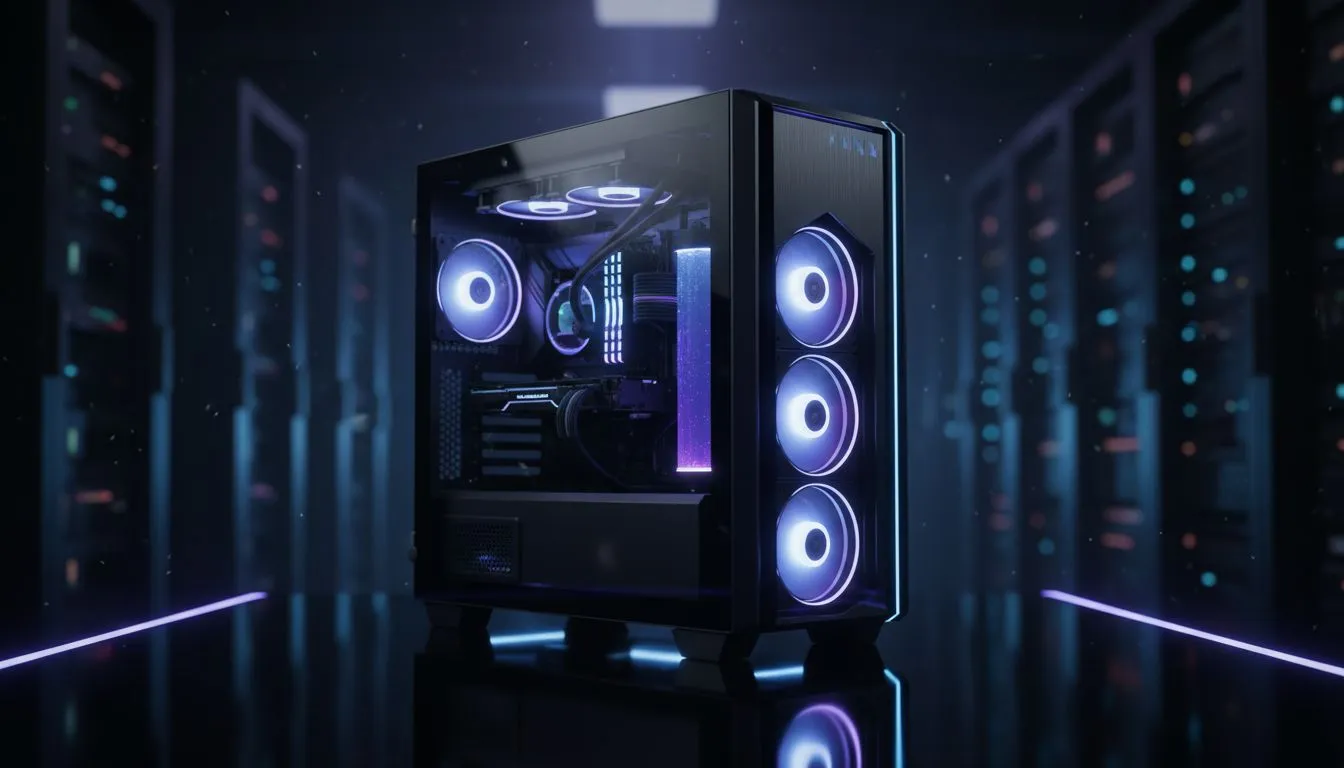
There is nothing quite like the glow of RGB through a pristine side panel. But in South Africa, dust is a constant enemy. If your clean tempered glass PC case looks more like a fingerprint crime scene than a high-end battlestation, it is time for a refresh. Keeping your rig spotless isn't just about vanity... it is about protecting your hardware and ensuring your setup looks its absolute best.
A side panel is the window to your PC’s soul. When you browse the massive selection of computer cases available today, the glass is usually the selling point. However, dust buildup on the glass can actually trap heat inside the chassis. Fingerprint oils can also become permanent if left to bake under the heat of a high-end GPU. Regular cleaning ensures that your components stay visible and your airflow remains unobstructed 🔧.
Never use paper towels or old t-shirts to wipe down your glass. These materials often contain abrasive fibres that can leave micro-scratches over time. Always use a high-quality, clean microfiber cloth and wipe in straight lines rather than circles to avoid streaks on your tempered glass.
You don't need expensive chemicals to keep your glass looking like new. In fact, many household glass cleaners contain ammonia, which can damage the tint or coatings on certain panels. A simple mixture of distilled water and a drop of dish soap usually does the trick. If you have invested in premium Fractal Design PC cases, you will want to maintain that sleek, minimalist aesthetic with the utmost care. Always apply the liquid to the cloth first... never spray directly onto the case to avoid moisture seeping into your components.
Our local climate can be particularly dusty, especially during the dry winter months. If you are using Gamdias gaming cases, make sure to clean the magnetic dust filters every two weeks. This prevents the "caked-on" look that occurs when dust settles on the glass from the inside. Keeping the interior clean is just as important as the exterior glass.
For those starting a new build on a budget, you can find excellent Gamdias gaming cases under R1500 that offer great airflow and tempered glass panels. Just remember that a little bit of preventative maintenance goes a long way in keeping that "new PC" feel alive for years to come 🚀.
Ready to Find Your Perfect Match? Whether you are looking for a sleek showpiece or a high-airflow beast, we have the right chassis for your next build. Explore our massive range of computer cases and find the perfect home for your hardware today.
Use a soft microfiber cloth and distilled water or a mild glass cleaner. Wipe gently in straight strokes to remove dust and fingerprints.
Choose a gentle, ammonia-free glass cleaner or a 50/50 mix of distilled water and isopropyl alcohol for streak-free results.
Yes—use isopropyl alcohol diluted with distilled water to avoid residue; test a small area first and avoid harsh solvents.
Lightly wipe weekly to remove fingerprints and dust; deep clean every 1–2 months depending on use and room dust levels.
Soak with a damp microfiber cloth, then gently loosen residue with a plastic scraper and glass-safe cleaner; avoid scraping hard.
No if you avoid abrasive cloths and powders. Use microfiber and gentle cleaners to prevent scratches on tempered glass chassis.
Wash hands before use, use dust filters, place the case away from high-traffic zones, and apply regular light cleaning routines.
Clean gaming keyboard quickly and safely in dusty or humid conditions with step-by-step tips, tool checklist, and maintenance routines to prevent corrosion and switch failure. 🧼💨
Read more
Best gaming keyboard features to prioritize when building a high-end setup: mechanical switches, low latency, hot-swap, RGB, macros, durability and ergonomics 🎮⌨️
Read more
Custom actuation point keyboard setup guide: learn to set per-key actuation on your analog gaming keyboard for faster, precise inputs and better control 🎮⚙️
Read more
Cable management for home entertainment helps you eliminate cable clutter quickly and safely. Learn routing, concealment, and product picks to tidy your setup fast 📺🔌
Read more
conference room setup Microsoft Teams Zoom: Upgrade AV, camera, mic, and network to ensure seamless meetings, clear audio, and crisp video 🎯🔧
Read more
• Audit setup • Link accounts • Configure ViewBoard • Test workflows Integrate Google Workspace with ViewSonic ViewBoard to enable secure SSO, calendar and Drive sync, and smooth collaborative whiteboarding 🔗📋
Read more
Discover webcams that automatically adjust light and color for crystal-clear video calls 🎥✨. Boost your streaming quality today!
Read more
Discover webcams that blend into your workflow 🎯 Capture moments while you work, stream, or create. Upgrade your setup with smart, multitasking tech!
Read more
Dedicated media keys give streamers one-touch control to mute, switch scenes, clip highlights, and adjust audio — cutting task time and boosting consistency 🎛️⚡
Read more
PBT vs ABS keycaps: Clear, local guide for South African gamers—compare feel, sound, durability and where to buy. Find the best material for your budget and playstyle 🎮🇿🇦
Read more
- Multi-Function Digital Dial: define benefits - Show gamer setups and macros - Offer buying and setup tips Multi-Function Digital Dial puts programmable control at your fingertips for faster actions and smoother streaming. 🎮⚙️
Read more
- Explain benefits; - Show the science; - Compare options; - Recommend picks. Magnetic wrist rest for gaming cuts wrist strain and boosts comfort during long sessions 🕹️✨
Read more