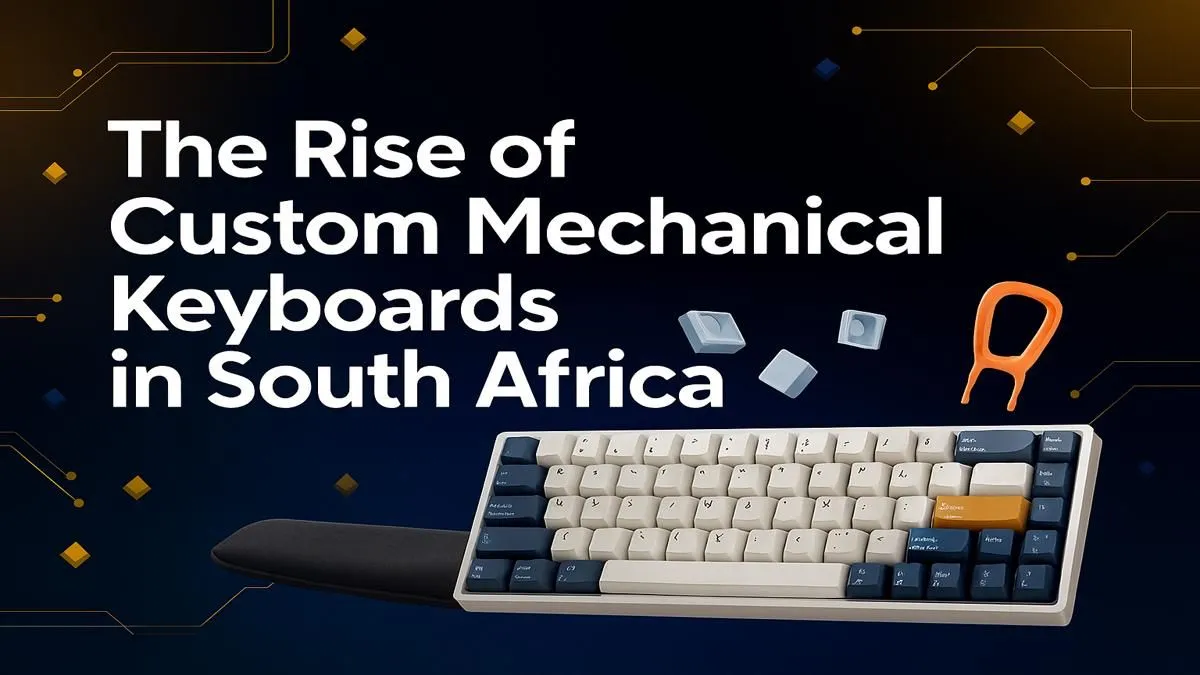
Tired of that mushy, generic keyboard that came with your PC? You're not alone. Across Mzansi, gamers and creators are discovering the deeply satisfying world of custom mechanical keyboards. It’s a journey into personalised tech that’s less about specs and more about feel, sound, and a style that’s uniquely yours. This guide is your starting point for building the perfect custom mechanical keyboard right here in South Africa. Let's dive in! 🔧
Why Go Custom? The Feel, Sound, and Style
The leap from a standard membrane keyboard to a mechanical one is huge. But the jump to a custom mechanical keyboard? That’s a whole different level. It's about tailoring every single aspect of your typing experience to you.
Imagine a keyboard that sounds just right—not just clicky, but a deep, satisfying "thock" with every press. Picture a colour scheme that perfectly matches your setup and personality. This level of personalisation is the core appeal, offering a tactile feedback and aesthetic that off-the-shelf high-end gaming keyboards can only dream of. For anyone serious about their desk setup in South Africa, building a custom mechanical keyboard is the ultimate upgrade.
The Core Components of Your Custom Keyboard Build
Getting into custom mechanical keyboards in South Africa can seem daunting with all the new terms, but it boils down to a few key parts. Let's break down the essentials.
The Case, Plate & PCB: Your Keyboard's Foundation
Think of these as the chassis and engine of your keyboard.
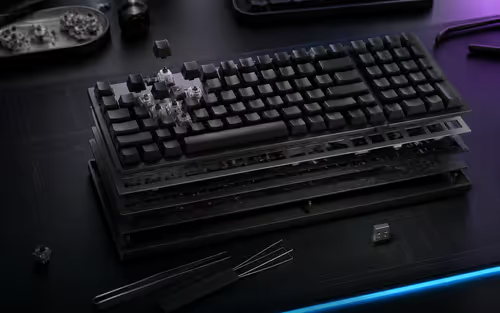
- Case: The outer shell that houses everything. It can be plastic, aluminium, or even wood, and heavily influences the keyboard's weight, acoustics, and look.
- PCB (Printed Circuit Board): The electronic brain. It registers your keystrokes. Some are "hot-swappable," meaning you can change switches without soldering.
- Plate: Sits on top of the PCB and holds the switches firmly in place. Materials like brass, carbon fibre, or polycarbonate all subtly change the typing feel and sound.
Keyboard Switches: The Heart of the Feel ⚡
This is where the magic happens. The switch determines how each keypress feels and sounds. There are three main families:
- Linear: Smooth, consistent keystrokes from top to bottom. Popular with gamers for their speed and lack of interruption. (e.g., Cherry MX Red)
- Tactile: A noticeable "bump" in the middle of the press lets you know the key has been activated. Great for typing and general use. (e.g., Cherry MX Brown)
- Clicky: A tactile bump paired with a distinct "click" sound. Incredibly satisfying, but maybe not for an open-plan office! (e.g., Cherry MX Blue)
With a huge variety of keyboard switches available, you can find the exact force and feel you prefer.
Try Before You Buy ✨
If you're new to the world of custom mechanical keyboards, grab a switch tester first. It's a small board with different switch types mounted on it. This lets you physically feel the difference between linear, tactile, and clicky switches before committing to a full set for your build. It’s a small investment that saves a lot of guesswork!
Keycaps: The Finishing Touch
Keycaps are the plastic covers you type on, and they are the easiest way to express your style. They come in different materials, profiles (the shape and height), and countless colourways. The two most common materials are:
- ABS (Acrylonitrile Butadiene Styrene): Smooth and can develop a shine over time. Often used for vibrant, complex designs.
- PBT (Polybutylene Terephthalate): Textured, more durable, and resistant to shining. The preferred choice for many enthusiasts.
Finding unique custom keycap sets is one of the most exciting parts of any build.
Getting Started in South Africa: Your First Build
You don't need an engineering degree to build your own keyboard. The easiest entry point is a "barebones" kit, which typically includes the case, PCB, and plate. All you need to do is add your chosen switches and keycaps—no soldering required if you choose a hot-swap board!
Alternatively, you can start your journey by modifying a pre-built board. Many great value pre-built mechanical keyboards offer a solid foundation. You can swap out the keycaps now and maybe change the switches later. This approach lets you dip your toes into the custom keyboard scene without a massive initial investment.
Beyond the Basics: Essential Accessories 🚀
Once your dream keyboard is built, a few extras can elevate the experience. Long gaming or typing sessions can strain your wrists, so pairing your board with a quality wrist rest is a smart move for ergonomics and comfort. And of course, a high-performance keyboard deserves a high-performance partner. If you're aiming for a cohesive desk setup, exploring matching keyboard and mouse combos ensures your gear not only performs together but looks great too.
Ready to Build Your Dream Keyboard?
The world of custom mechanical keyboards is deep, rewarding, and uniquely personal. Whether you're starting with a pre-built model or diving straight into a full custom build, the perfect setup is waiting for you. Explore our massive range of keyboards and components and find the parts to build a keyboard that is truly yours.