Staring at a render bar that moves slower than rush-hour traffic on the N1? We've all been there. Your creativity is firing on all cylinders, but your off-the-shelf laptop is holding you back. For South African content creators, finding the right machine is crucial. That's why exploring customizable laptops for video editing in South Africa isn't just an upgrade; it's a necessity for reclaiming your time and workflow. Let's dive in. 💻
Core Components for a Smooth Editing Workflow
An off-the-shelf laptop often forces you to compromise. You might get a great screen but a weak processor, or tons of storage but not enough RAM. Building a custom machine means you put your money where it matters most for video editing.
The Brains: CPU (Central Processing Unit)
Your CPU does the heavy lifting for tasks like encoding, decoding, and rendering your final video. More cores and higher clock speeds mean faster exports. Whether you're looking at the multi-core power found in AMD's Ryzen-powered machines or the robust single-core performance in many powerful Intel laptops, a strong CPU is non-negotiable.
The Muscle: GPU (Graphics Processing Unit)
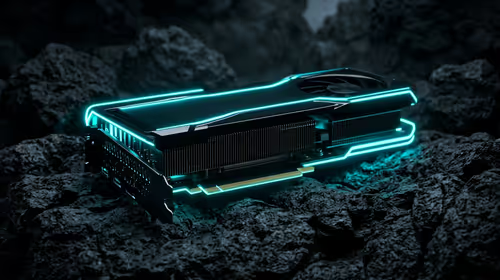
The GPU, or graphics card, is vital for a smooth real-time playback experience, especially with high-resolution footage and multiple effects. Software like DaVinci Resolve and Adobe Premiere Pro use the GPU to accelerate rendering and effects processing. This is where many of our great gaming laptop deals offer incredible value, packing powerful NVIDIA RTX or AMD Radeon GPUs perfect for creative work.
The Workspace: RAM (Random Access Memory)
Think of RAM as your digital workbench. The more you have, the more applications and larger files you can work with simultaneously without your system slowing to a crawl. For 1080p editing, 16GB is a solid start. But if you're tackling 4K footage or complex motion graphics, 32GB (or more) is the sweet spot.
Editing Pro Tip: Use Proxies! ⚡
Even with a powerful machine, 4K or 6K footage can stutter. Create low-resolution "proxy" files for editing. This lets you scrub through your timeline smoothly. When you're ready to export, your editing software automatically links back to the original high-quality files for the final render. It's a simple workflow trick that saves hours of frustration.
Why Customization is Your Secret Weapon ⚙️
Choosing a customizable laptop puts you in the director's chair. You decide what's important for your specific needs, ensuring you get the best performance for your budget.
A YouTuber editing 1080p vlogs has different needs than a filmmaker colour-grading 4K RAW footage. Customization lets you allocate your budget smartly. Need more rendering power? Invest in a top-tier CPU. Do you work with tons of visual effects? Prioritise a beefier GPU and more RAM. This flexibility is the core advantage when looking for customizable laptops for video editing in South Africa.
By tailoring your machine, you're not just buying a tool; you're building a partner for your creative projects. It ensures every rand you spend directly contributes to a faster, more efficient workflow. With a wide selection of laptop specials, you have the perfect starting point to configure a machine that truly works for you. ✨
Ready to Build Your Editing Powerhouse?
Stop letting a slow laptop bottleneck your creativity. With a customizable machine, you control the power and the price. Explore Evetech's massive range of laptop specials and configure the perfect video editing laptop for your needs today.