Ever dreamt of soaring over the Drakensberg at sunrise or banking over the Cape Town stadium? A realistic flight simulator setup makes it possible, right from your home. But getting started can feel overwhelming, especially here in South Africa. Don’t stress! This first-timer’s checklist breaks down everything you need to build your dream cockpit, from the PC powerhouse to the immersive controls. Your journey to the virtual skies starts now. ✈️
The Heart of Your Flight Sim Setup: The PC
Microsoft Flight Simulator 2020 is a masterpiece of modern gaming... and a beast to run. It uses real-world satellite data and complex physics, which demands serious hardware. Your PC is the engine of your entire flight simulator setup, and it needs to be up to the task.
You have two main paths: build it yourself or get a pre-configured machine. While a DIY build is rewarding, for a complex title like MSFS, starting with one of our purpose-built Microsoft Flight Simulator gaming PCs ensures every component is optimised to work together seamlessly, saving you a world of headaches.
Minimum PC Specs to Aim For:
- CPU: A modern processor with strong single-core performance is key. Think AMD Ryzen 5 or Intel Core i5 and up.
- GPU: This is where the magic happens. An NVIDIA GeForce RTX 3060 or 4060 is a fantastic starting point for smooth 1080p/1440p flying.
- RAM: 16GB is the absolute minimum. For a smoother experience, especially with add-ons, 32GB is the new sweet spot.
- Storage: An NVMe SSD is non-negotiable. MSFS has massive load times and a huge install size, so a fast 1TB or 2TB drive is essential.
Choosing Your Window to the World: Displays
You can’t appreciate the stunning scenery of a South African coastline if you’re squinting at a tiny screen. Immersion is everything in flight simulation, and your monitor choice is paramount. While a standard monitor works, upgrading can transform the experience.
For an incredible sense of peripheral vision, many sim pilots in South Africa are opting for immersive curved monitors. An ultrawide (21:9 aspect ratio) display gives you that "in-the-cockpit" field of view, letting you see more of the world without constantly panning the camera.
Whether you go for a single ultrawide, a triple-monitor setup, or a high-refresh-rate 1440p panel, make sure it’s a choice that enhances your view. If you're not sure where to start, you can explore our full range of PC monitors to compare sizes, resolutions, and prices.
Pro Pilot Tip: Dial In Your Field of View (FOV) 🔧
Your monitor is only half the battle. In Flight Simulator's settings, experiment with the Field of View slider. A wider FOV on an ultrawide monitor increases immersion, but setting it too wide can create a "fisheye" effect. A good starting point is between 70 and 85 degrees. Find what feels most natural for your specific flight simulator setup.
Taking Control: Essential Flight Sim Peripherals
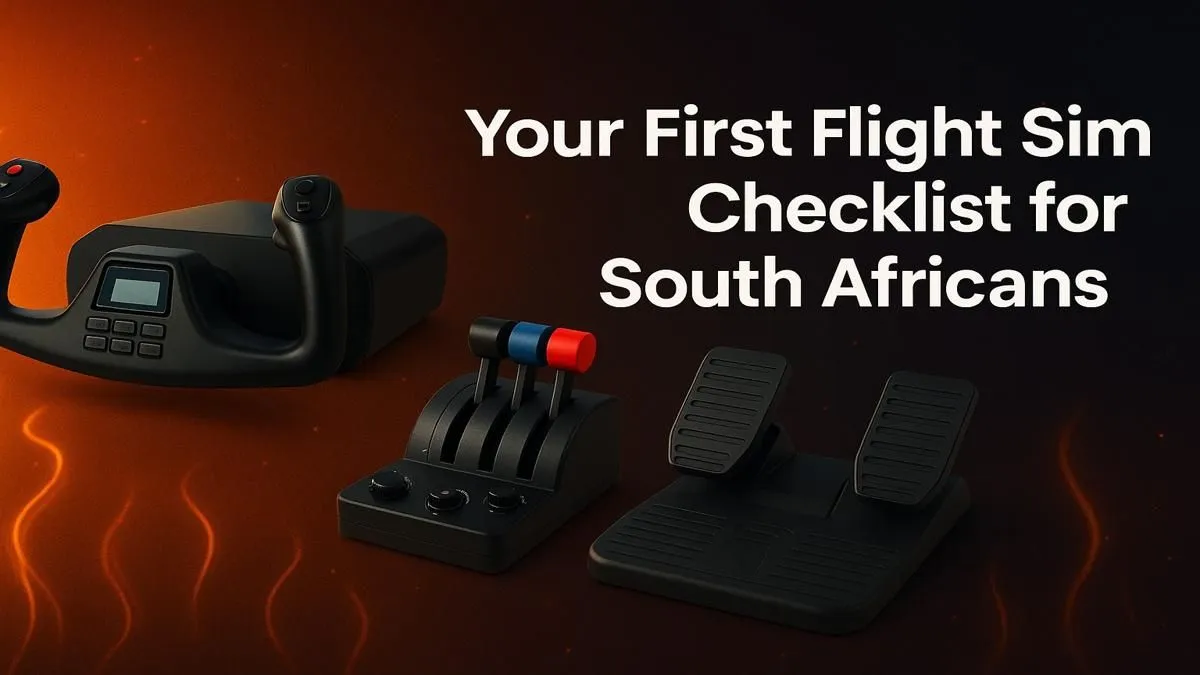
Ready to ditch the keyboard and mouse? Proper flight controls are the single biggest step towards making your simulation feel real. For any serious flight simulator setup in South Africa, a dedicated yoke or joystick is a must.
Here’s a quick breakdown of your options:
- Joystick: A great, space-saving starting point, perfect for fighter jets or Airbus planes which use a sidestick.
- Yoke: The go-to for most general aviation and commercial airliners like the Boeing 747. It offers a more authentic feel for civilian aircraft.
- HOTAS (Hands-On Throttle-And-Stick): This combo gives you a separate throttle quadrant and joystick, providing more buttons and precision control. It's a favourite for both combat and commercial simmers.
- Rudder Pedals: These complete the setup, giving you independent control over the rudder for taxiing, crosswind landings, and coordinated turns.
Leading hardware brands like Thrustmaster offer fantastic options for every budget, from entry-level sticks to professional-grade yokes and throttles.
Building Your Cockpit: Comfort and Immersion ✨
Whether you're planning a quick 30-minute flight from Cape Town to George or a long-haul journey to Dubai, you’ll be sitting for a while. Ergonomics are crucial. Investing in your physical comfort prevents fatigue and keeps you focused on flying the plane.
A quality gaming chair provides the necessary lumbar and neck support for those extended sessions. Think of it as your pilot’s seat—it’s the foundation of your entire cockpit environment and a vital part of a comfortable and enjoyable flight simulator setup.
Ready to Take Flight?
Building your first flight simulator setup is an incredible journey. From a powerful PC to the perfect yoke, every piece brings you closer to the clouds. Let us help you configure the perfect rig for your budget and ambitions.
Start building your dream PC with Evetech and get ready for takeoff.