


Clean Gaming Keyboard: Guide for Dusty & Humid Conditions
Clean gaming keyboard quickly and safely in dusty or humid conditions with step-by-step tips, tool checklist, and maintenance routines to prevent corrosion and switch failure. 🧼💨
Read moreBuilding an editing PC under R20k in South Africa that lasts? It's possible! Discover our expert-picked components for a future-proof build that crushes 4K video editing without breaking the bank. Get the best performance and value for your creative workflow. 💻✨
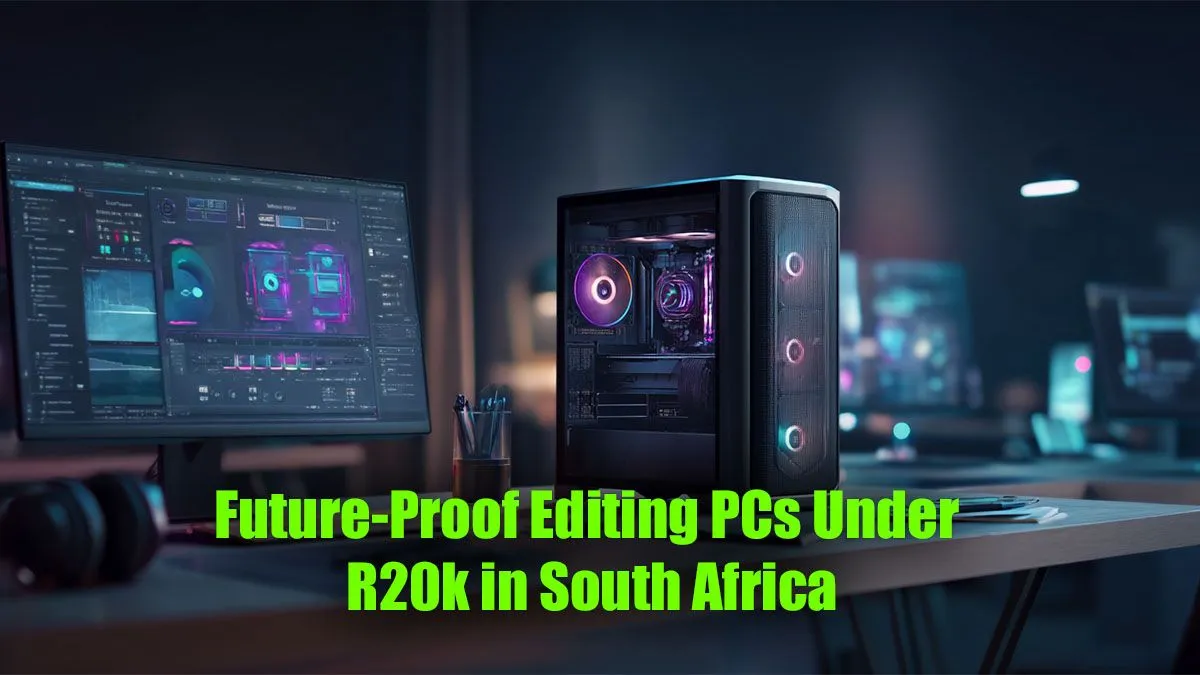
Dreaming of a powerful editing rig but your budget is screaming 'no'? What if we told you that a future-proof editing PC under R20k in South Africa isn't a myth? It's about making smart choices, not just splurging. Whether you're cutting your first YouTube video or rendering complex 4K projects, getting the right balance of CPU, RAM, and storage is key. Let's break down how to build a content creation beast without breaking the bank. 🚀
Building a PC is all about balance, especially on a tight budget. For a high-performance editing PC under R20,000, you need to prioritise the components that do the heaviest lifting for creative workloads like video editing, graphic design, and 3D rendering.
For editing, your Central Processing Unit (CPU) is the undisputed king. It handles everything from timeline scrubbing and decoding complex codecs to the final render. A CPU with more cores and threads will dramatically reduce your export times.
In the sub-R20k bracket, you have excellent options from both Intel and AMD. It's less about brand loyalty and more about what offers the best multi-core performance for your money right now. Exploring the latest Intel PC deals can reveal CPUs with fantastic single-thread speeds, great for a snappy user interface. Conversely, the multi-threading muscle found in many AMD Ryzen PC deals is legendary for crushing render times.
Ever seen your PC grind to a halt when you have Premiere Pro, After Effects, and a few browser tabs open? That's your RAM crying for help. For a smooth editing experience in 2024, 16GB of DDR4 or DDR5 RAM is the absolute minimum. If your budget can stretch just a little, aiming for 32GB will give you significant headroom for more complex projects and future software updates.
Your storage setup directly impacts how quickly your projects load and how smoothly you can play back high-resolution footage. A modern editing PC needs a two-pronged approach:
Set your video editing software's scratch disk (or media cache) to your fastest NVMe SSD, and make sure it's not your OS drive. This separates the high-volume read write operations from your system files, leading to a much smoother, more responsive timeline experience.
Crafting the perfect editing PC under R20k in South Africa is an art of strategic allocation. You don't need the flashiest RGB-lit case or the most expensive motherboard to produce incredible content.
While building a PC from scratch can be rewarding, it also comes with risks like component incompatibility and time-consuming troubleshooting. For creators who just want to get to work, a professionally assembled system is often the better choice. It removes the guesswork and comes with a full warranty. A well-configured pre-built machine ensures that every component works in harmony, giving you a stable and powerful editing PC build from day one. 🔧
By choosing a pre-built system, you leverage expert knowledge to get a balanced rig that is ready to tackle your creative projects immediately. For a guaranteed, optimised system with peace of mind, exploring professionally assembled PCs under R20k is the smartest move for most South African creators.
Ready to Create Without Compromise? Building the perfect rig is a journey, but you don't have to go it alone. For a powerful, warrantied, and expertly configured machine that respects your budget, our custom PCs offer unbeatable value. Explore our range of editing PCs under R20k and unleash your creativity today.
For a budget under R20k, look for GPUs like the NVIDIA GeForce RTX 3050 or AMD Radeon RX 6600. They offer great value and solid performance for 1080p and some 4K editing.
While 16GB is a good starting point for 1080p editing, 32GB of DDR4 or DDR5 RAM is highly recommended for a truly future-proof PC, especially for 4K video and complex effects.
An Intel Core i5 (12th gen or newer) or an AMD Ryzen 5 (5000 series or newer) offers the best price-to-performance ratio for an editing PC build under R20000.
Yes, you can build a capable R20k PC for Adobe Premiere Pro. Focus on a modern multi-core CPU, at least 16GB of RAM, and a dedicated GPU with 8GB of VRAM for a smooth experience.
Both are crucial, but their importance varies. The CPU handles encoding and software responsiveness, while the GPU accelerates effects, rendering, and playback. A balanced build is key.
To ensure your build is an upgradeable editing PC, choose a motherboard with extra RAM slots and a modern chipset. Also, select a power supply with more wattage than you currently need.
Clean gaming keyboard quickly and safely in dusty or humid conditions with step-by-step tips, tool checklist, and maintenance routines to prevent corrosion and switch failure. 🧼💨
Read more
Best gaming keyboard features to prioritize when building a high-end setup: mechanical switches, low latency, hot-swap, RGB, macros, durability and ergonomics 🎮⌨️
Read more
Custom actuation point keyboard setup guide: learn to set per-key actuation on your analog gaming keyboard for faster, precise inputs and better control 🎮⚙️
Read more
Cable management for home entertainment helps you eliminate cable clutter quickly and safely. Learn routing, concealment, and product picks to tidy your setup fast 📺🔌
Read more
conference room setup Microsoft Teams Zoom: Upgrade AV, camera, mic, and network to ensure seamless meetings, clear audio, and crisp video 🎯🔧
Read more
• Audit setup • Link accounts • Configure ViewBoard • Test workflows Integrate Google Workspace with ViewSonic ViewBoard to enable secure SSO, calendar and Drive sync, and smooth collaborative whiteboarding 🔗📋
Read more
Discover webcams that automatically adjust light and color for crystal-clear video calls 🎥✨. Boost your streaming quality today!
Read more
Discover webcams that blend into your workflow 🎯 Capture moments while you work, stream, or create. Upgrade your setup with smart, multitasking tech!
Read more
Dedicated media keys give streamers one-touch control to mute, switch scenes, clip highlights, and adjust audio — cutting task time and boosting consistency 🎛️⚡
Read more
PBT vs ABS keycaps: Clear, local guide for South African gamers—compare feel, sound, durability and where to buy. Find the best material for your budget and playstyle 🎮🇿🇦
Read more
- Multi-Function Digital Dial: define benefits - Show gamer setups and macros - Offer buying and setup tips Multi-Function Digital Dial puts programmable control at your fingertips for faster actions and smoother streaming. 🎮⚙️
Read more
- Explain benefits; - Show the science; - Compare options; - Recommend picks. Magnetic wrist rest for gaming cuts wrist strain and boosts comfort during long sessions 🕹️✨
Read more