


Clean Gaming Keyboard: Guide for Dusty & Humid Conditions
Clean gaming keyboard quickly and safely in dusty or humid conditions with step-by-step tips, tool checklist, and maintenance routines to prevent corrosion and switch failure. 🧼💨
Read moreGaming case airflow matters—learn quick checks to tell if a case will keep temps low and dust out before you buy. Fan layout, mesh, filters and pressure tips. 🔍💨
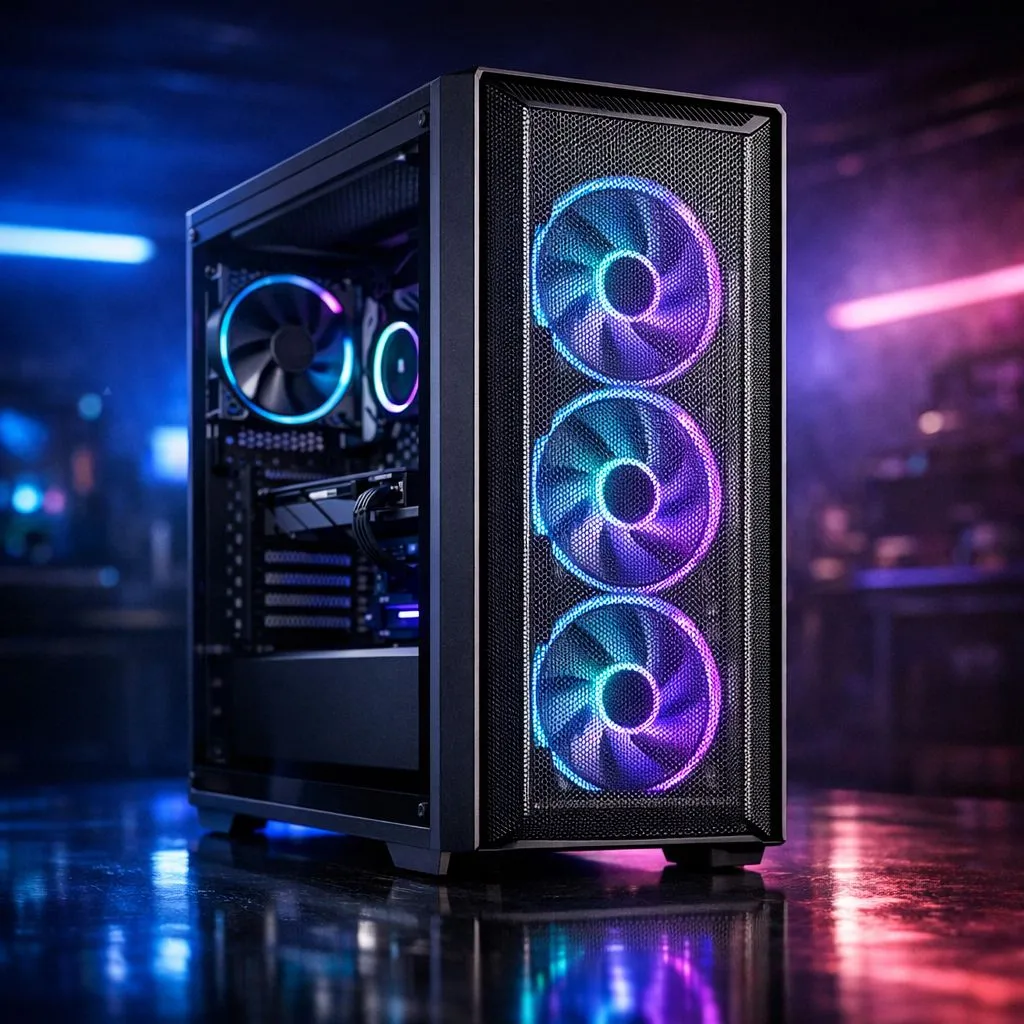
We have all been there... staring at a gorgeous PC build while the fans scream like a jet engine during a Warzone session in the middle of a scorching South African summer. High temperatures do more than just make noise... they throttle your performance and shorten the lifespan of your expensive components. Knowing how to spot a chassis with great gaming case airflow is the first step toward a stable, silent rig. 🔧
The easiest way to tell if a case breathes well is to look at the front panel. If it is a solid sheet of tempered glass or plastic with only tiny slits on the side, your fans are going to struggle. For maximum thermal efficiency, you want a mesh front. Many Gamdias gaming cases prioritise this perforated design, allowing cool air to flow directly onto your GPU and CPU without any physical obstructions.
Airflow is about more than just "more fans." It is about the path the air takes. A case that breathes well follows a simple rule: cool air in at the front and bottom, hot air out at the back and top. If a case lacks top ventilation, heat will pool around your VRMs and RAM... which is never ideal for long-term stability.
High-end options like Fractal Design PC cases are engineered specifically around these thermal principles. They often include modular top panels, allowing you to choose between a solid silent cover or a filtered mesh top depending on your hardware's heat output. If you can see straight through the case from the front fans to the rear exhaust, you are looking at a winner.
To check if your case has positive or negative pressure, take a single ply of tissue paper and hold it near the mesh filters while the PC is running. If the paper sticks to the front, your intake is strong. If it gets pushed away from the back or top, your exhaust is working perfectly. If it does neither, your fans might be choked by a solid panel or thick dust filters.
You do not need to spend five thousand Rand to keep your components frosty. There are plenty of entry-level options that punch well above their weight. For instance, you can find several gaming cases under R1500 that include pre-installed high-CFM fans and mesh fronts. 🚀
When shopping in this price bracket, look for cases that include at least two or three front fans. Buying a cheap case and then adding fans later often ends up costing more than just buying a well-ventilated chassis from the start. Check for "Airflow" or "Mesh" in the product title to ensure you are getting a design meant for cooling rather than just aesthetics.
A case might have great fans, but if the interior is cramped, the air cannot move. When browsing the wider range of computer cases, pay attention to the internal layout. Modern designs often move the hard drive cages to the bottom, hidden under a PSU shroud. This clears a direct path for air to travel from the front intake to your graphics card. ⚡
Proper cable management also plays a massive role. A "nest" of cables right in front of your intake fans creates turbulence and traps heat. Choose a case with at least 20mm of space behind the motherboard tray to tuck those power cables away. A clean build is a cool build... and a cool build stays fast for longer. ✨
Ready to Find Your Perfect Match? Don't let your high-end hardware suffocate in a poorly designed box. Whether you need a premium mesh masterpiece or a budget-friendly airflow king, we have the right chassis for your next build. Explore our massive range of computer cases and give your PC the room it needs to breathe.
Gaming case airflow describes how air moves through a PC case to cool components, influenced by fan layout, panels, filters and case volume.
Check for a mesh front or large vents, multiple fan mounts, unobstructed intake paths and filter access — core checks for how to check pc case airflow.
Yes. Mesh front panel benefits include higher intake flow and lower temps compared to solid fronts, though filter quality matters.
A good baseline is two intake and one exhaust for mid towers; high-performance builds often use 3+ fans or push/pull radiators.
Positive pressure uses more intake than exhaust to reduce dust entry; negative pressure pulls more air out and can increase dust ingress.
Yes. Radiator compatibility and airflow matter: front rads can cut intake flow, top rads can aid exhaust — plan fan direction accordingly.
Filters slightly restrict flow but protect components. Clean filters regularly to keep airflow for GPU cooling and temps optimal.
Clean gaming keyboard quickly and safely in dusty or humid conditions with step-by-step tips, tool checklist, and maintenance routines to prevent corrosion and switch failure. 🧼💨
Read more
Best gaming keyboard features to prioritize when building a high-end setup: mechanical switches, low latency, hot-swap, RGB, macros, durability and ergonomics 🎮⌨️
Read more
Custom actuation point keyboard setup guide: learn to set per-key actuation on your analog gaming keyboard for faster, precise inputs and better control 🎮⚙️
Read more
Cable management for home entertainment helps you eliminate cable clutter quickly and safely. Learn routing, concealment, and product picks to tidy your setup fast 📺🔌
Read more
conference room setup Microsoft Teams Zoom: Upgrade AV, camera, mic, and network to ensure seamless meetings, clear audio, and crisp video 🎯🔧
Read more
• Audit setup • Link accounts • Configure ViewBoard • Test workflows Integrate Google Workspace with ViewSonic ViewBoard to enable secure SSO, calendar and Drive sync, and smooth collaborative whiteboarding 🔗📋
Read more
Discover webcams that automatically adjust light and color for crystal-clear video calls 🎥✨. Boost your streaming quality today!
Read more
Discover webcams that blend into your workflow 🎯 Capture moments while you work, stream, or create. Upgrade your setup with smart, multitasking tech!
Read more
Dedicated media keys give streamers one-touch control to mute, switch scenes, clip highlights, and adjust audio — cutting task time and boosting consistency 🎛️⚡
Read more
PBT vs ABS keycaps: Clear, local guide for South African gamers—compare feel, sound, durability and where to buy. Find the best material for your budget and playstyle 🎮🇿🇦
Read more
- Multi-Function Digital Dial: define benefits - Show gamer setups and macros - Offer buying and setup tips Multi-Function Digital Dial puts programmable control at your fingertips for faster actions and smoother streaming. 🎮⚙️
Read more
- Explain benefits; - Show the science; - Compare options; - Recommend picks. Magnetic wrist rest for gaming cuts wrist strain and boosts comfort during long sessions 🕹️✨
Read more