


Clean Gaming Keyboard: Guide for Dusty & Humid Conditions
Clean gaming keyboard quickly and safely in dusty or humid conditions with step-by-step tips, tool checklist, and maintenance routines to prevent corrosion and switch failure. 🧼💨
Read moreGaming PC airflow tips to keep your rig cool during South African summers. Learn fan placement, case choice, cable management and dust control to lower temps and boost performance. 🌀☀️
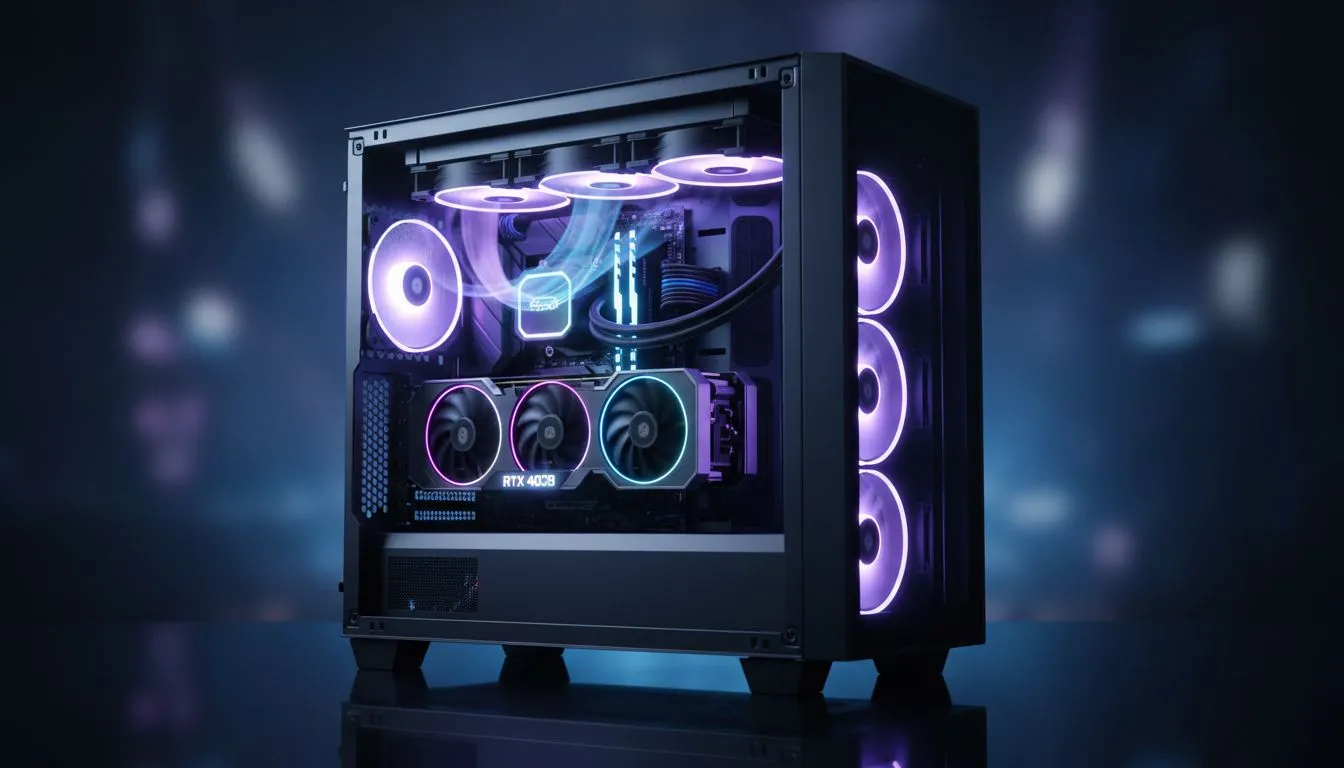
When the December sun hits 35 degrees in Pretoria or Durban, your gaming PC isn't just a machine... it's a furnace. Without proper airflow, your high-end GPU will throttle faster than a taxi in peak hour traffic. Keeping your rig cool during a South African summer requires more than just a fan... it requires a strategy to maximise cooling and protect your hardware investment.
The foundation of every cool-running system is the chassis. If your components are choked for air, even the most expensive liquid cooler will struggle. Choosing the right computer cases is the first step toward thermal stability. You want a layout that promotes a straight path for air to move from the front to the back.
For enthusiasts who want a blend of aesthetics and engineering, fractal design pc cases are legendary for their high-airflow mesh panels. These designs allow cool ambient air to enter the system with minimal resistance... which is vital when the ambient room temperature is already high.
Aim for 'positive pressure' by having more intake fans than exhaust fans. This forces air out of every small gap in the chassis, preventing the infamous South African dust from settling in your sensitive PCIe slots and heatsinks.
You do not need to spend a fortune to keep your components safe from the heat. Brands like gamdias gaming cases offer fantastic airflow out of the box, often including multiple pre-installed fans. This saves you the extra cost of buying separate 120mm blowers.
If you are building on a strict budget, there are incredible gaming cases under R1500 that don't sacrifice cooling potential. Look for models with perforated front covers rather than solid glass... glass looks great, but mesh breathes better in the Karoo heat. 🔧
To truly maximise cooling, position your intake fans at the lowest points and your exhaust fans at the highest points. Heat naturally rises... so help it along. Ensure your cable management is tidy. Tangled wires act like small fences, disrupting the laminar flow of air and creating hot pockets around your VRMs. 🚀
Ready to Beat the Summer Heat? Don't let thermal throttling ruin your festive season gaming sessions. From high-airflow mesh towers to budget-friendly cooling kings, we have the hardware to keep your frames high and your temps low. Explore our full range of gaming cases and find your perfect build today.
Optimize fan placement, tidy cable management, remove drive cages blocking air, and clean dust filters to improve airflow without a new case.
Aim for a balanced intake-exhaust layout with slightly more intake. Typical setup: 2 front intakes and 1-2 rear/top exhausts for good intake exhaust balance.
Slight positive pressure is best to reduce dust ingress. Use more intake than exhaust and fit dust filters on intake vents to control dust.
Larger fans often move more air at lower RPM and run quieter, but multiple small fans can still work. Choose best case fans for your layout and noise needs.
Good cable management reduces obstructions and improves airflow. Route cables behind the motherboard tray and secure with ties to clear intake paths.
Yes. Dust filters stop airborne dust from clogging components, preserving airflow. Clean filters regularly to maintain cooling performance.
AIO liquid cooling lowers CPU temps, but case airflow still matters for GPU and VRM cooling. Combine liquid cooling with strong case airflow for best results.
Clean gaming keyboard quickly and safely in dusty or humid conditions with step-by-step tips, tool checklist, and maintenance routines to prevent corrosion and switch failure. 🧼💨
Read more
Best gaming keyboard features to prioritize when building a high-end setup: mechanical switches, low latency, hot-swap, RGB, macros, durability and ergonomics 🎮⌨️
Read more
Custom actuation point keyboard setup guide: learn to set per-key actuation on your analog gaming keyboard for faster, precise inputs and better control 🎮⚙️
Read more
Cable management for home entertainment helps you eliminate cable clutter quickly and safely. Learn routing, concealment, and product picks to tidy your setup fast 📺🔌
Read more
conference room setup Microsoft Teams Zoom: Upgrade AV, camera, mic, and network to ensure seamless meetings, clear audio, and crisp video 🎯🔧
Read more
• Audit setup • Link accounts • Configure ViewBoard • Test workflows Integrate Google Workspace with ViewSonic ViewBoard to enable secure SSO, calendar and Drive sync, and smooth collaborative whiteboarding 🔗📋
Read more
Discover webcams that automatically adjust light and color for crystal-clear video calls 🎥✨. Boost your streaming quality today!

Discover webcams that blend into your workflow 🎯 Capture moments while you work, stream, or create. Upgrade your setup with smart, multitasking tech!

Dedicated media keys give streamers one-touch control to mute, switch scenes, clip highlights, and adjust audio — cutting task time and boosting consistency 🎛️⚡

PBT vs ABS keycaps: Clear, local guide for South African gamers—compare feel, sound, durability and where to buy. Find the best material for your budget and playstyle 🎮🇿🇦

- Multi-Function Digital Dial: define benefits - Show gamer setups and macros - Offer buying and setup tips Multi-Function Digital Dial puts programmable control at your fingertips for faster actions and smoother streaming. 🎮⚙️

- Explain benefits; - Show the science; - Compare options; - Recommend picks. Magnetic wrist rest for gaming cuts wrist strain and boosts comfort during long sessions 🕹️✨