


Clean Gaming Keyboard: Guide for Dusty & Humid Conditions
Clean gaming keyboard quickly and safely in dusty or humid conditions with step-by-step tips, tool checklist, and maintenance routines to prevent corrosion and switch failure. 🧼💨
Read moreMaster the world of gaming PC components with our definitive guide! 🖥️ We break down every essential part, from the CPU and GPU to motherboards and RAM, explaining what they do and how to choose the best ones for your dream build. Start your PC building journey with confidence! 🚀
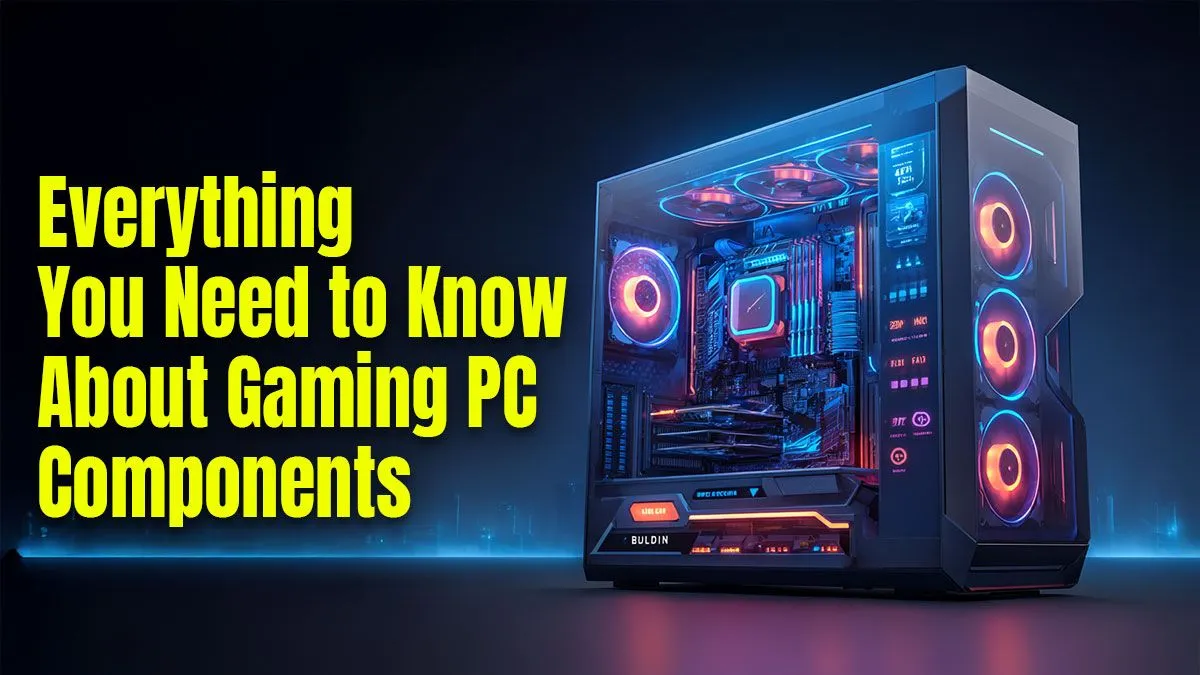
Dreaming of buttery-smooth frame rates in Helldivers 2 but your current rig sounds like a jet engine just loading the main menu? You're not alone. Stepping into the world of PC building can feel intimidating, but it doesn't have to be. This guide breaks down the essential gaming PC components you need to know, turning confusing jargon into simple, actionable knowledge. Let's get you ready to build or buy with confidence. 🚀
Building or choosing a gaming PC is like assembling a superhero team. Each part has a unique role, and they must work together to achieve victory. Understanding these core gaming PC components is the first step to unlocking incredible performance.
The Central Processing Unit (CPU) is the commander of your entire system. It processes instructions from all your software, from Windows itself to the game you're playing. For gaming, a faster CPU means better performance in strategy games, smoother physics, and higher overall frame rates.
This is the most important component for gaming... period. The Graphics Processing Unit (GPU), or graphics card, is a specialised processor designed to render the stunning visuals in your games. A more powerful GPU allows you to play at higher resolutions (like 1440p or 4K), turn on advanced features like ray tracing, and achieve higher frame rates.
When you see incredible lighting, realistic textures, and fluid motion, that's the GPU doing the heavy lifting. This is often the part that separates a good gaming PC from a great one, especially in PCs above R20,000 where top-tier cards from NVIDIA (GeForce RTX series) and AMD (Radeon RX series) reside.
Never pair a high-end GPU with a low-end CPU. This creates a "bottleneck," where the slow CPU can't feed the powerful GPU data fast enough, wasting its potential. Aim for a balanced combination where your CPU and GPU are in a similar performance tier for the best value and smoothest gameplay.
Think of RAM (Random Access Memory) as your PC's short-term memory or its workspace. It holds all the data your computer is actively using, allowing for quick access. More RAM means your PC can handle more tasks at once—like running a game, Discord, and a web browser—without slowing down.
For modern gaming, 16GB is the recommended standard. It provides enough headroom for demanding titles and background apps. This amount is a staple in most well-rounded gaming PCs under R20,000, ensuring a smooth experience without breaking the bank.
Your storage drive holds your operating system, applications, and your precious game library. There are two main types:
A common setup is a smaller, fast SSD for the operating system and favourite games, paired with a larger HDD for mass storage. If you want to skip the hassle of installing drives yourself, checking out some pre-built PC deals is a great way to get a perfectly configured system from day one.
While the CPU and GPU get all the glory, the Motherboard and Power Supply Unit (PSU) are the critical support structure.
These parts are less about raw performance and more about stability and future-proofing. They are the foundation of any reliable rig, which is why it's worth browsing the best gaming PC deals to see how experts match these crucial parts for optimal performance. ✨
Ready to Find Your Perfect Match? Understanding the parts is the first step. Now it's time to find a rig that brings it all together. Whether you're customising your dream machine or choosing a masterfully assembled build, the power is in your hands. Explore our pre-built PCs or start your own custom build and conquer your world.
The seven essential gaming PC components are the CPU (processor), GPU (graphics card), RAM (memory), motherboard, storage (SSD/HDD), PSU (power supply unit), and a case.
The Graphics Processing Unit (GPU) is the most crucial component for gaming performance, as it renders the images, textures, and animations you see on your monitor.
To ensure motherboard compatibility, check the CPU socket and RAM type. Also, verify your Power Supply Unit (PSU) has enough wattage and that your GPU physically fits in the case.
For modern gaming, 16GB of RAM is the recommended standard. For high-end gaming or multitasking while streaming, 32GB is a great choice for future-proofing your build.
Yes, an SSD (Solid State Drive) is significantly better for gaming. It drastically reduces game load times and improves overall system responsiveness compared to an older HDD.
The CPU (Central Processing Unit) is the PC's brain. In gaming, it handles tasks like AI, physics calculations, and managing game logic, which is vital for a smooth experience.
Clean gaming keyboard quickly and safely in dusty or humid conditions with step-by-step tips, tool checklist, and maintenance routines to prevent corrosion and switch failure. 🧼💨
Read more
Best gaming keyboard features to prioritize when building a high-end setup: mechanical switches, low latency, hot-swap, RGB, macros, durability and ergonomics 🎮⌨️
Read more
Custom actuation point keyboard setup guide: learn to set per-key actuation on your analog gaming keyboard for faster, precise inputs and better control 🎮⚙️
Read more
Cable management for home entertainment helps you eliminate cable clutter quickly and safely. Learn routing, concealment, and product picks to tidy your setup fast 📺🔌
Read more
conference room setup Microsoft Teams Zoom: Upgrade AV, camera, mic, and network to ensure seamless meetings, clear audio, and crisp video 🎯🔧
Read more
• Audit setup • Link accounts • Configure ViewBoard • Test workflows Integrate Google Workspace with ViewSonic ViewBoard to enable secure SSO, calendar and Drive sync, and smooth collaborative whiteboarding 🔗📋
Read more
Discover webcams that automatically adjust light and color for crystal-clear video calls 🎥✨. Boost your streaming quality today!
Read more
Discover webcams that blend into your workflow 🎯 Capture moments while you work, stream, or create. Upgrade your setup with smart, multitasking tech!
Read more
Dedicated media keys give streamers one-touch control to mute, switch scenes, clip highlights, and adjust audio — cutting task time and boosting consistency 🎛️⚡
Read more
PBT vs ABS keycaps: Clear, local guide for South African gamers—compare feel, sound, durability and where to buy. Find the best material for your budget and playstyle 🎮🇿🇦
Read more
- Multi-Function Digital Dial: define benefits - Show gamer setups and macros - Offer buying and setup tips Multi-Function Digital Dial puts programmable control at your fingertips for faster actions and smoother streaming. 🎮⚙️
Read more
- Explain benefits; - Show the science; - Compare options; - Recommend picks. Magnetic wrist rest for gaming cuts wrist strain and boosts comfort during long sessions 🕹️✨
Read more