


Clean Gaming Keyboard: Guide for Dusty & Humid Conditions
Clean gaming keyboard quickly and safely in dusty or humid conditions with step-by-step tips, tool checklist, and maintenance routines to prevent corrosion and switch failure. 🧼💨
Read moreGlass case airflow is often sacrificed for style — this 2026 test shows practical upgrades, fan layouts, and case picks that balance cooling and aesthetics. 🔧✨
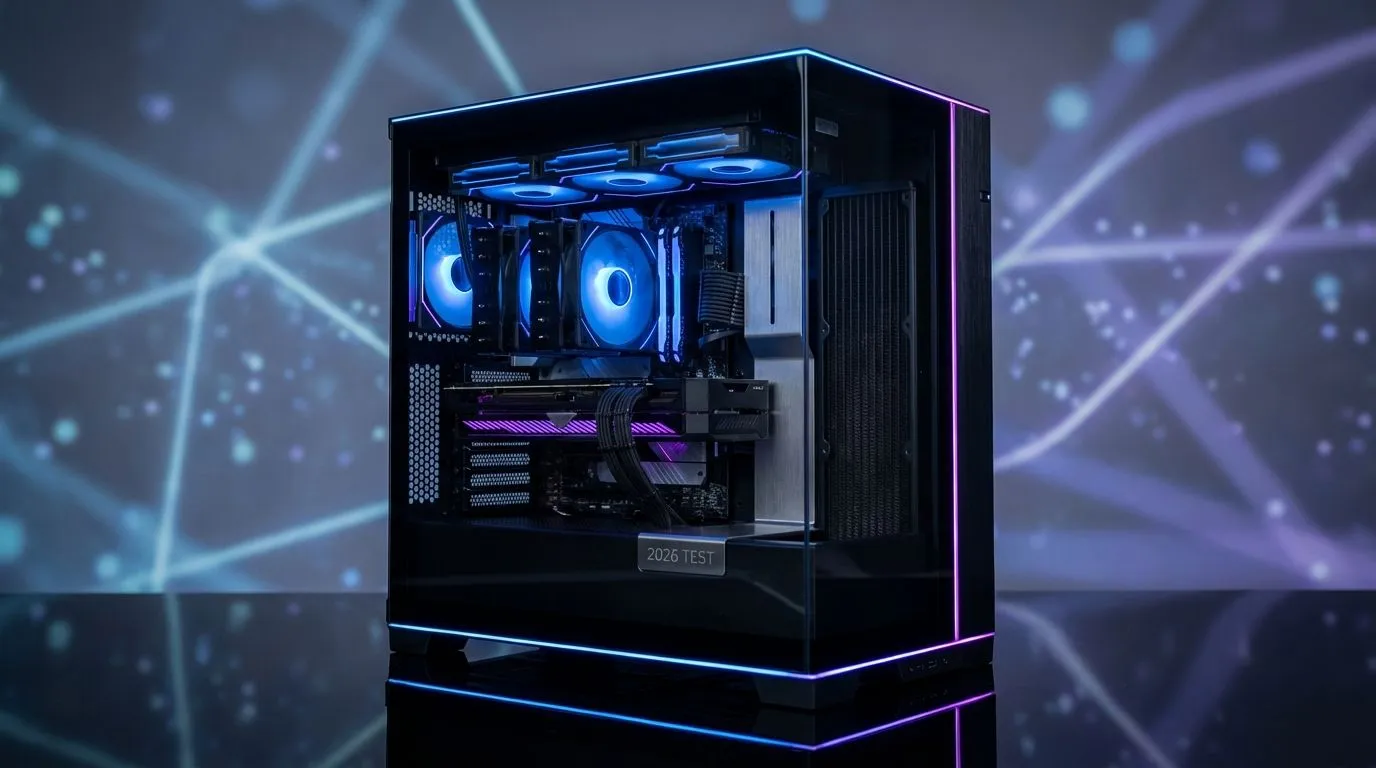
That sleek tempered glass case looks amazing on your desk, but are your components slowly cooking inside? It's the classic PC builder's dilemma: style versus substance. In South Africa's often warm climate, getting glass case airflow right isn't just a luxury... it's essential for performance. Let's dive into how you can have a rig that looks incredible and runs ice-cold, so you can have both cooling and looks without compromise. ✨
Tempered glass panels have become the standard for showcasing your precious GPU and RGB lighting. But there's a catch: glass is an insulator. Unlike a mesh panel that breathes freely, a solid glass front panel can choke your intake fans, trapping hot air inside and turning your PC into a fancy oven. This is especially true for many modern computer cases that prioritise aesthetics.
When your components run hot, they throttle—slowing down to protect themselves from damage. This means lower frame rates in games and slower performance in creative workloads. The challenge of cooling a glass PC case is about finding a chassis that balances that premium look with intelligent design, ensuring your hardware has room to breathe.
The secret to great glass case airflow isn't just about cramming in more fans; it's about creating a clear and efficient path for air to travel. The goal is to pull cool air in, guide it over your hottest components (CPU and GPU), and exhaust the hot air as quickly as possible.
Here’s how you do it:
For a typical setup, use two or three 120mm 140mm fans in the front as intake, one in the rear as exhaust, and one or two on the top as exhaust. This creates a simple, effective wind tunnel that pulls cool air across your motherboard and pushes hot air up and out, a perfect strategy for improving airflow in a glass case.
Even with optimised case fans, your CPU needs dedicated cooling. The type of cooler you choose can have a big impact on the overall thermal performance of your glass case build. Your choice of CPU coolers is critical.
All-In-One (AIO) liquid coolers are often the perfect match for glass cases. A good Liquid Cooler (AIO) moves the CPU's heat directly to a radiator mounted on an exhaust vent (usually the top or front of the case). This means the CPU's heat is immediately expelled instead of lingering inside and heating up other components like your GPU.
For high-end CPUs like an Intel Core i9 or AMD Ryzen 9, a larger AIO with a 360mm Radiator is an excellent choice, providing maximum cooling performance while maintaining a clean, minimalist look that complements the glass panels.
Absolutely! A high-performance Air Cooler can be just as effective as an AIO, provided your case has good overall airflow. The key is to ensure the case is wide enough to accommodate the cooler's height and that your case fans are positioned to work with the cooler's fan, not against it. Premium case manufacturers like Corsair often list CPU cooler height clearance in their specs, so be sure to check before you buy.
So, can you have both cooling and looks? The answer is a resounding yes. The myth that glass cases are thermal nightmares is a thing of the past. By choosing a well-designed case with mesh ventilation, configuring your fans for an optimal path, and selecting the right cooler for your CPU, you can build a PC that’s a true showstopper and a performance powerhouse.
Ready to Build Your Showcase PC? Getting glass case airflow right is the key to a build that's both stunning and powerful. Don't compromise. Explore our incredible range of PC cases and find the perfect chassis to show off your components while keeping them frosty.
Yes. Tempered glass panels limit intake versus mesh. Use strategic fan layout or choose mesh-front models to improve airflow in glass cases.
Optimize intake/exhaust balance, use high-static-pressure fans, and add discreet vents or filtered intakes to improve airflow in glass case builds.
Yes. Some best tempered glass cases for airflow combine top or front mesh intakes with glass side panels for looks and solid thermal performance.
Aim for slight positive pressure to reduce dust. Fan layout for glass case designs should favor filtered intake and exhaust placement.
Yes, with proper airflow tips for glass PC case 2026—use focused intake, GPU fans alignment, and adequate exhaust to keep GPU temps in check.
A front intake, top and rear exhaust setup often works best. Tailor fan speeds and use fan curves to balance noise and performance in glass cases.
Use dust filters on intakes, maintain slight positive pressure, and schedule regular cleaning as part of glass panel dust management.
Clean gaming keyboard quickly and safely in dusty or humid conditions with step-by-step tips, tool checklist, and maintenance routines to prevent corrosion and switch failure. 🧼💨
Read more
Best gaming keyboard features to prioritize when building a high-end setup: mechanical switches, low latency, hot-swap, RGB, macros, durability and ergonomics 🎮⌨️
Read more
Custom actuation point keyboard setup guide: learn to set per-key actuation on your analog gaming keyboard for faster, precise inputs and better control 🎮⚙️
Read more
Cable management for home entertainment helps you eliminate cable clutter quickly and safely. Learn routing, concealment, and product picks to tidy your setup fast 📺🔌
Read more
conference room setup Microsoft Teams Zoom: Upgrade AV, camera, mic, and network to ensure seamless meetings, clear audio, and crisp video 🎯🔧
Read more
• Audit setup • Link accounts • Configure ViewBoard • Test workflows Integrate Google Workspace with ViewSonic ViewBoard to enable secure SSO, calendar and Drive sync, and smooth collaborative whiteboarding 🔗📋
Read more
Discover webcams that automatically adjust light and color for crystal-clear video calls 🎥✨. Boost your streaming quality today!

Discover webcams that blend into your workflow 🎯 Capture moments while you work, stream, or create. Upgrade your setup with smart, multitasking tech!

Dedicated media keys give streamers one-touch control to mute, switch scenes, clip highlights, and adjust audio — cutting task time and boosting consistency 🎛️⚡

PBT vs ABS keycaps: Clear, local guide for South African gamers—compare feel, sound, durability and where to buy. Find the best material for your budget and playstyle 🎮🇿🇦

- Multi-Function Digital Dial: define benefits - Show gamer setups and macros - Offer buying and setup tips Multi-Function Digital Dial puts programmable control at your fingertips for faster actions and smoother streaming. 🎮⚙️

- Explain benefits; - Show the science; - Compare options; - Recommend picks. Magnetic wrist rest for gaming cuts wrist strain and boosts comfort during long sessions 🕹️✨