


Clean Gaming Keyboard: Guide for Dusty & Humid Conditions
Clean gaming keyboard quickly and safely in dusty or humid conditions with step-by-step tips, tool checklist, and maintenance routines to prevent corrosion and switch failure. 🧼💨
Read moreDiscover the best keyboard switches to elevate your custom build! Whether you're a gamer needing speed or a writer craving that perfect feel, this guide breaks down linear, tactile, and clicky options. We'll help you choose the right switch for your setup. ⌨️✨ Ready to find your perfect match?
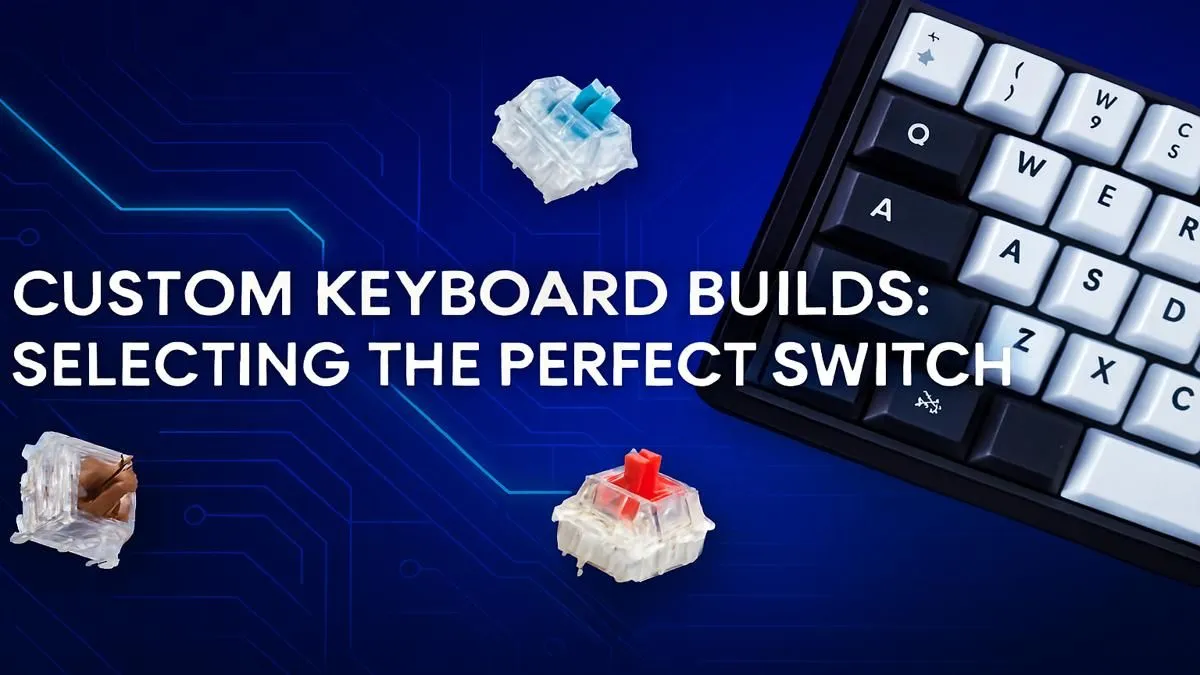
Ever felt that your keyboard... just isn't you? That hollow plastic clack of a generic office board, or the mushy feel of a tired gaming setup. It's time to stop settling. Finding the best keyboard switches is the first step towards a custom build that feels, sounds, and performs exactly how you want it to. It’s the difference between merely typing and a truly satisfying experience, tailored just for you. 🔧
Beneath every keycap on a mechanical keyboard lies a switch. This tiny mechanism is responsible for everything: the force required to register a press, the sound it makes, and the physical feedback you feel. Choosing the right one transforms your keyboard from a simple tool into a personalised high-performance instrument.
While a full custom build is the ultimate goal for many, understanding switches can also help you choose your next pre-built board. If you're exploring what's out there, checking out the best gaming keyboard deals is a great way to see which switches are popular in top models right now.
Most of the keyboard switches on the market fall into three main families. Your personal preference for gaming, typing, or a mix of both will guide you to your perfect match.
Imagine a key press that’s perfectly smooth from top to bottom, with no bump or click. That's a linear switch. They are favoured by competitive gamers for their consistency and speed, allowing for rapid double-taps and effortless movement in FPS games.
Tactile switches offer the best of both worlds. They provide a small, noticeable "bump" at the point of actuation, so you know for sure you’ve pressed the key. This feedback is fantastic for accurate typing without the loud noise of a clicky switch, making them a superb all-rounder. Many high-quality keyboard and mouse combos feature tactile switches for this reason.
You know a clicky switch when you hear one. They deliver that classic, typewriter-esque "click" sound along with a tactile bump. For many writers and programmers, this auditory feedback is incredibly satisfying and helps improve typing rhythm and accuracy. Just be warned... your colleagues or family might not appreciate it!
Want to fine-tune your keyboard's sound? Try adding O-rings. These tiny rubber rings sit on the stem of your keycaps and cushion the landing when you 'bottom out' (press the key all the way down). This simple mod can significantly reduce noise, especially on Linear and Tactile switches, without changing the fundamental feel of the switch itself.
Beyond the three main types, specs like actuation force (measured in grams) and travel distance can fine-tune your experience. A lower actuation force means a lighter touch is needed, while a higher one requires a more deliberate press, which can help prevent typos. Don't get too bogged down in the numbers at first... the best way to learn is to try them out or start with a popular, balanced option. Ready to dive deeper? You can buy keyboard switches individually to experiment or purchase a full set for your build.
Once you've settled on your ideal switch, the real fun begins. Your choice of switches is the foundation, but the case, plate, and keycaps complete the masterpiece.
Aesthetics are a huge part of the fun. You can choose from countless colourways and profiles when you buy keyboard keycaps to give your board a unique personality. And don't forget ergonomics... pairing your new build with a comfortable wrist rest can make long gaming or typing sessions much more comfortable.
The world of custom keyboards can seem daunting, but it doesn't have to be an expensive hobby. If a full build feels like too much, exploring some of the cheapest gaming keyboards in South Africa that are "hot-swappable" is a fantastic entry point. This lets you easily pull out and replace switches without any soldering.
Ready to Build Your Dream Keyboard? From the silent speed of a linear switch to the satisfying snap of a clicky one, your perfect feel is waiting. Evetech has all the components you need to start your custom build journey. Explore our massive range of keyboard switches and find the perfect heart for your new keyboard today.
The three main types are Linear (smooth, quiet), Tactile (a noticeable bump on actuation), and Clicky (a bump plus an audible click). Your choice depends on your preference.
Gamers often prefer Linear switches like Cherry MX Reds for their smooth, fast actuation without a tactile bump. This allows for rapid key presses crucial in fast-paced games.
Many typists prefer Tactile switches. The physical bump provides feedback that a key has been registered, which can improve accuracy and reduce the need to bottom out keys.
Silent Linear switches, such as Cherry MX Silent Reds or Gateron Silent Browns, are the quietest options. They have internal dampeners to reduce noise on the downstroke and upstroke.
Consider your primary use (gaming, typing), sound preference (loud vs. quiet), and desired feel. Testing a switch sampler is the best way to find your perfect match.
A hot-swappable keyboard allows you to change switches easily without any soldering. This makes it simple to experiment with different switch types to find what you like best.
Clean gaming keyboard quickly and safely in dusty or humid conditions with step-by-step tips, tool checklist, and maintenance routines to prevent corrosion and switch failure. 🧼💨
Read more
Best gaming keyboard features to prioritize when building a high-end setup: mechanical switches, low latency, hot-swap, RGB, macros, durability and ergonomics 🎮⌨️
Read more
Custom actuation point keyboard setup guide: learn to set per-key actuation on your analog gaming keyboard for faster, precise inputs and better control 🎮⚙️
Read more
Cable management for home entertainment helps you eliminate cable clutter quickly and safely. Learn routing, concealment, and product picks to tidy your setup fast 📺🔌
Read more
conference room setup Microsoft Teams Zoom: Upgrade AV, camera, mic, and network to ensure seamless meetings, clear audio, and crisp video 🎯🔧
Read more
• Audit setup • Link accounts • Configure ViewBoard • Test workflows Integrate Google Workspace with ViewSonic ViewBoard to enable secure SSO, calendar and Drive sync, and smooth collaborative whiteboarding 🔗📋
Read more
Discover webcams that automatically adjust light and color for crystal-clear video calls 🎥✨. Boost your streaming quality today!

Discover webcams that blend into your workflow 🎯 Capture moments while you work, stream, or create. Upgrade your setup with smart, multitasking tech!

Dedicated media keys give streamers one-touch control to mute, switch scenes, clip highlights, and adjust audio — cutting task time and boosting consistency 🎛️⚡

PBT vs ABS keycaps: Clear, local guide for South African gamers—compare feel, sound, durability and where to buy. Find the best material for your budget and playstyle 🎮🇿🇦

- Multi-Function Digital Dial: define benefits - Show gamer setups and macros - Offer buying and setup tips Multi-Function Digital Dial puts programmable control at your fingertips for faster actions and smoother streaming. 🎮⚙️

- Explain benefits; - Show the science; - Compare options; - Recommend picks. Magnetic wrist rest for gaming cuts wrist strain and boosts comfort during long sessions 🕹️✨