


Clean Gaming Keyboard: Guide for Dusty & Humid Conditions
Clean gaming keyboard quickly and safely in dusty or humid conditions with step-by-step tips, tool checklist, and maintenance routines to prevent corrosion and switch failure. 🧼💨
Read moreDiscover the best keyboard switch mods to transform your typing and gaming experience. This guide covers everything from lubing and filming to spring swapping, helping you achieve the perfect sound and feel for your mechanical keyboard. Ready to build your dream setup? ⌨️ Let's dive in!
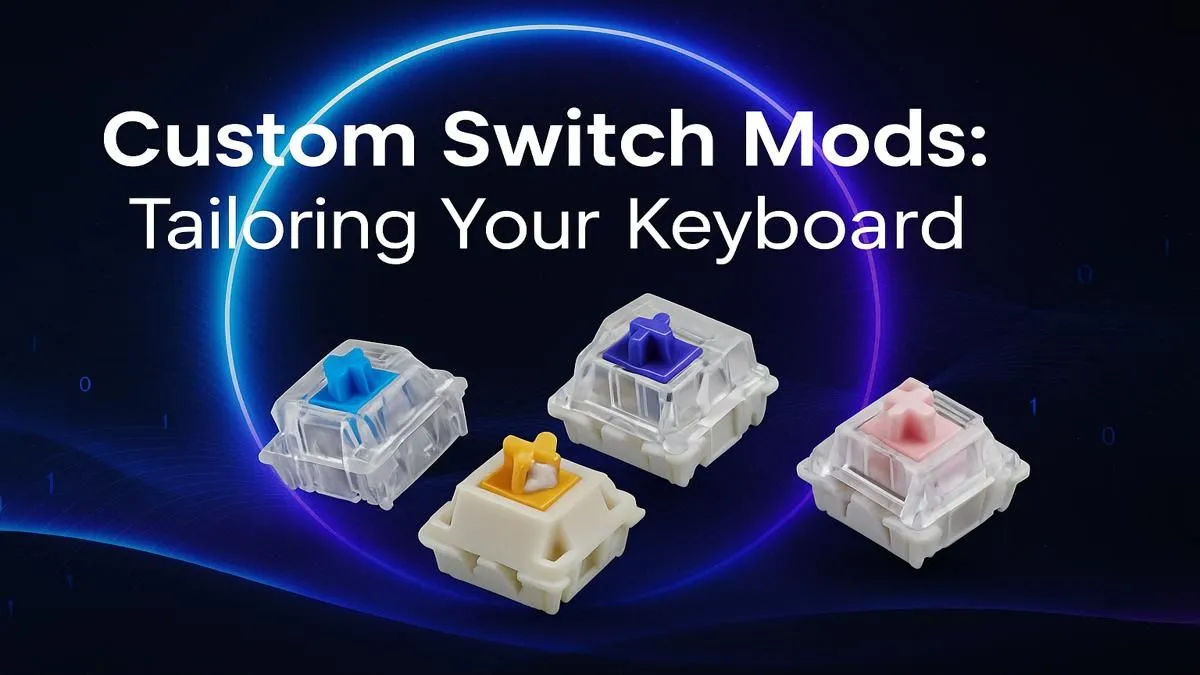
Ever felt that your gaming keyboard is... just okay? You hit a key, and it works, but there's no magic. What if you could transform that standard clack into a satisfying, buttery-smooth thock? That's the power of keyboard switch mods. This isn't some elite, expensive hobby reserved for pros. It's an accessible way for any South African gamer to unlock a better keystroke, improve their typing feel, and make their setup uniquely theirs. 🔧
At its core, modifying keyboard switches is about customisation. It’s about taking a mass-produced product and tailoring it to your exact preferences. The standard mechanical keyboard you buy off the shelf is designed to appeal to everyone, which often means it's perfect for no one.
A few simple keyboard switch mods can dramatically change the sound and feel of your board. You can eliminate the scratchy friction found in many stock switches, reduce annoying metallic pings, and create a deeper, more pleasant sound profile. For gamers, this translates to a more responsive and satisfying feel during intense sessions. For typists, it means less fatigue and a more enjoyable experience. It's the difference between a good tool and a great one, and many of the best gaming keyboard deals feature boards that are perfect for modding.
Diving into custom keyboard mods doesn't have to be intimidating. You can start with a couple of high-impact, low-cost modifications that will completely change your keyboard's character.
This is the single most effective mod for a better keystroke. Lubing involves applying a thin layer of specialised lubricant (like Krytox 205g0) to the internal components of the switch. This simple act reduces friction between the stem and the housing, resulting in a significantly smoother and quieter keypress. That scratchy, sandy feeling? Gone. It’s a bit time-consuming, but the "before and after" is truly night and day. If you're feeling adventurous, you can even grab a set of brand-new keyboard switches to experiment on.
Ever notice a slight wobble when you press a key? That's often caused by tiny gaps between the top and bottom housings of the switch. Switch films are tiny pieces of polycarbonate or other materials that sit between these two halves, tightening the tolerance. This reduces wobble, improves stability, and contributes to a deeper, more solid sound. It's a quick addition while you have the switches open for lubing.
your first modding project, seriously consider a "hot-swappable" keyboard. These boards have special sockets that let you pull switches out and pop new ones in without any soldering. It makes experimenting with different switches and applying mods like lubing and filming incredibly easy and risk-free. Many [affordable mechanical keyboards](https: www.evetech.co.za components buy-cheapest-gaming-keyboard-in-south-africa-52.aspx) now offer this feature!
Achieving the perfect keystroke isn't just about what's inside the switch. The experience is a sum of all the parts working together. Once you've dialled in the feel of your switches, you can complete your setup with a few final touches.
New custom keycaps can change the entire look and sound profile of your board. Different plastics (like PBT or ABS) and profiles (like Cherry or SA) create distinct typing experiences. And don't forget ergonomics! A quality ergonomic wrist rest can make long gaming or typing sessions much more comfortable, preventing strain.
Absolutely. You don't need to spend thousands of Rands to get a premium-feeling keyboard. A few hours and some basic supplies can make an entry-level board feel better than expensive pre-built ones. It’s a rewarding DIY project that directly enhances your daily interaction with your PC.
And if you're not ready to open up switches just yet? No problem. The knowledge you gain helps you choose your next keyboard more wisely. You can start with one of our excellent keyboard and mouse combos and keep this guide handy for when the modding bug bites. ✨
Ready to Build Your Dream Keystroke? From simple mods to a full custom build, the perfect feel is within reach. Explore our massive range of keyboards and components and find the parts to conquer your next game... or your next deadline.
The most popular mods include lubing for smoothness, adding switch films to reduce housing wobble, and spring swapping to change the actuation force and feel of the keys.
Absolutely. Learning how to lube keyboard switches is key. It reduces friction for a smoother keystroke and dampens unwanted sounds like spring ping for a premium experience.
Switch films are thin inserts placed between the top and bottom switch housings. They tighten the tolerance, reducing stem and housing wobble which leads to a more stable feel and improved sound.
Essential keyboard switch modding tools include a switch opener, fine-tip brushes for lube application, tweezers for handling small parts, and a keycap/switch puller for disassembly.
Most Cherry MX-style switches (like Gateron, Kailh, etc.) are mod-friendly. However, some soldered or optical switches can be more difficult or impossible to modify easily.
Spring swapping mechanical switches lets you customize the weight. You can make a switch lighter for faster typing or heavier to prevent accidental presses, tailoring it to your preference.
Clean gaming keyboard quickly and safely in dusty or humid conditions with step-by-step tips, tool checklist, and maintenance routines to prevent corrosion and switch failure. 🧼💨
Read more
Best gaming keyboard features to prioritize when building a high-end setup: mechanical switches, low latency, hot-swap, RGB, macros, durability and ergonomics 🎮⌨️
Read more
Custom actuation point keyboard setup guide: learn to set per-key actuation on your analog gaming keyboard for faster, precise inputs and better control 🎮⚙️
Read more
Cable management for home entertainment helps you eliminate cable clutter quickly and safely. Learn routing, concealment, and product picks to tidy your setup fast 📺🔌
Read more
conference room setup Microsoft Teams Zoom: Upgrade AV, camera, mic, and network to ensure seamless meetings, clear audio, and crisp video 🎯🔧
Read more
• Audit setup • Link accounts • Configure ViewBoard • Test workflows Integrate Google Workspace with ViewSonic ViewBoard to enable secure SSO, calendar and Drive sync, and smooth collaborative whiteboarding 🔗📋
Read more
Discover webcams that automatically adjust light and color for crystal-clear video calls 🎥✨. Boost your streaming quality today!

Discover webcams that blend into your workflow 🎯 Capture moments while you work, stream, or create. Upgrade your setup with smart, multitasking tech!

Dedicated media keys give streamers one-touch control to mute, switch scenes, clip highlights, and adjust audio — cutting task time and boosting consistency 🎛️⚡

PBT vs ABS keycaps: Clear, local guide for South African gamers—compare feel, sound, durability and where to buy. Find the best material for your budget and playstyle 🎮🇿🇦

- Multi-Function Digital Dial: define benefits - Show gamer setups and macros - Offer buying and setup tips Multi-Function Digital Dial puts programmable control at your fingertips for faster actions and smoother streaming. 🎮⚙️

- Explain benefits; - Show the science; - Compare options; - Recommend picks. Magnetic wrist rest for gaming cuts wrist strain and boosts comfort during long sessions 🕹️✨