


Clean Gaming Keyboard: Guide for Dusty & Humid Conditions
Clean gaming keyboard quickly and safely in dusty or humid conditions with step-by-step tips, tool checklist, and maintenance routines to prevent corrosion and switch failure. 🧼💨
Read more• Audit hardware needs • Recommend routers & switches • Optimize cabling & QoS — Home media server network guide shows essential NICs, cabling, and router tips for smooth streaming. 🔧📡
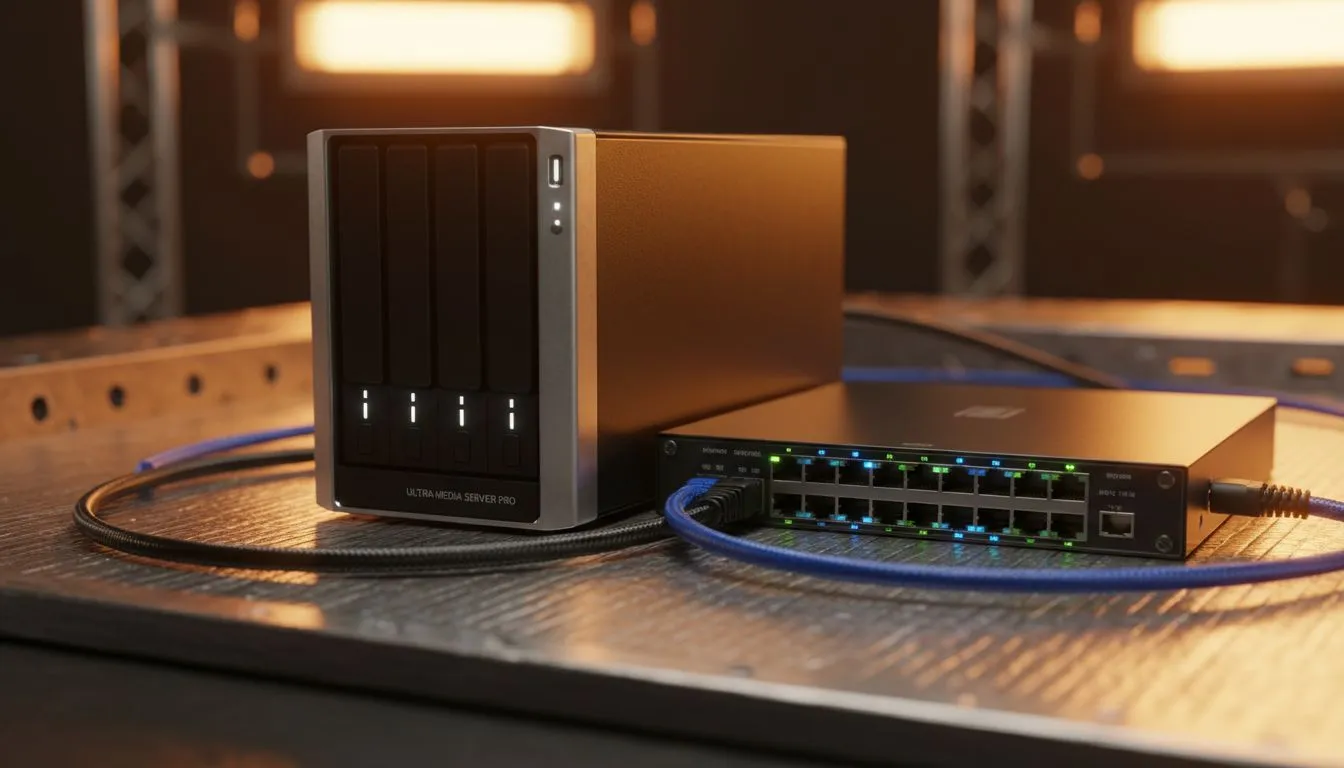
There is nothing more frustrating than sitting down for a movie night in Cape Town only to have your 4K stream stutter. A home media server is the ultimate solution for local content control... however, even the beefiest CPU cannot fix a congested network. To get the best experience, you need to understand the hardware that keeps your data moving smoothly across your local network. 🔧
When you are streaming high-bitrate files from your server to a TV or PC, your standard Wi-Fi often falls short. Walls and interference in South African homes... especially those with thick brickwork... can kill your speeds. This is why many enthusiasts opt for high-performance network adapters to ensure a stable, wired connection. A dedicated PCIe card can handle higher throughput with lower latency than most integrated motherboard solutions, ensuring your 80GB Blu-ray rips play without a hitch.
Always aim for a wired Cat6 connection for your primary media server. While Wi-Fi 6 is fast, a physical Ethernet cable provides consistent full-duplex speeds that wireless simply cannot match during heavy multi-user streaming sessions.
Reliability is the most important factor when your server runs 24/7. You do not want a cheap component overheating and dropping your connection mid-movie. Many local builders trust TP-Link hardware because of their proven track record in driver stability and heat management. Their Gigabit and 2.5G adapters are particularly popular for those looking to future-proof their setups without spending thousands of ZAR. 🚀
If you are working on a tighter budget but still need professional-grade performance, Cudy's reliable range offers fantastic value. Their adapters are known for being "plug and play" on most Linux-based media OS options like Unraid or TrueNAS. This makes them a top pick for South African DIYers who want to spend more time watching content and less time troubleshooting network configurations. ✨
As 4K and even 8Gb content becomes more common, the standard 1Gbps connection might become a bottleneck. If you are building a new Home Media Server Network: Essential Hardware Guide, consider jumping to 2.5GbE. It allows for faster file transfers when you are moving large libraries from your main PC to the server. For a few extra hundred ZAR, you can significantly reduce the time spent waiting for progress bars to finish. ⚡
Ready to Build the Ultimate Media Hub? A flawless streaming experience starts with the right connection. Whether you need ultra-fast PCIe cards or reliable USB solutions, we have the gear to get you connected. Explore our range of network adapters and take your home network to the next level.
Pick gigabit routers with strong CPUs, QoS and VLAN support; dual or tri-band models help separate guest and streaming traffic.
A managed switch adds VLANs and QoS control, improving reliability for media servers and multi-device streaming.
10GbE helps when serving multiple 4K streams or editing large files; for single-user streaming, gigabit often suffices.
Use Cat6a for most 10GbE needs; Cat7 offers extra shielding but Cat6a is cost-effective for home media server cabling.
Prioritise your server's IP or MAC in the router QoS settings and allocate bandwidth to streaming services for consistent playback.
WiFi can work for casual streaming, but a wired connection or mesh wifi for streaming servers provides lower latency and steadier throughput.
NAS often uses lower-power NICs and SMB shares; dedicated servers benefit from faster NICs, direct routing and more flexible QoS.
Clean gaming keyboard quickly and safely in dusty or humid conditions with step-by-step tips, tool checklist, and maintenance routines to prevent corrosion and switch failure. 🧼💨
Read more
Best gaming keyboard features to prioritize when building a high-end setup: mechanical switches, low latency, hot-swap, RGB, macros, durability and ergonomics 🎮⌨️
Read more
Custom actuation point keyboard setup guide: learn to set per-key actuation on your analog gaming keyboard for faster, precise inputs and better control 🎮⚙️
Read more
Cable management for home entertainment helps you eliminate cable clutter quickly and safely. Learn routing, concealment, and product picks to tidy your setup fast 📺🔌
Read more
conference room setup Microsoft Teams Zoom: Upgrade AV, camera, mic, and network to ensure seamless meetings, clear audio, and crisp video 🎯🔧
Read more
• Audit setup • Link accounts • Configure ViewBoard • Test workflows Integrate Google Workspace with ViewSonic ViewBoard to enable secure SSO, calendar and Drive sync, and smooth collaborative whiteboarding 🔗📋
Read more
Discover webcams that automatically adjust light and color for crystal-clear video calls 🎥✨. Boost your streaming quality today!

Discover webcams that blend into your workflow 🎯 Capture moments while you work, stream, or create. Upgrade your setup with smart, multitasking tech!

Dedicated media keys give streamers one-touch control to mute, switch scenes, clip highlights, and adjust audio — cutting task time and boosting consistency 🎛️⚡

PBT vs ABS keycaps: Clear, local guide for South African gamers—compare feel, sound, durability and where to buy. Find the best material for your budget and playstyle 🎮🇿🇦

- Multi-Function Digital Dial: define benefits - Show gamer setups and macros - Offer buying and setup tips Multi-Function Digital Dial puts programmable control at your fingertips for faster actions and smoother streaming. 🎮⚙️

- Explain benefits; - Show the science; - Compare options; - Recommend picks. Magnetic wrist rest for gaming cuts wrist strain and boosts comfort during long sessions 🕹️✨