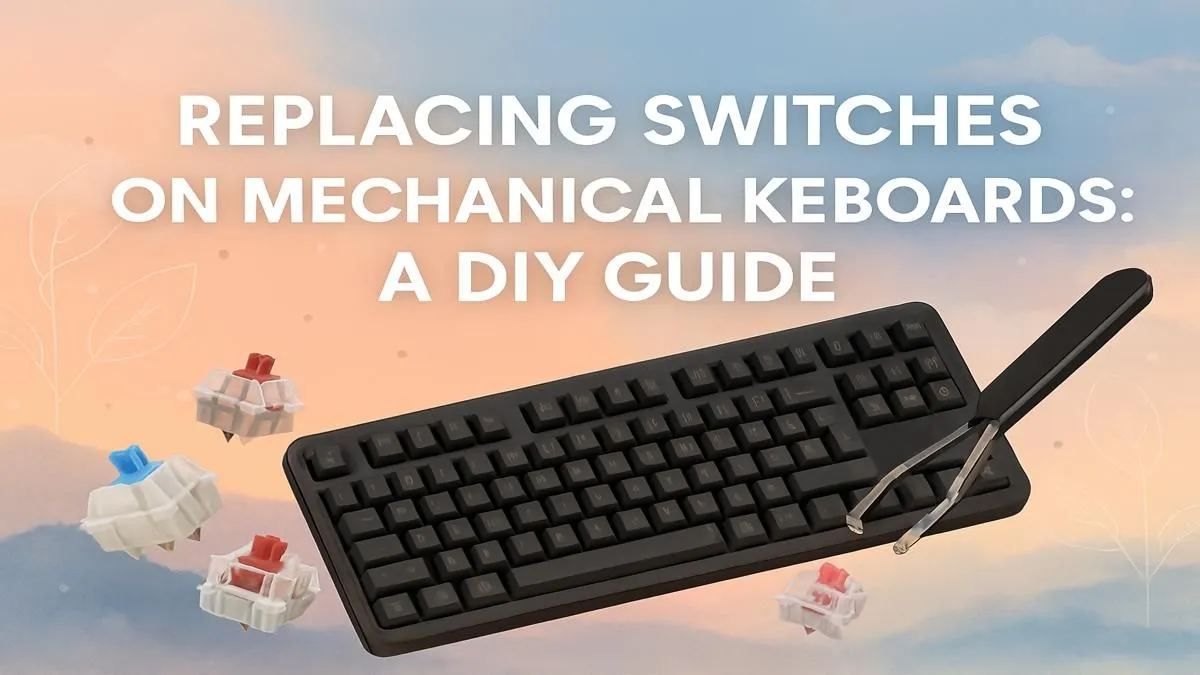
That one sticky "W" key costing you games? Or maybe you're just craving that satisfying thock you saw on a YouTube short. Before you splash out on a whole new board, what if you could get a premium, custom feel for a fraction of the price? Learning how to replace mechanical keyboard switches is a true level-up for any PC enthusiast in South Africa. It’s your ticket to a keyboard that feels uniquely yours. 🔧
Why Bother Swapping Keyboard Switches?
For many gamers, the keyboard is an extension of their hands. Changing the switches is the single biggest upgrade you can make to its feel and performance.
- Custom Feel: Swap out standard linear switches for clicky ones for typing, or tactile switches for that perfect gaming bump.
- Easy Repairs: A single dead or sticky switch no longer means a dead keyboard. A quick replacement saves you time and money.
- Cost-Effective Upgrade: Get that high-end, custom keyboard experience without the hefty price tag. A new set of switches is far cheaper than a new premium board.
Your DIY Toolkit: What You'll Need ⚙️
Getting started with a DIY keyboard switch replacement is surprisingly simple. You only need a few key items to do the job cleanly and safely.
- A Keycap Puller: A wire puller is best to avoid scratching your keycaps.
- A Switch Puller: This small tool is essential for gripping the switch and releasing the clips holding it to the plate.
- Your New Switches: This is the fun part! Whether you want Cherry MX, Gateron, or Kailh, a fresh set of keyboard switches is the core of your project.
The Step-by-Step Guide to Replacing Your Switches
Ready to get hands-on? Follow these simple steps for a smooth switch-swapping process. This guide assumes you have a hot-swappable keyboard (more on that below).
Step 1: Unplug and Prepare Your Workspace
First things first: unplug your keyboard. You don't want any power running through it. Set yourself up on a clean, well-lit desk to avoid losing any small parts.
Step 2: Off with the Keycaps
Use your keycap puller to gently lift each keycap straight up. It's a good idea to take a quick photo of your keyboard layout before you start, just in case you forget where everything goes. This is also the perfect opportunity to give your board a deep clean or even upgrade to a fresh set of custom keycaps.
Check Your Pins! ⚡
Before you press a new switch into the socket, double-check that the metal contact pins on the bottom are perfectly straight. A bent pin is the most common reason a new switch doesn't work. If you find one, you can gently straighten it with a pair of tweezers.
Step 3: Pull the Old Switches
Grab your switch puller. Position its prongs on the top and bottom clips of the switch. Squeeze the puller to depress the clips and gently rock the switch as you pull it straight out. It might take a little bit of force the first time.
Step 4: Press in the New Switches
Line up the pins of your new switch with the sockets on the keyboard's PCB (Printed Circuit Board). Once aligned, press it down firmly until you hear and feel a solid "click." The switch should sit flush with the mounting plate.
Step 5: Re-cap and Test
Once all your new switches are installed, press your keycaps back on. Plug your keyboard in and test every single key using an online keyboard tester to make sure they all register correctly.
A Crucial Check: Is Your Keyboard Hot-Swappable?
This guide is for "hot-swappable" keyboards, which allow you to pull switches out and pop new ones in without any soldering. Most modern gaming keyboards are hot-swappable, but it's vital to check your model's specs. If your keyboard isn't hot-swappable, you'll need soldering equipment to replace the mechanical keyboard switches, which is a more advanced project. You can find a wide variety of hot-swappable boards and other keyboard components in our section.
Taking Your Customisation Further ✨
Once you've mastered how to replace keyboard switches, a whole world of customisation opens up. To complete your ergonomic and aesthetic upgrade, consider adding a comfortable wrist rest for those long gaming sessions. And for a truly seamless setup, you might even consider a matching keyboard and mouse combo to refresh your entire desk.
Of course, if this all sounds a bit too technical, don't worry! There are some incredible pre-built gaming keyboard deals that offer premium features right out of the box.
Ready to Build Your Dream Keyboard?
Whether you're swapping switches for a custom feel or starting from scratch, the perfect keyboard is waiting. A board that's dialled in just for you feels... different. Better. Explore our massive range of gaming keyboards and find the perfect base for your ultimate setup.