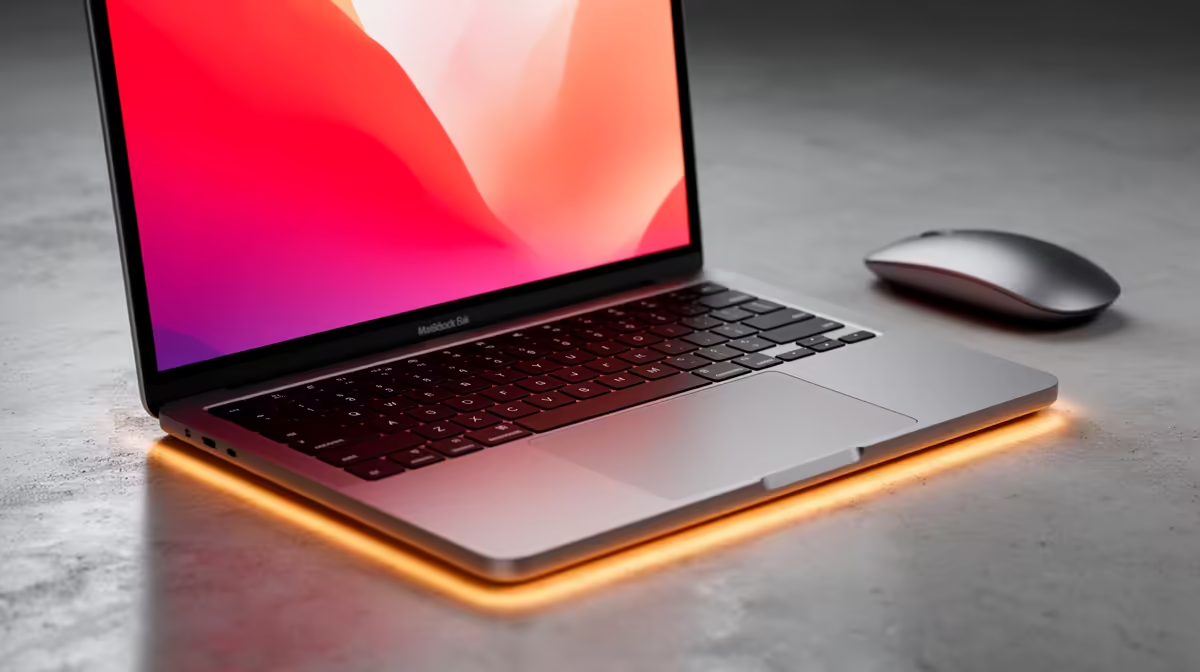
Switching from Windows to a Mac no longer means leaving Word, Excel and PowerPoint behind. Microsoft Office runs natively on Apple Silicon Macs through Microsoft 365, and because the Mac and Windows versions share identical file formats, the documents you already have open without conversion or compatibility headaches.
Quick Answer
Install Microsoft 365 on your Mac from the Mac App Store or directly from Microsoft, sign in with your Microsoft account, and Word, Excel and PowerPoint run natively on Apple Silicon. Your existing .docx, .xlsx and .pptx files open exactly as they did on Windows because both platforms use the same formats. Setup takes about ten minutes once your subscription is active.
What you need before you start
Before installing, confirm three things. First, you need a Microsoft 365 subscription, either a personal or family plan, or a work or school account that includes the desktop apps. The free web versions of Office work in a browser but lack the full desktop feature set. Second, check your macOS version is current enough for the latest Office build, since Microsoft supports the most recent macOS releases. Third, make sure you have a stable internet connection for the initial download and activation.
Step-by-step: installing Office on your Mac
1. Choose your install source
You have two routes. The simplest is the Mac App Store, where Microsoft 365 and the individual apps appear as standard downloads that update automatically. The alternative is downloading directly from Microsoft's website after signing in to your account, which gives you the same apps and is the better choice for work or school accounts managed by an organisation.
2. Sign in and download
Open the App Store or the Microsoft account page, find Microsoft 365 (or the individual Word, Excel and PowerPoint apps), and start the download. On Apple Silicon Macs you get the native version automatically, so there is no need to hunt for a separate build. The apps land in your Applications folder.
3. Activate with your Microsoft account
Launch any one of the apps, Word for example, and sign in with the Microsoft account tied to your subscription. Activation links the install to your licence. Once it succeeds, all three apps unlock together, so you only authenticate once.
4. Move your files across
Copy your documents from your old Windows machine using a USB drive, an external SSD, or your cloud storage. If you saved files to OneDrive on Windows, they are already waiting once you sign in on the Mac, no manual transfer needed. Drag everything else into a folder on the Mac and open it as normal.
5. Confirm everything opens cleanly
Open a few of your most complex files, a spreadsheet with formulas, a formatted report, a slide deck with embedded media. Because the formats are identical across platforms, formulas recalculate, formatting holds and fonts display correctly, provided the same fonts are installed. This is the step that reassures most switchers that nothing was lost.
Apple Silicon makes this genuinely fast
The reason native matters is performance. On Apple Silicon, Word, Excel and PowerPoint run as native ARM apps rather than through translation, so they launch quickly, scroll smoothly through long documents, and recalculate large spreadsheets without lag. Battery life on a MacBook running Office natively is excellent, which is part of why so many students and professionals make the switch. If you are still choosing a machine, compare the current lineup in the MacBook range at Evetech and match the RAM to how heavy your Office work gets.
Handling the small differences
The apps are functionally the same across Mac and Windows, but a few habits change. Keyboard shortcuts use Command instead of Control, so Save is Command-S rather than Control-S. Some advanced features, certain Excel add-ins and a handful of macros built for Windows, behave differently or are unavailable on the Mac build, so test any business-critical workbook before relying on it. For most users writing documents, building spreadsheets and assembling slides, the experience is identical once muscle memory adjusts.
Do you even need the desktop apps?
If your work is light, the free Office web apps and the mobile apps may be enough, and they cost nothing beyond a Microsoft account. The desktop apps earn their subscription when you need offline access, advanced Excel features, or fine control over formatting and layout. Most switchers who used full Office on Windows will want the desktop apps to keep the same workflow. To round out a new Mac setup, the docks, hubs and external storage that ease the switch from Windows turn up regularly on the laptop best-seller list at Evetech.
Frequently Asked Questions
Do my Windows Office files open on a Mac?
Yes, without conversion. Word, Excel and PowerPoint use the same .docx, .xlsx and .pptx formats on both platforms, so a file created on Windows opens identically on a Mac and can be sent back to Windows users with no compatibility loss.
Is Office on Mac the same as on Windows?
The core apps are the same and share every common feature. A few advanced extras differ, some Windows-only add-ins and macros are not supported, and shortcuts use the Command key. For everyday documents, spreadsheets and presentations the experience matches Windows closely.
Does Microsoft Office run natively on Apple Silicon?
It does. Word, Excel and PowerPoint ship as native Apple Silicon apps, so they run fast and use battery efficiently on M-series MacBooks without any translation layer.
Can I use Office for free on a Mac?
You can use the free web and mobile versions with a Microsoft account, which cover basic editing. The full desktop apps need a Microsoft 365 subscription, which adds offline use, advanced features and richer formatting control.
Will my Excel macros work after switching?
Standard formulas and most macros carry over, but some macros written specifically for Windows can behave differently on the Mac build. Test any important workbook after the switch rather than assuming a complex automation will run unchanged.
Planning the move from Windows to Mac? Browse the MacBook range at Evetech and pick a machine with enough RAM to run Microsoft 365 smoothly from day one.