

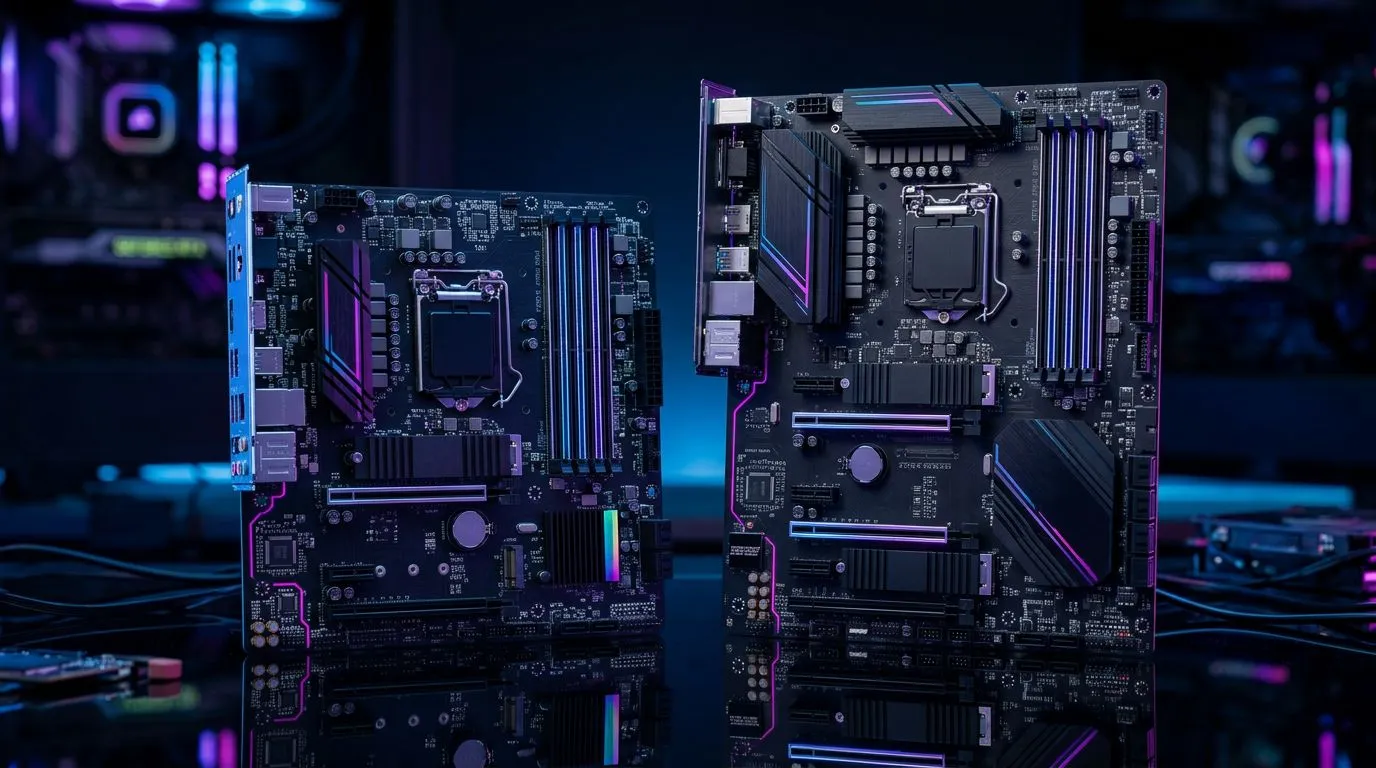
mATX vs ATX Motherboards: Choosing the Best Size for Your Gaming PC
If you’re building a gaming PC in South Africa, motherboard size matters more than most people think. It affects your case fit, your GPU clearance, how many SSDs you can install, and even which budget choices are realistic in ZAR. Whether you’re chasing smooth 1080p esports frames or planning a future upgrade… the “right” motherboard size can save you money and headaches. Let’s break down mATX vs ATX Motherboards: Choosing the Best Size for Your Gaming PC in a practical, no-fluff way. 🔧
mATX vs ATX Motherboards: Choosing the Best Size for Your Gaming PC (real-world differences)
Motherboards mainly differ by size and how many expansion slots and ports they can physically fit. In simple terms:
- ATX boards are bigger and usually include more PCIe slots, more fan headers, and more room for extra features.
- mATX boards are smaller, often cheaper, and can still be excellent for a single-GPU gaming build.
But size isn’t just about dimensions on a spec sheet. It impacts day-to-day build comfort: cable routing space, airflow planning, and how tidy your internals look.
Why South African builders often lean mATX for value
A lot of local buyers are balancing performance against budget. If your GPU is where most of your FPS comes from, you often don’t need the “extra” features an ATX board provides.
In practice, mATX boards can be the smarter move when:
- you’re using a mid-tower case with solid airflow,
- you’re on a strict budget,
- you plan to run one GPU and a couple of drives,
- you want upgrades later without paying a premium up front.
When ATX is worth the extra space (and ZAR)
ATX makes more sense if you know you’ll use more hardware features over time, such as:
- multiple PCIe cards (for capture, extra networking, or specialised add-in cards),
- more case fans and lighting without adapters,
- a build where you want maximum expansion headroom from day one.
If you’re building a “set it up once” system and your case supports ATX comfortably, the extra layout flexibility helps during installation.
mATX vs ATX Motherboards: Choosing the Best Size for Your Gaming PC (what to check before you buy)
Before clicking “add to cart”, do three quick checks. They prevent the most common mistakes in PC builds. ⚡
1) Confirm your case support (fit comes first)
Even a great board is useless if it won’t fit. Check your PC case’s motherboard compatibility for both ATX and mATX. Most mid-towers support at least mATX, and many support ATX too. Your case manual or product page should state the supported form factors.
2) Look at your ports and storage plans
A gaming PC usually needs:
- at least one fast NVMe M.2 slot (ideally more than one),
- enough SATA ports if you plan to add 2.5-inch drives,
- USB headers if you want front-panel connectivity.
If you’re buying in South Africa and want to keep upgrade options open, prioritise boards with multiple M.2 options and decent USB support.
3) Make sure your cooling plan fits the layout
Motherboards with more fan headers can reduce the need for splitters. Also consider where the CPU power connector and heat sinks sit, because some layouts make cable routing harder.
Productivity Pro Tip 🔧
mATX vs ATX Motherboards: Choosing the Best Size for Your Gaming PC (gaming-focused build guidance)
Let’s translate all this into what most gamers actually build.
The “one GPU, 2 to 4 drives” gaming sweet spot
For most South African gamers, this build style is common:
- one gaming GPU,
- one or two NVMe SSDs,
- optional extra storage for game libraries.
For that setup, mATX is often a strong sweet spot. You still get full gaming performance as long as your CPU, GPU, and RAM are properly matched.
The “upgrade later” mindset
If you expect to add more cards later (extra storage expansion, a faster network card, or specialist hardware), ATX can be smoother. More space typically means more flexibility for future expansion.
If you’re unsure, ask yourself: “Will I likely add another PCIe card within 12 to 24 months?” If the answer is “probably no”, mATX usually fits better.
Budget reality in ZAR
Prices move, but the decision logic stays the same. If mATX boards cost materially less in your current deal cycle, you can put that difference into:
- a better GPU,
- more RAM capacity,
- faster storage,
- or even better cooling.
If you’re building on a careful budget, it’s usually better to upgrade the parts that directly affect frame rates first.
mATX vs ATX Motherboards: Choosing the Best Size for Your Gaming PC (where to choose AMD or Intel)
Your motherboard choice also depends on your platform. If you’re going AMD, browsing a dedicated set of AMD boards makes it easier to compare sizes and features quickly. For Intel options, the same applies.
- If you’re building AMD, explore Evetech’s selection of AMD motherboards here: https://www.evetech.co.za/PC-Components/amd-motherboards-29.aspx
- If you’re building Intel, start by browsing Intel motherboards here: https://www.evetech.co.za/PC-Components/intel-motherboards-27.aspx
- If you want to keep costs down while still getting the basics right, check out these cheap Intel and AMD-based motherboards: https://www.evetech.co.za/components/cheap-intel-amd-based-motherboards-19.aspx
mATX vs ATX Motherboards: Choosing the Best Size for Your Gaming PC (quick decision guide)
Use this simple guide when you’re stuck between the two sizes:
- Choose mATX if you want the best value for a single-GPU gaming PC and you’re likely to keep expansion modest.
- Choose ATX if you want maximum expansion headroom, more slots for future add-ins, or you’re building a larger, more flexible platform from day one. 🚀
And remember: motherboard size doesn’t automatically determine performance. Your CPU and GPU do the heavy lifting. The motherboard size mainly shapes the “build experience” and the long-term upgrade path.
Ready to Find Your Perfect Match? Building the right gaming PC is easier when you can compare options fast. Explore our range of motherboard choices and complete your rig with confidence. Shop Evetech’s PC components and build your next gaming setup today.











