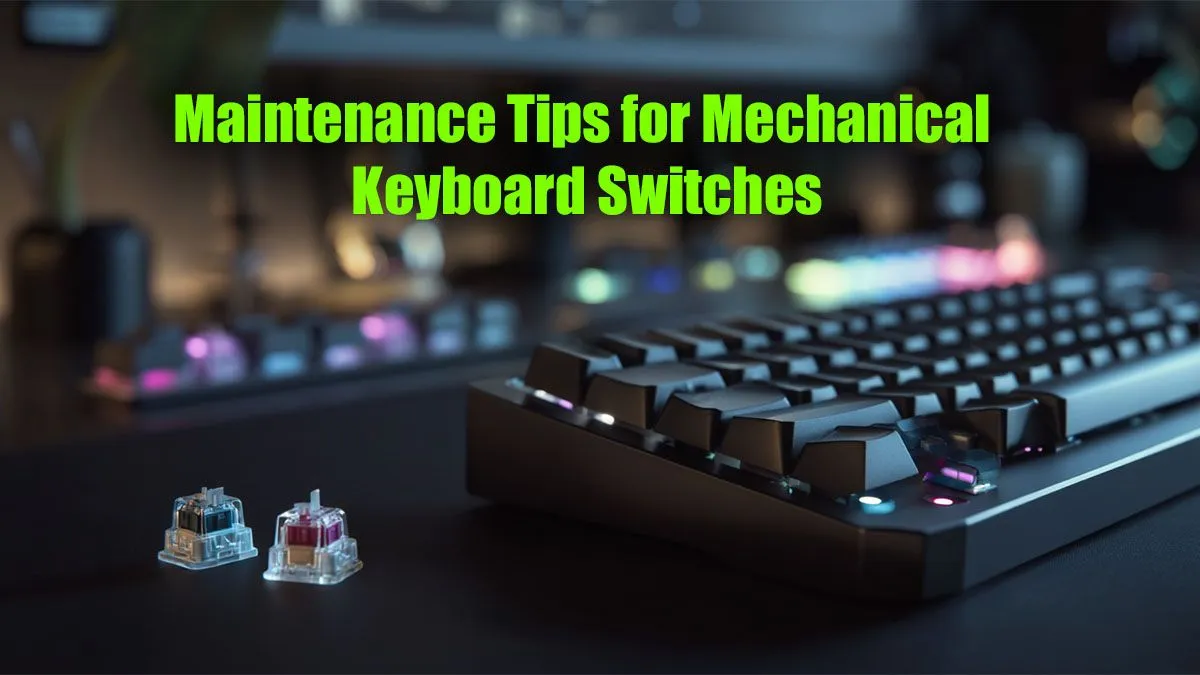
That satisfying thock from your mechanical keyboard is music to a gamer's ears. But what happens when your W key feels a bit... sticky? Or a key press doesn't register during a clutch moment? Your keyboard is a high-performance machine, and just like any premium gear, it needs a tune-up. This guide provides a complete rundown on mechanical keyboard switch maintenance, ensuring your board feels factory-fresh and ready for any challenge the local servers throw at you.
Why Bother with Mechanical Keyboard Switch Maintenance?
Think of it this way: dust, crumbs from those late-night snack sessions, and general gunk build up over time. This debris can get inside the switch housing, causing keys to stick, feel scratchy, or even fail entirely.
Proper keyboard switch maintenance isn't just about hygiene; it's about performance and longevity. A clean keyboard delivers:
- Consistent Actuation: Every key press feels exactly as it should.
- Longer Lifespan: You protect your investment, preventing premature switch failure.
- Peak Performance: No more missed inputs or sticky keys holding you back in fast-paced games.
Regular care ensures the high-quality gaming keyboard you invested in continues to perform at its best.
Your Maintenance Toolkit: What You'll Need 🔧
Before you start, gather a few essential tools. You don't need a pro workshop, just a few key items:
- Keycap Puller: Essential for safely removing keycaps without damaging them.
- Switch Puller: Only needed for hot-swappable keyboards.
- Isopropyl Alcohol (90%+): Perfect for cleaning without leaving residue.
- Cotton Swabs & Microfibre Cloth: For wiping down surfaces and getting into tight spots.
- Small, Soft Brush: An old paintbrush or a dedicated electronics brush works wonders for dusting.
- Compressed Air: A quick way to blast out loose debris.
While you have the keys off, it's also the perfect time to consider if your setup could be more comfortable. Adding a good wrist rest can make a massive difference during long gaming sessions.
The Routine Clean-Up: A 15-Minute Refresh
For most users, a quick clean every month or two is all you need to keep things running smoothly. This level of mechanical keyboard switch maintenance is simple and effective.
- Disconnect: Always unplug your keyboard first!
- Remove Keycaps: Use your keycap puller to gently lift off all the keycaps. Pro tip: take a photo of your keyboard layout before you start, just in case. This is also a great opportunity to upgrade your style with a fresh set of custom keycaps.
- Clean the Board: Turn the keyboard upside down and give it a gentle shake. Use your brush and compressed air to clear out all the loose dust and debris from the plate.
- Wipe Down: Lightly dampen a cotton swab or microfibre cloth with isopropyl alcohol and carefully wipe the plate between the switches.
- Clean Keycaps: Soak the keycaps in a bowl of warm, soapy water. Give them a gentle scrub, rinse thoroughly, and let them dry completely before putting them back on.
Dust-Busting Pro Tip ✨
A cheap, soft-bristled paintbrush is one of the best tools for routine keyboard cleaning. It's gentle enough not to scratch any surfaces but firm enough to dislodge dust from around the switch housings and stabilisers. It gets into crevices that compressed air sometimes misses. Keep one at your desk for a quick weekly dusting.
The Deep Dive: Advanced Switch Maintenance 🧼
Is a specific switch feeling particularly scratchy or unresponsive? It might be time for a deeper clean. The process for this advanced mechanical keyboard switch maintenance depends on whether your keyboard is hot-swappable.
For Hot-Swappable Keyboards
Hot-swap boards are a modder's dream because you can remove switches without any soldering.
- Remove the Faulty Switch: After removing the keycap, use a switch puller to gently squeeze the tabs on the top and bottom of the switch and pull it straight out.
- Clean or Replace: You can try cleaning the switch by pressing the stem and using compressed air to blow out any debris. For a more thorough job, you can open the switch housing (this is for advanced users) to clean the internal components.
- The Easy Fix: If a switch is truly broken or just not worth the hassle, the best solution is to simply replace it. Having a few spare keyboard switches on hand is always a good idea.
For Soldered Keyboards
If your switches are soldered to the PCB, deep cleaning is much trickier as it requires desoldering equipment. For most users, it's often more practical to focus on cleaning around the switch as best as possible. If a soldered switch fails, it might be a sign that it's time to consider an upgrade.
When Maintenance Isn't Enough
Sometimes, a switch is simply at the end of its life. If you've tried cleaning and a key is still chattering (registering multiple presses) or is completely dead, it's time to look at a replacement. If your board is old and multiple switches are failing, it might be more cost-effective to invest in a new rig. Why not treat yourself and a friend to a full refresh with a new keyboard and mouse combo?
Consistent mechanical keyboard switch maintenance is the key to preserving that premium feel. It's a simple process that protects your investment and keeps you at the top of your game.
Ready for an Upgrade?
Sometimes a fresh start is the best option. If your old keyboard has seen better days, it's time to explore the latest tech. Check out our incredible gaming keyboard deals and find the perfect board to dominate the competition.